 Infozion Technologies LLPInfozion Technologies LLP




ERP for Small Businesses: A Complete Beginner-Friendly Guide for 2025
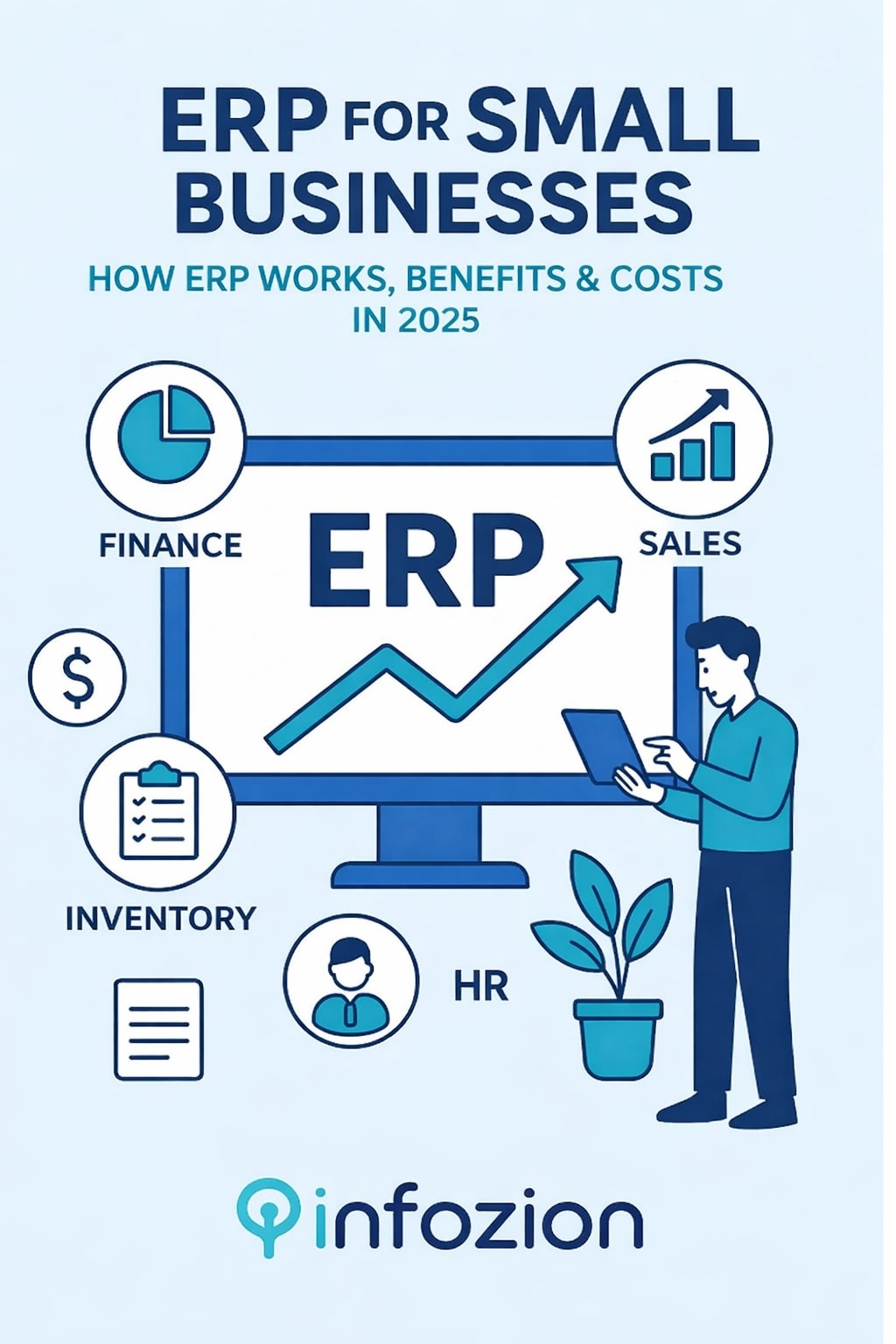
ERP for Small Businesses: A Complete Beginner-Friendly Guide for 2025
Introduction
Running a small business sounds simple, but in reality, it requires handling many things at the same time—customers, stock, payments, suppliers, employees, reports, and more. As a business grows, these tasks become harder to manage manually. This is where ERP for small businesses becomes extremely valuable. ERP brings all business processes together in one organized system to reduce mistakes, save time, and improve daily operations. Even if you are running a small shop, a startup, an agency, or a service-based company, ERP can make your work smoother and your decisions faster.
Many small business owners still rely on notebooks, WhatsApp messages, spreadsheets, and multiple apps to manage their daily operations. But this creates confusion, delays, miscommunication, and incorrect data. ERP solves all these problems by connecting everything—sales, accounts, HR, inventory, CRM, and reports—into one single platform. Today’s modern ERP tools are designed to be simple, affordable, and easy to learn, making them perfect for small businesses.
If you’re new to ERP, here is a simple, beginner-friendly explanation:
👉 https://www.infozion.in/what-is-erp/
What Is ERP, and Why Small Businesses Need It
ERP stands for Enterprise Resource Planning. It is a system that helps companies manage and automate day-to-day activities such as billing, sales tracking, inventory updates, reporting, CRM, HR, accounting, and more.
Small businesses need ERP more than ever because:
- Customers expect faster service
- Markets are more competitive
- Mistakes are expensive
- Owners must make quick decisions
- Teams need clear communication
ERP gives small businesses real-time visibility of what is happening inside the company. Instead of guessing, owners can see accurate stock levels, financial reports, sales performance, customer history, and expenses instantly.
To understand how ERP systems work in detail, explore this guide:
👉 https://www.infozion.in/erp-systems/
How ERP Works Inside a Small Business
ERP connects all departments so that every piece of information flows automatically.
Here’s a simple example:
A customer places an order → ERP updates inventory → invoice generates → payment is recorded → delivery team is notified.
This entire flow happens without anyone needing to send messages or check multiple files.
ERP becomes the central brain of the business.
Key Features of ERP for Small Businesses
1. Inventory Management
Small businesses often struggle with stock mismatches. ERP solves this by showing:
- Real-time stock levels
- Low-stock alerts
- Fast-moving and slow-moving items
- Automatic stock updates after every sale
2. Billing & Accounting
ERP generates invoices, tracks payments, manages expenses, handles taxes, and creates financial reports—all automatically.
3. Customer Relationship Management (CRM)
Small businesses can store customer data, track follow-ups, and maintain communication history.
4. Employee & HR Management
ERP manages attendance, leave, salary calculation, and employee records without paperwork.
5. Reporting & Analytics
Owners get instant reports like
- Daily sales
- Profit & loss
- Inventory summary
- Expense tracking
- Customer buying patterns
Instead of checking multiple files, everything appears on one dashboard.
Benefits of ERP for Small Businesses
1. Saves Time and Labour Costs
ERP eliminates repetitive paperwork and manual entries. Employees can focus on customer service and actual work instead of data entry.
2. Reduces Human Errors
Manual mistakes in billing, stock numbers, or accounting can harm a small business. ERP ensures accurate and updated data at all times.
3. Improved Customer Experience
ERP helps businesses respond quickly with correct information. Customers appreciate faster service and clear communication.
4. Better Decision Making
ERP provides clear reports that help owners understand what is working and what needs improvement.
5. Helps With Business Growth
As your business grows, ERP grows with you. You can add more modules, users, or features anytime.
Cloud ERP vs On-Premise ERP for Small Businesses
Most small businesses choose Cloud ERP because:
- No installation needed
- Very low upfront cost
- Works on mobile and laptop
- Automatic updates
- No IT team required
On-premise ERP is suitable only for companies with:
- Dedicated IT teams
- High customization needs
- Strong internal servers
Real-Life Example of ERP in a Small Business
Imagine you run a small clothing store.
Without ERP:
- Stock is tracked manually
- Invoices are handwritten
- Payment records are often missing
- Reports take hours to prepare
- Customers wait longer
With ERP:
- Stock updates automatically
- The invoice prints in seconds
- Payments sync instantly
- Reports ready in one click
- Customer service becomes faster
This shows how ERP transforms daily work.
Costs of ERP for Small Businesses
The cost depends on:
- Number of users
- Modules required
- Cloud or on-premise
- Custom features
- Training & support
Most small businesses choose affordable cloud ERP monthly subscription plans instead of expensive software.
Challenges Small Businesses Face Without ERP
Without ERP, businesses often experience:
- Wrong stock data
- Delayed billing
- Confused communication
- Missed follow-ups
- Unclear finances
- Lost customers
ERP fixes all these issues instantly.
How to Choose the Right ERP for Your Small Business
Check These Factors Before Choosing ERP
- Is the ERP easy to use?
- Does it fit your budget?
- Can it grow with your business?
- Does it include mobile access?
- Is customer support good?
- Are modules suitable for your industry?
A good ERP should improve your daily workflow, not make it more complicated.
External Reference
For more insights on ERP for small businesses, you can explore this reliable external resource:
Conclusion
ERP for small businesses is not optional anymore—it is essential for staying organized, competitive, and profitable.
It helps businesses save time, avoid errors, improve communication, and make smarter decisions. Whether you run a retail shop, agency, manufacturing unit, or online store, ERP can transform the way you work.
If you want to start learning ERP from scratch, begin here:
👉 https://www.infozion.in/what-is-erp/
Introduction
Choosing between Cloud ERP vs On-Premise ERP has become one of the most important decisions for businesses that want to streamline operations, improve data management, and increase overall efficiency. The type of ERP deployment you select will directly impact your business in multiple ways, including cost, security, speed, accessibility, updates, scalability, and long-term performance. That is why it is essential to understand the key differences clearly before making a final decision.
In simple terms, Cloud ERP runs online and is hosted by the ERP provider, whereas On-Premise ERP is installed on your company’s own servers. This means Cloud ERP removes the need for physical infrastructure, while On-Premise ERP allows you to control your entire system internally. Understanding these differences helps you choose a solution that supports your business operations today and creates a foundation for future growth.
Modern companies use ERP systems to manage almost every critical department, including finance, HR, sales, CRM, supply chain, inventory, manufacturing, and operations. However, the biggest confusion for new users is whether they should shift to cloud-based ERP or continue using traditional on-premise infrastructure. This guide explains both models in simple language, making it easy for even non-technical readers to understand.
If you are completely new to ERP, you can start with this beginner-friendly explanation:
Understanding ERP Deployment Options
Although ERP systems are created to unify processes across departments, the way they are deployed has a major impact on functionality and cost. Some companies prefer Cloud ERP because it is affordable, easy to access, and requires no physical hardware. On the other hand, some organizations choose on-premise ERP because they want complete control over their data, system customizations, and security policies.
Before selecting any deployment model, it is important to evaluate your business structure, internal IT capability, industry compliance requirements, and long-term strategic goals. Small businesses often prefer the cloud because it offers faster setup and flexibility. Large enterprises with strict data policies may lean toward on-premise because it offers complete control over sensitive data.
To understand how ERP works across multiple departments in detail, you can refer to this guide:
What Is Cloud ERP?
Simple Explanation
Cloud ERP is a modern software model where the entire ERP system runs on remote servers maintained and secured by the ERP vendor. You don’t need to install hardware, purchase servers, or maintain a dedicated IT room. Instead, you access everything through your web browser or mobile device, just like you use Gmail, Google Drive, or any online application. This makes Cloud ERP extremely simple to use and suitable for businesses that want to reduce complexity.
Why Cloud ERP Is Popular in 2025
In 2025, Cloud ERP continues to be the first choice for many companies because it removes the burden of maintaining internal systems and allows teams to work from anywhere. Businesses prefer cloud solutions because they provide automatic updates, strong security, and predictable subscription pricing. Since there is no upfront cost for servers, small and medium businesses can start using ERP without large investments. This makes cloud adoption faster and more practical for companies that want agility and quick scalability.
What Is On-Premise ERP?
Simple Explanation
On-premise ERP is the traditional model where the software is physically installed on your company’s servers. All data, security controls, customizations, and backups are managed internally by your IT team. This gives your business complete ownership of everything related to ERP management. Although this model requires higher technical resources, it is still preferred by industries where strict compliance, privacy, or government regulations are involved, such as banks, hospitals, manufacturing plants, and government departments.
Why Businesses Still Choose On-Premise ERP
Many companies choose on-premise ERP because it provides deep system customization, internal data protection, and the ability to tailor workflows exactly as needed. If your business already has a strong IT team and existing infrastructure, then on-premise can be a long-term stable solution. Additionally, companies that operate in environments with limited internet availability or require offline access often prefer this deployment method.
Cloud ERP vs On-Premise ERP—A Detailed Comparison
Choosing between these two models becomes easier when the differences are clearly visible. Below is a simple comparison table that explains how each model performs based on key business factors.
Comparison Table
| Feature | Cloud ERP | On-Premise ERP |
|---|---|---|
| Deployment | Hosted online | Installed on office servers |
| Cost | Low upfront (subscription) | High upfront (hardware + setup) |
| Customization | Moderate customization | Highly customizable |
| Maintenance | Vendor-managed | Internal IT required |
| Updates | Automatic updates | Manual updates |
| Accessibility | Anywhere, anytime | Office-only access |
Advantages of Cloud ERP
Cloud ERP has gained massive popularity because it is flexible, secure, cost-effective, and easy to maintain. Businesses no longer have to worry about server failures, hardware upgrades, or expensive technical staff. Since everything is managed by the vendor, companies can focus entirely on their core operations rather than technical issues.
Another major advantage of Cloud ERP is business continuity. Even if your office network fails, your data remains safe and accessible from anywhere because it is hosted on secure remote servers with multiple backup layers. Cloud ERP also scales easily, meaning you can add more users, modules, or storage as your business grows—without any physical limitations.
Advantages of On-Premise ERP
Despite the rise of cloud technology, on-premise ERP continues to be relevant for businesses that require strong control over their system infrastructure. Many industries handle extremely sensitive information, and they prefer storing and managing this data internally. Additionally, on-premise ERP allows deep customization, enabling companies to modify the software at the code level to match their internal workflow and operational structure.
For organizations with dedicated IT staff, on-premise ERP offers a stable environment where systems are not dependent on internet connectivity. This ensures smooth operations even in remote or restricted areas where cloud access may be limited. As a result, highly regulated businesses still rely on on-premise ERP for secure and long-term deployment.
Cost Comparison
The cost difference between Cloud ERP and On-Premise ERP shows why many small and medium businesses choose cloud over traditional setups. Cloud ERP requires minimal initial investment because companies only pay a subscription fee, and everything else—security, backups, updates, and hosting—is included.
In contrast, on-premise ERP requires a significant upfront investment. Businesses must purchase servers, data storage, networking equipment, software licenses, and IT tools and often hire additional staff for monitoring and maintenance. While on-premise may be cheaper in the very long run for large companies with thousands of users, it is typically expensive for startups and small enterprises.
Security Comparison
Both Cloud ERP and On-Premise ERP are secure, but their approach to security is different. Cloud ERP providers use enterprise-grade security tools, advanced firewalls, AI-based monitoring, and frequent patches to keep systems protected. Since cloud vendors manage thousands of clients, they invest heavily in security, making their protection stronger and more consistent.
On the other hand, on-premise ERP security depends entirely on the company’s internal IT team. This gives complete control but also increases responsibility. Organizations must handle their own firewalls, encryption, backups, physical security, and patch management. If the IT team is strong, on-premise security can be extremely robust; however, it requires constant attention and resources.
Which One Should Your Business Choose?
Choosing between Cloud ERP and On-Premise ERP depends completely on your business needs, goals, resources, and future plans. If your company wants flexibility, remote working, low cost, and fast implementation, then Cloud ERP is the best option. It is ideal for small and medium businesses that want to reduce IT burden and focus on operations.
However, if your business requires full control, advanced customization, or operates in a highly regulated industry, then on-premise ERP might be the right choice. Large enterprises with established IT infrastructure often select on-premise because it allows deeper modifications and internal hosting.
A trusted external comparison can also help you decide Here:
Conclusion
In the end, Cloud ERP vs. On-Premise ERP is not about choosing the “better” option—it is about selecting the right fit for your business. Cloud ERP provides flexibility, lower cost, easy maintenance, and faster deployment, making it ideal for growing organizations. On the other hand, on-premise ERP offers full control, deeper customization, and internal data ownership, making it suitable for industries that operate under strict compliance requirements.
Before deciding, evaluate your budget, IT capability, industry regulations, and long-term growth plans. When chosen correctly, ERP can transform your entire business and help you achieve operational excellence.
If you want to learn more about ERP and how it can help your organization, start here:
Introduction
ERP systems are becoming extremely important for modern companies because they help manage everything in one place. A business deals with customers, employees, stock, payments, reports, and daily operations. If different teams use different tools, confusion and mistakes happen. ERP systems solve this problem by connecting all business information into one organized platform.
As companies grow, their work becomes more complex. Without a proper system, updating data in multiple places becomes a daily struggle. An ERP system fixes this by keeping information updated automatically. This allows teams to work faster and make better decisions. Even though the term sounds technical, ERP systems are simple once you understand how they work.
What Are ERP Systems?
Simple Meaning of ERP Systems
ERP stands for Enterprise Resource Planning, which means planning and managing all business resources through a unified system. Instead of using different apps for sales, HR, accounts, and inventory, ERP systems bring all tasks together.
You can imagine ERP like a digital notebook where every department writes its information. Because all data is stored in one place, everyone sees the same updated information at the same time, which removes confusion and improves teamwork.
If you want to learn the basics first, you can read the foundation guide here:
👉 https://www.infozion.in/what-is-erp/
For additional background reference, you may check an external explanation here:
But everything important is already covered in this guide.
Why ERP Systems Matter Today
Why Businesses Struggle Without a Central System
Most companies grow into complicated structures without realizing it. Sales teams don’t always update inventory properly. Accounts may receive payment details late. HR may manually track attendance or leaves. These small gaps eventually cause bigger problems, including customer dissatisfaction, delays, and wrong reports.
How ERP Fixes These Problems
An ERP system connects all departments. When someone updates information, the entire company sees it instantly. This reduces manual work, lowers the chances of mistakes, speeds up daily tasks, and improves teamwork. Instead of relying on dozens of different tools, companies rely on one strong system.
How ERP Systems Work
Real-Time Data Flow
The biggest strength of ERP systems is real-time updating. When information is added anywhere in the system, all related sections update instantly.
For example, imagine a customer buys a product. As soon as the sale is entered:
- The stock count reduces
- Billing is generated
- Payment is recorded
- The delivery team gets the order alert
- The owner sees the update on the dashboard
This entire process happens automatically without phone calls, messages, or extra steps. ERP works like the “brain” of a business that keeps everything running smoothly.
A Simple Real-Life Example
Without an ERP System
Consider a small electronics shop. The owner writes sales in a register, then updates stock manually, and later prepares bills separately. Mistakes happen easily. If he forgets to reduce a product from stock, the next customer may face problems.
With an ERP System
When the owner enters a sale once, everything else updates automatically. Stock reduces instantly, billing is created, payment is recorded, and reports reflect the change immediately. This saves time and keeps everything organized.
Main Components of ERP Systems
Finance—The Most Important Module
ERP systems include multiple modules, but the finance module is the backbone. It manages payments, expenses, income, budgets, and financial reports. Accurate financial data helps businesses make better decisions.
Other common modules include inventory, HR, sales, purchasing, CRM, manufacturing, and project management. These modules work together inside one system, which keeps operations connected and organized.
How ERP Systems Help Every Department
Sales Team Benefits
Sales teams can instantly check product availability, customer history, and pricing. They don’t need to call the inventory team for details. This speeds up sales and improves customer satisfaction.
Purchase Team Benefits
The purchase department can see which items are running low. They can plan orders before stock runs out, keeping business operations smooth.
HR Department Benefits
HR teams can track attendance, leaves, employee data, and salaries in one system. This reduces manual paperwork and errors.
Finance Team Benefits
The finance team gets real-time access to revenue, expenses, and payments. This helps them prepare accurate reports instantly.
Business Owner Benefits
Business owners can view live dashboards, charts, and insights anytime. This helps them understand how the company is performing and make informed decisions.
Types of ERP Systems
On-Premise ERP
On-premise systems run on local company servers. They offer more control but require high maintenance, hardware, and IT staff. Large enterprises typically use this.
Cloud ERP
Cloud ERP works online. There is no need for servers, maintenance is easy, updates are automatic, and businesses can access the system from any device. This type is the most popular choice for small and medium companies.
How ERP Systems Have Improved Over Time
Old ERP vs Modern ERP
Earlier, ERP systems were expensive and difficult to use. Only large companies could afford them. Today, ERP systems have become simpler, more affordable, and cloud-based. They load faster, keep data safe, and provide better features such as dashboards, mobile access, and automation.
Even small businesses can now use ERP without heavy investment or technical knowledge.
ERP Implementation Overview
Key Steps in ERP Implementation
Implementing an ERP system requires planning. Businesses must understand their workflows, select the right modules, migrate data, test the system, and train employees. The system then goes live after all checks are completed.
If you want a detailed explanation of all phases, here is a complete step-by-step guide:
👉 https://www.infozion.in/erp-implementation-phases/
Industries That Use ERP Systems
Sectors That Benefit the Most
ERP systems are used in retail, hospitals, schools, factories, logistics, corporate offices, e-commerce, and many other industries. Any business that needs organized information and smooth workflow can benefit from ERP.
Is QuickBooks an ERP system?
Why QuickBooks Is Not ERP
QuickBooks focuses only on accounting. It manages billing and financial records but cannot handle inventory, HR, operations, or supply chain. ERP systems manage the entire business, which makes them much more powerful and versatile.
Cost of ERP Systems
What Influences Pricing
The cost of ERP depends on company size, number of users, required features, customization, training, and deployment type. Cloud ERP is usually more affordable because it doesn’t require servers or maintenance. Even though ERP may feel expensive at first, it saves money in the long run by reducing errors and speeding up work.
The Future of ERP Systems
Smarter ERP With AI
New ERP systems use artificial intelligence to provide predictions, detect errors, automate reports, and help businesses plan better. Automation will continue to improve, making work faster and more accurate.
ERP will become more intelligent in the future, helping companies make decisions automatically rather than manually.
Conclusion
ERP systems help businesses stay organized, reduce mistakes, and operate faster. They connect all departments, keep information updated, and improve daily workflows. Whether a company is small or large, ERP brings clarity, efficiency, and better decision-making.
ERP systems are not just tools—they are the backbone of successful business growth in 2025 and beyond.