 Infozion Technologies LLPInfozion Technologies LLP




ERP Modules — A Complete Beginner-Friendly Guide (2025)
ERP Modules — A Complete Beginner-Friendly Guide (2025)
Introduction
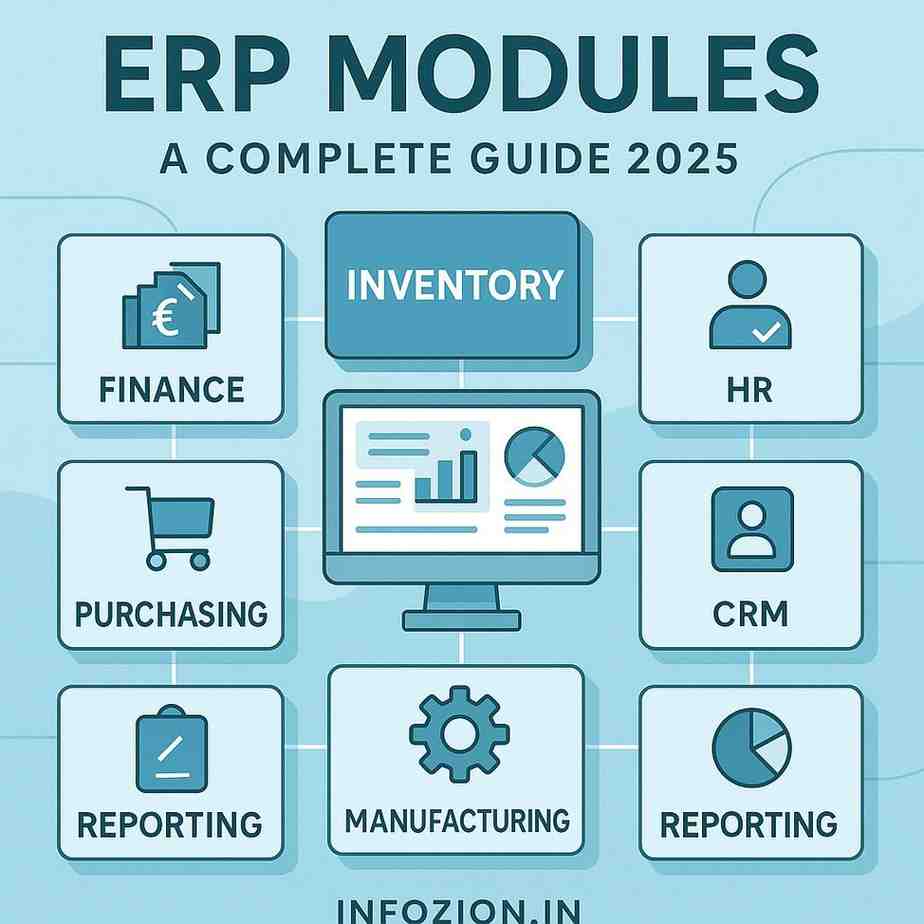
ERP modules are the most important building blocks of an ERP system. Each module manages a different part of the business—like finance, HR, inventory, purchasing, or sales—and all modules stay connected so data flows smoothly across the company. Even though the term sounds technical, ERP modules are very simple to understand once you know how they work.
Most companies deal with hundreds of tasks every single day. Teams often use separate tools, spreadsheets, or apps, making data scattered and difficult to manage. ERP modules solve this problem by organizing everything into one system that updates in real time. This helps teams avoid mistakes, save time, and work with complete clarity.
What Are ERP Modules?
Simple Meaning
An ERP module is a specific section inside an ERP system that focuses on one business function. For example, the finance module manages money, the HR module manages employees, and the inventory module manages stock. These modules communicate with each other instantly so that every department always sees accurate and updated information.
Why ERP Needs Modules
Without modules, companies would use different software for different tasks, which leads to confusion and delays. ERP modules bring everything together so the entire team works with the same data.
If you want to understand the basics of ERP before learning modules, you can learn the foundation here:
How ERP Modules Work Together
Real-Time Integration
Whenever a module records new information, all related modules update instantly. This creates a smooth workflow where teams do not need to message or call each other for updates.
Real Example
Suppose a customer makes a purchase.
Immediately:
- Stock decreases
- The finance section records payment
- The sales dashboard updates
- The delivery team gets the order
- Management sees updated reports
If you want to understand how entire ERP systems operate, you can read the detailed overview here:
Major ERP Modules (Explained Simply)
Below are the most important modules found in almost every ERP system. Each module plays a unique role.
Finance Module
What It Does
The finance module manages billing, expenses, revenue tracking, budgeting, tax calculations, and financial statements.
Why It’s Important
Businesses get complete financial visibility without waiting for manual updates.
Inventory Management Module
Main Purpose
This module tracks stock levels, product movement, warehouses, and reorder alerts.
Why Businesses Rely On It
Real-time stock updates prevent shortages or overstocking.
Sales & CRM Module
How It Helps
The module handles customer details, quotations, leads, sales orders, and communication records.
Customer Benefits
CRM features help build long-term customer relationships.
Human Resources (HR) Module
What It Manages
Employee data, attendance, leave management, payroll, and performance tracking.
Why It Matters
HR teams save time with automated salary calculations and employee record management.
Purchasing Module
Role in Operations
This module manages supplier data, purchase orders, pricing, and delivery dates.
Business Benefit
Companies buy materials at the right time and avoid delays.
Manufacturing Module
What It Controls
Production planning, raw materials, work orders, and machine scheduling.
Why It’s Useful
Factories avoid delays and maintain quality control.
Project Management Module
Key Features
Task tracking, timelines, budgets, roles, and responsibilities.
Why Teams Love It
Everyone knows what to do next, reducing confusion.
Reporting & Analytics Module
What It Provides
Real-time dashboards, charts, performance metrics, and insights.
Why It’s Important
Decision-making becomes faster and more accurate.
External Reference for Module Details
If you want to explore an external reference, you can check this helpful article here:
How ERP Modules Improve Daily Business Operations
Faster Workflows
Teams no longer switch between multiple apps.
Lower Errors
Real-time data reduces mistakes from manual entries.
Better Customer Experience
Customers receive quick and accurate responses.
Stronger Teamwork
The system connects everyone automatically.
Choosing the Right Modules for Your Business
Understand Your Requirements
- A retail shop needs sales, inventory, and finance.
- A manufacturing unit needs production, purchasing, and planning.
Pick the Right Mix
Select modules based on your workflow and daily challenges.
Cost of ERP Modules
What Decides Pricing
Number of users, module selection, customization, support, and training all impact the cost.
Long-Term Value
ERP modules reduce mistakes, save time, and increase efficiency—making them worth the investment.
The Future of ERP Modules
AI & Automation
New modules come with AI features like predictions, auto-reporting, and instant anomaly detection.
More Connected Systems
ERP will continue evolving with deeper integration and smarter insights.
Conclusion
ERP modules help companies stay organized, avoid mistakes, and manage operations with ease. When modules work together, businesses operate faster, smarter, and with complete clarity. Whether a company is small or large, choosing the right modules is essential for long-term success.