 Infozion Technologies LLPInfozion Technologies LLP




ERP vs CRM – What’s the Difference? A Complete 2025 Deep-Dive Guide
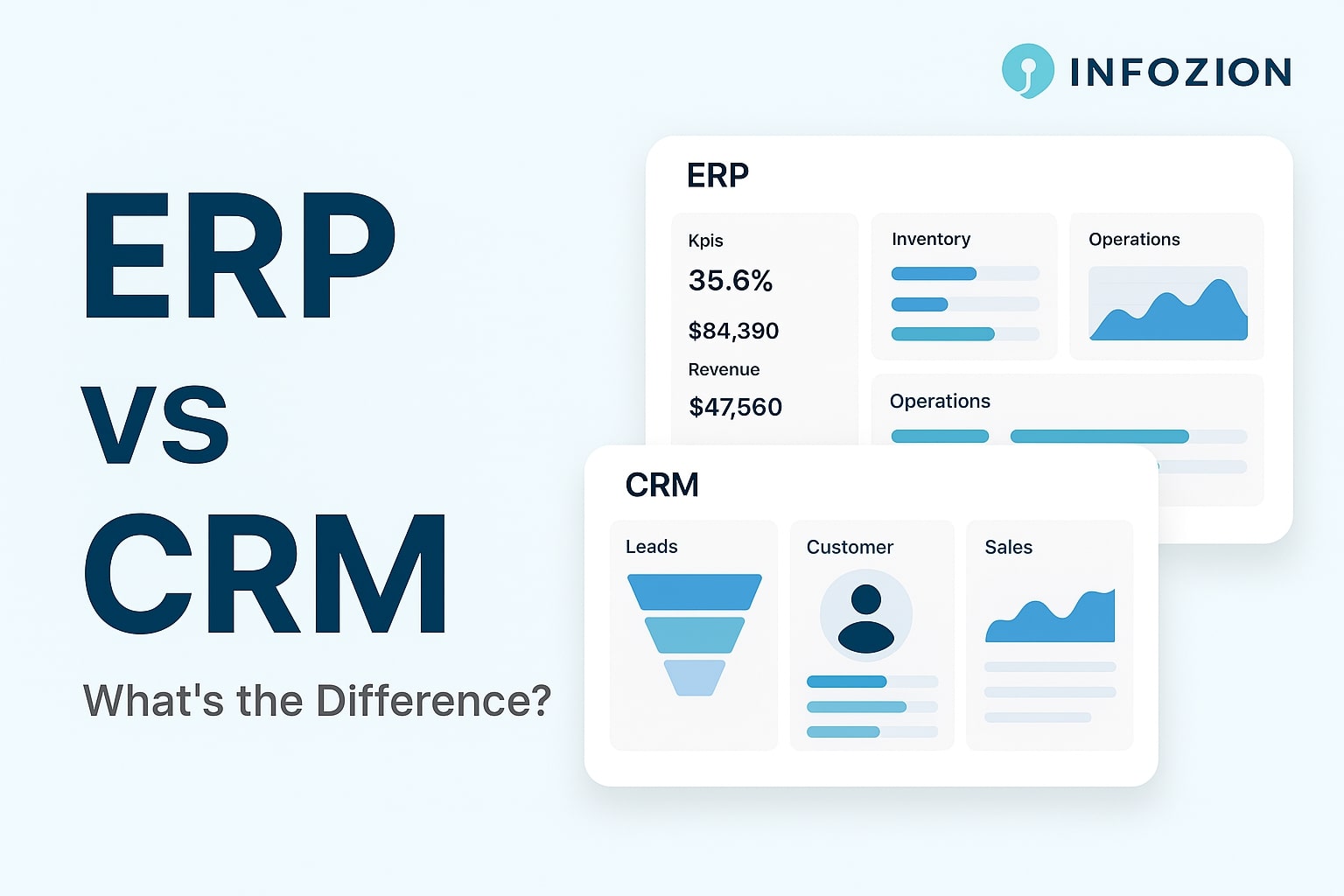
ERP vs CRM – What’s the Difference? A Complete 2025 Deep-Dive Guide
Introduction
Businesses today rely heavily on software to manage their daily operations, sales activities, customer communication, and financial processes. As companies grow, two systems become extremely important: ERP and CRM. Many business owners often compare both and try to understand ERP vs CRM clearly, because choosing the right system affects the entire workflow. In reality, ERP and CRM serve very different purposes. CRM helps a business get customers, while ERP helps the business run smoothly from the inside.
In this detailed 2025 guide, we will break down the difference between ERP and CRM in the simplest possible way. You’ll understand what each system does, how they work, how they impact your business, and which one you should choose. Whether you are a new business owner, a manager, or a student learning technology, this guide will help you make complete sense of these two powerful systems.
What Are ERP and CRM? (Beginner-Friendly Explanation)
What Is ERP?
ERP stands for Enterprise Resource Planning. It is a complete business management software that connects all major departments of a company—such as finance, human resources, inventory, purchasing, sales, and operations. Instead of using separate tools for each department, ERP brings everything into a single connected platform. This ensures that the entire company works using the same updated information.
If you want to understand ERP basics clearly, you can read the foundation guide here:
https://www.infozion.in/what-is-erp/
What Is CRM?
CRM stands for Customer Relationship Management. Its primary goal is to help a business manage leads, customers, follow-ups, calls, messages, meetings, and sales opportunities. CRM is mainly used by sales teams, marketing teams, and customer support teams to improve communication and increase revenue.
While ERP works across the whole company, CRM focuses mainly on improving customer relationships and boosting sales.
How ERP Works Compared to CRM
How ERP Works (Simple Example)
Imagine a customer places an order. ERP will automatically update inventory, notify the finance team about payment, send details to the delivery team, and update the sales dashboard—all instantly. ERP removes manual work and connects the entire business in real time. This automation helps companies avoid mistakes, delays, and confusion.
To see how ERP systems actually function, you can read the detailed overview here:
How CRM Works (Simple Example)
Now imagine your sales team is trying to convert a new lead. CRM will track the lead’s name, phone number, email, follow-up history, meeting notes, proposals, and deal stage. Every update is visible to sales managers, so no lead gets ignored or forgotten. CRM also sends reminders for follow-ups and helps sales teams close deals faster.
Key Differences Between ERP and CRM (Explained in Depth)
1. Focus Area
ERP focuses on the internal operations of a business. It keeps the company organized by managing stock, employees, money flow, and daily tasks. CRM focuses on customers—how to acquire them, follow up with them, communicate with them, and retain them. ERP = internal operations, CRM = customer relationships.
2. Main Purpose
The purpose of ERP is to increase efficiency, reduce errors, automate processes, and ensure the business runs smoothly. CRM’s purpose is to grow revenue by improving customer communication, managing leads, and increasing sales.
3. Who Uses It?
ERP is used by almost every department: HR, finance, operations, purchase, manufacturing, and inventory teams. CRM is used mainly by sales, marketing, and support teams. ERP supports internal workflow; CRM supports external customer interaction.
4. Type of Data Managed
ERP handles internal operational data such as stock levels, employee attendance, financial statements, vendor purchases, and production details. CRM handles customer data such as leads, contact information, communication history, and deal status.
Side-by-Side ERP and CRM Comparison Table
Below is a simple but powerful table to help you clearly understand the difference between ERP and CRM:
| Feature | ERP | CRM |
|---|---|---|
| Focus | Entire business | Customers & sales |
| Used By | All departments | Sales, marketing, support |
| Goal | Efficiency & automation | Revenue & relationships |
| Data Type | Internal business data | Customer interaction data |
| Improves | Operations | Conversion rates & communication |
When Should a Business Choose ERP?
You should choose ERP if your business is facing issues such as poor inventory control, financial confusion, manual errors, slow processes, missing documents, or lack of departmental coordination. ERP is perfect for growing businesses that need structure and automation. Manufacturing companies, retail businesses, supermarkets, construction firms, and service providers all rely heavily on ERP for smooth day-to-day operations.
When Should a Business Choose CRM?
If your business relies on lead generation, client communication, and sales performance, CRM is essential. Real estate companies, coaching centers, travel agencies, marketing agencies, and software companies use CRM to track leads, follow up properly, and manage thousands of customer conversations in one place.
Do You Need Both ERP and CRM?
Many companies often ask: Should we buy ERP or CRM? The truth is, both systems serve different purposes. Growing companies commonly use both systems to get the best results. CRM helps bring customers in, while ERP helps manage everything after the customer places an order. When ERP and CRM are used together, the business becomes more organized, faster, and more profitable.
Real-Life Examples for Easy Understanding
CRM Example
A real estate company receives 200 leads every month. Without CRM, many leads get ignored because salespeople forget to follow up. With CRM, every lead is tracked properly, follow-ups are timely, meetings are recorded, and deals close faster.
ERP Example
A manufacturing company makes 1,000 products every week. Without ERP, stock mismatches, wrong purchase orders, missing raw materials, and delayed production become common. With ERP, production planning becomes smooth, stock accuracy improves, costs reduce, and the company grows faster.
Additional Resource for Understanding ERP and CRM
If you want a trusted external explanation, you can read the official comparison here:
Which One Is Better for Your Business?
Choose CRM if your goal is to increase revenue, improve customer communication, and track leads properly. Choose ERP if your goal is to manage the business efficiently, reduce errors, and automate operations. The best approach for fast-growing businesses is to use both ERP and CRM together. This brings complete balance between sales growth and operational efficiency.
Conclusion
ERP and CRM are two of the most important systems for any business in 2025. CRM helps you build strong customer relationships and increase sales, while ERP helps you manage daily operations, organize departments, and reduce errors. Understanding the difference between ERP and CRM allows you to make the right decision for your business.
If you want to understand ERP from the basics before comparing it with CRM, start here:
https://www.infozion.in/what-is-erp/
Introduction
ERP modules are the most important building blocks of an ERP system. Each module manages a different part of the business—like finance, HR, inventory, purchasing, or sales—and all modules stay connected so data flows smoothly across the company. Even though the term sounds technical, ERP modules are very simple to understand once you know how they work.
Most companies deal with hundreds of tasks every single day. Teams often use separate tools, spreadsheets, or apps, making data scattered and difficult to manage. ERP modules solve this problem by organizing everything into one system that updates in real time. This helps teams avoid mistakes, save time, and work with complete clarity.
What Are ERP Modules?
Simple Meaning
An ERP module is a specific section inside an ERP system that focuses on one business function. For example, the finance module manages money, the HR module manages employees, and the inventory module manages stock. These modules communicate with each other instantly so that every department always sees accurate and updated information.
Why ERP Needs Modules
Without modules, companies would use different software for different tasks, which leads to confusion and delays. ERP modules bring everything together so the entire team works with the same data.
If you want to understand the basics of ERP before learning modules, you can learn the foundation here:
How ERP Modules Work Together
Real-Time Integration
Whenever a module records new information, all related modules update instantly. This creates a smooth workflow where teams do not need to message or call each other for updates.
Real Example
Suppose a customer makes a purchase.
Immediately:
- Stock decreases
- The finance section records payment
- The sales dashboard updates
- The delivery team gets the order
- Management sees updated reports
If you want to understand how entire ERP systems operate, you can read the detailed overview here:
Major ERP Modules (Explained Simply)
Below are the most important modules found in almost every ERP system. Each module plays a unique role.
Finance Module
What It Does
The finance module manages billing, expenses, revenue tracking, budgeting, tax calculations, and financial statements.
Why It’s Important
Businesses get complete financial visibility without waiting for manual updates.
Inventory Management Module
Main Purpose
This module tracks stock levels, product movement, warehouses, and reorder alerts.
Why Businesses Rely On It
Real-time stock updates prevent shortages or overstocking.
Sales & CRM Module
How It Helps
The module handles customer details, quotations, leads, sales orders, and communication records.
Customer Benefits
CRM features help build long-term customer relationships.
Human Resources (HR) Module
What It Manages
Employee data, attendance, leave management, payroll, and performance tracking.
Why It Matters
HR teams save time with automated salary calculations and employee record management.
Purchasing Module
Role in Operations
This module manages supplier data, purchase orders, pricing, and delivery dates.
Business Benefit
Companies buy materials at the right time and avoid delays.
Manufacturing Module
What It Controls
Production planning, raw materials, work orders, and machine scheduling.
Why It’s Useful
Factories avoid delays and maintain quality control.
Project Management Module
Key Features
Task tracking, timelines, budgets, roles, and responsibilities.
Why Teams Love It
Everyone knows what to do next, reducing confusion.
Reporting & Analytics Module
What It Provides
Real-time dashboards, charts, performance metrics, and insights.
Why It’s Important
Decision-making becomes faster and more accurate.
External Reference for Module Details
If you want to explore an external reference, you can check this helpful article here:
How ERP Modules Improve Daily Business Operations
Faster Workflows
Teams no longer switch between multiple apps.
Lower Errors
Real-time data reduces mistakes from manual entries.
Better Customer Experience
Customers receive quick and accurate responses.
Stronger Teamwork
The system connects everyone automatically.
Choosing the Right Modules for Your Business
Understand Your Requirements
- A retail shop needs sales, inventory, and finance.
- A manufacturing unit needs production, purchasing, and planning.
Pick the Right Mix
Select modules based on your workflow and daily challenges.
Cost of ERP Modules
What Decides Pricing
Number of users, module selection, customization, support, and training all impact the cost.
Long-Term Value
ERP modules reduce mistakes, save time, and increase efficiency—making them worth the investment.
The Future of ERP Modules
AI & Automation
New modules come with AI features like predictions, auto-reporting, and instant anomaly detection.
More Connected Systems
ERP will continue evolving with deeper integration and smarter insights.
Conclusion
ERP modules help companies stay organized, avoid mistakes, and manage operations with ease. When modules work together, businesses operate faster, smarter, and with complete clarity. Whether a company is small or large, choosing the right modules is essential for long-term success.
Introduction
ERP systems are becoming extremely important for modern companies because they help manage everything in one place. A business deals with customers, employees, stock, payments, reports, and daily operations. If different teams use different tools, confusion and mistakes happen. ERP systems solve this problem by connecting all business information into one organized platform.
As companies grow, their work becomes more complex. Without a proper system, updating data in multiple places becomes a daily struggle. An ERP system fixes this by keeping information updated automatically. This allows teams to work faster and make better decisions. Even though the term sounds technical, ERP systems are simple once you understand how they work.
What Are ERP Systems?
Simple Meaning of ERP Systems
ERP stands for Enterprise Resource Planning, which means planning and managing all business resources through a unified system. Instead of using different apps for sales, HR, accounts, and inventory, ERP systems bring all tasks together.
You can imagine ERP like a digital notebook where every department writes its information. Because all data is stored in one place, everyone sees the same updated information at the same time, which removes confusion and improves teamwork.
If you want to learn the basics first, you can read the foundation guide here:
👉 https://www.infozion.in/what-is-erp/
For additional background reference, you may check an external explanation here:
But everything important is already covered in this guide.
Why ERP Systems Matter Today
Why Businesses Struggle Without a Central System
Most companies grow into complicated structures without realizing it. Sales teams don’t always update inventory properly. Accounts may receive payment details late. HR may manually track attendance or leaves. These small gaps eventually cause bigger problems, including customer dissatisfaction, delays, and wrong reports.
How ERP Fixes These Problems
An ERP system connects all departments. When someone updates information, the entire company sees it instantly. This reduces manual work, lowers the chances of mistakes, speeds up daily tasks, and improves teamwork. Instead of relying on dozens of different tools, companies rely on one strong system.
How ERP Systems Work
Real-Time Data Flow
The biggest strength of ERP systems is real-time updating. When information is added anywhere in the system, all related sections update instantly.
For example, imagine a customer buys a product. As soon as the sale is entered:
- The stock count reduces
- Billing is generated
- Payment is recorded
- The delivery team gets the order alert
- The owner sees the update on the dashboard
This entire process happens automatically without phone calls, messages, or extra steps. ERP works like the “brain” of a business that keeps everything running smoothly.
A Simple Real-Life Example
Without an ERP System
Consider a small electronics shop. The owner writes sales in a register, then updates stock manually, and later prepares bills separately. Mistakes happen easily. If he forgets to reduce a product from stock, the next customer may face problems.
With an ERP System
When the owner enters a sale once, everything else updates automatically. Stock reduces instantly, billing is created, payment is recorded, and reports reflect the change immediately. This saves time and keeps everything organized.
Main Components of ERP Systems
Finance—The Most Important Module
ERP systems include multiple modules, but the finance module is the backbone. It manages payments, expenses, income, budgets, and financial reports. Accurate financial data helps businesses make better decisions.
Other common modules include inventory, HR, sales, purchasing, CRM, manufacturing, and project management. These modules work together inside one system, which keeps operations connected and organized.
How ERP Systems Help Every Department
Sales Team Benefits
Sales teams can instantly check product availability, customer history, and pricing. They don’t need to call the inventory team for details. This speeds up sales and improves customer satisfaction.
Purchase Team Benefits
The purchase department can see which items are running low. They can plan orders before stock runs out, keeping business operations smooth.
HR Department Benefits
HR teams can track attendance, leaves, employee data, and salaries in one system. This reduces manual paperwork and errors.
Finance Team Benefits
The finance team gets real-time access to revenue, expenses, and payments. This helps them prepare accurate reports instantly.
Business Owner Benefits
Business owners can view live dashboards, charts, and insights anytime. This helps them understand how the company is performing and make informed decisions.
Types of ERP Systems
On-Premise ERP
On-premise systems run on local company servers. They offer more control but require high maintenance, hardware, and IT staff. Large enterprises typically use this.
Cloud ERP
Cloud ERP works online. There is no need for servers, maintenance is easy, updates are automatic, and businesses can access the system from any device. This type is the most popular choice for small and medium companies.
How ERP Systems Have Improved Over Time
Old ERP vs Modern ERP
Earlier, ERP systems were expensive and difficult to use. Only large companies could afford them. Today, ERP systems have become simpler, more affordable, and cloud-based. They load faster, keep data safe, and provide better features such as dashboards, mobile access, and automation.
Even small businesses can now use ERP without heavy investment or technical knowledge.
ERP Implementation Overview
Key Steps in ERP Implementation
Implementing an ERP system requires planning. Businesses must understand their workflows, select the right modules, migrate data, test the system, and train employees. The system then goes live after all checks are completed.
If you want a detailed explanation of all phases, here is a complete step-by-step guide:
👉 https://www.infozion.in/erp-implementation-phases/
Industries That Use ERP Systems
Sectors That Benefit the Most
ERP systems are used in retail, hospitals, schools, factories, logistics, corporate offices, e-commerce, and many other industries. Any business that needs organized information and smooth workflow can benefit from ERP.
Is QuickBooks an ERP system?
Why QuickBooks Is Not ERP
QuickBooks focuses only on accounting. It manages billing and financial records but cannot handle inventory, HR, operations, or supply chain. ERP systems manage the entire business, which makes them much more powerful and versatile.
Cost of ERP Systems
What Influences Pricing
The cost of ERP depends on company size, number of users, required features, customization, training, and deployment type. Cloud ERP is usually more affordable because it doesn’t require servers or maintenance. Even though ERP may feel expensive at first, it saves money in the long run by reducing errors and speeding up work.
The Future of ERP Systems
Smarter ERP With AI
New ERP systems use artificial intelligence to provide predictions, detect errors, automate reports, and help businesses plan better. Automation will continue to improve, making work faster and more accurate.
ERP will become more intelligent in the future, helping companies make decisions automatically rather than manually.
Conclusion
ERP systems help businesses stay organized, reduce mistakes, and operate faster. They connect all departments, keep information updated, and improve daily workflows. Whether a company is small or large, ERP brings clarity, efficiency, and better decision-making.
ERP systems are not just tools—they are the backbone of successful business growth in 2025 and beyond.