 Infozion Technologies LLPInfozion Technologies LLP




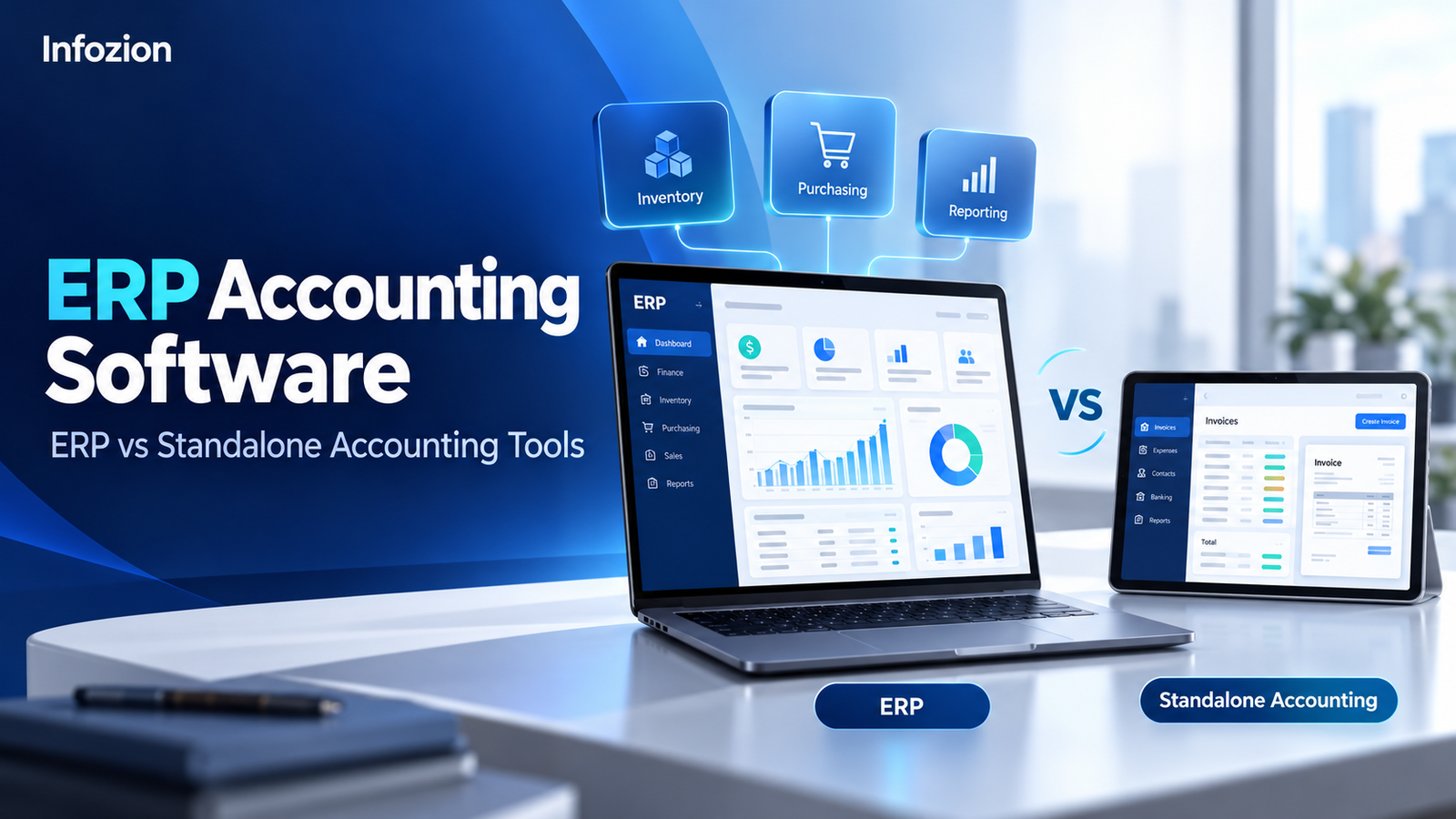
ERP Accounting Software: ERP vs Standalone Accounting Tools
ERP Accounting Software: ERP vs Standalone Accounting Tools
Managing business finances becomes harder when sales, purchasing, inventory and accounting operate in separate systems. ERP accounting software helps connect financial records with the activities that generate them, giving teams a more coordinated way to manage operations.
However, a full ERP system is not necessary for every business. Standalone accounting tools can be suitable for companies with straightforward bookkeeping, invoicing and reporting requirements.
The decision depends on your operational complexity, existing systems and ability to manage change.
This guide from Infozion explains the differences, compares practical capabilities and helps you decide whether to improve your accounting setup or move towards a connected ERP solution.
What Is the Difference Between ERP and Standalone Accounting Software?
Standalone accounting software primarily manages financial transactions, invoices, payments and financial reporting. ERP combines accounting with other business functions, such as purchasing, inventory, production or project management, depending on the modules implemented.
The main distinction is how financial information connects with operational workflows. SAP describes ERP as connecting financial data with the business processes that create it. SAP
Some accounting products also offer inventory, automation and integrations. Always compare actual capabilities rather than relying only on product labels.
What Is ERP Accounting Software?
ERP accounting software refers to the accounting capabilities within an enterprise resource planning system.
It can include general ledger management, accounts payable, accounts receivable, expenses, cash management and financial reporting. Depending on the solution, additional capabilities may cover budgeting, assets, consolidation and project accounting.
Oracle identifies accounting and financial management as core ERP components, with financial information connected to wider business activities. Oracle India
For example, a purchasing workflow may connect an approved purchase order, warehouse receipt and supplier invoice. Finance can then review the related information before payment.
The precise posting rules, approval steps and timing depend on configuration.
Explore Infozion’s guide to ERP modules to understand how finance can work alongside other business functions.
What Are Standalone Accounting Tools?
Standalone accounting tools focus mainly on maintaining financial records and supporting accounting activities.
Typical capabilities include:
- Customer invoicing and payment tracking.
- Supplier bills and expense recording.
- Bank reconciliation.
- General ledger and financial statements.
- Tax-related records and reporting.
- Accountant access and document management.
Product scope varies. Some solutions include stock tracking, purchasing, payroll or connections to specialist applications.
A small consultancy, for example, may operate effectively with accounting software, a project management tool and a reliable billing integration.
The question is whether the complete setup meets your requirements without excessive manual coordination.
ERP vs Accounting Software: Comparison Table
The following comparison describes common patterns. Individual products and implementation scopes differ.
| Evaluation area | Standalone accounting tools | ERP with accounting |
| Main focus | Financial records and accounting workflows | Financial and operational coordination |
| Department coverage | Primarily finance, with selected additional features | Multiple departments through implemented modules |
| Inventory | Basic, advanced or integration-based, depending on product | Can connect purchasing, warehouses and financial records |
| Production | Often requires a separate application | May be available through manufacturing modules |
| Project costing | Product-dependent | Can connect project activity, costs and billing |
| Data movement | May depend on integrations or imports | Can share records across connected modules |
| Implementation | Often narrower when requirements are simple | Usually involves broader process and data preparation |
| User training | Mainly accounting users | Finance and relevant operational teams |
| Reporting | Strong financial reporting, depending on product | Can combine operational and financial information |
| Cost drivers | Subscription, add-ons and integrations | Modules, licences, implementation and ongoing services |
When evaluating ERP vs accounting software, test the workflows that matter to your company instead of comparing feature counts alone.
How ERP Connects Accounting With Daily Operations
Consider an illustrative distributor managing two warehouses.
A customer orders products that are available across both locations. Employees need to confirm stock, arrange fulfilment, issue an invoice and track payment.
With disconnected tools, teams may repeatedly enter customer details, update spreadsheets and exchange documents.
A configured ERP could connect these activities:
- Sales records the order.
- Warehouse staff review availability.
- Goods are reserved and dispatched.
- Authorised users create or validate the invoice.
- Finance monitors the receivable.
- Management reviews sales and margin information.
This is an example of a possible workflow, not a capability guaranteed in every ERP.
A standalone accounting system with reliable integrations may also support a similar process. Compare how each proposed setup handles exceptions, failures and reconciliation.
Key Features to Evaluate in ERP Accounting Software
General Ledger and Reporting Structure
Check whether the system supports your chart of accounts, reporting periods and required dimensions.
You may need separate reporting by branch, department, project or product category. Ask the provider to demonstrate how transactions flow into those reports.
Receivables and Payables
Evaluate invoice creation, credit notes, customer balances, supplier bills and payment allocation.
For purchasing, test whether invoices can be checked against orders and receipts where required.
Inventory and Costing Connections
If your business holds stock, examine how inventory movements affect financial records.
Test transfers, returns, damaged goods and adjustments. Confirm the available valuation methods and how discrepancies are investigated.
Cash Management
Assess bank imports, reconciliation tools, payment visibility and cash reporting.
Forecasting features vary. Ask which inputs are included and whether forecasts require separate software or additional configuration.
Permissions and Audit Trails
Review who can create suppliers, approve purchases, change bank details, post journals and release payments.
Confirm which changes are logged and whether the records provide sufficient detail for your internal review process.
Benefits of ERP Financial Management
The value of ERP financial management comes from improving the flow of information between teams.
Less Repeated Data Entry
Shared records can reduce the need to enter the same customer, supplier or transaction details in multiple places.
This depends on good configuration and consistent employee use. Poorly maintained records can still create problems.
Better Visibility Into Business Activity
Connected information can help finance understand outstanding orders, purchasing commitments and project costs.
Managers can investigate the operational reasons behind financial results rather than relying only on summary reports.
More Consistent Approvals
A defined approval workflow can make responsibilities clearer and help employees identify pending actions.
Exceptions still need owners. Automation should include a way to investigate and resolve rejected or incomplete transactions.
Easier Cross-Department Reporting
Where relevant modules are connected, teams can analyse financial results alongside operational measures.
For example, a manufacturer might compare material consumption with production output and related costs.
When Standalone Accounting Software Is Enough
Standalone tools can remain suitable when:
- Your main requirement is reliable bookkeeping and invoicing.
- Business processes are relatively straightforward.
- Existing integrations work consistently.
- Reporting is timely and dependable.
- Manual coordination is limited and manageable.
- Your team does not need broader operational modules.
A business should not adopt ERP simply because it is growing.
First identify whether the difficulties come from software limitations, inconsistent processes, poor data or insufficient training. Improving the existing setup may solve the problem with less disruption.
Signs Your Business May Need ERP
Consider ERP accounting software when recurring difficulties extend beyond finance.
Teams Maintain Conflicting Records
Sales, warehouse and finance teams may use different versions of customer, product or order information.
Reports Require Extensive Manual Preparation
Employees may combine exports and spreadsheets before management can understand performance.
Operational Activity Is Difficult to Trace
Finance may struggle to connect invoices with deliveries, purchases or project milestones.
Expansion Creates Repeated Workarounds
New branches, entities or product lines may require increasingly complicated manual processes.
Existing Integrations Are Hard to Maintain
Several point-to-point connections may create unclear ownership, frequent errors or substantial reconciliation work.
Document these problems and their business impact before deciding on a replacement.
Accounting ERP for Small Businesses: Is It Practical?
Accounting ERP for small businesses can be practical when requirements justify a connected system and the implementation is proportionate.
A smaller manufacturer, for example, may need purchasing, material tracking, production and accounting to work together. A service company of a similar size may have simpler needs.
Start with essential workflows. Avoid buying modules without a clear business purpose.
A phased rollout can introduce selected capabilities first and add others later. Oracle describes this as one approach to implementing ERP modules, with the sequence shaped by business priorities. Oracle India
Budget for internal employee time as well as software and implementation services.
Can You Keep Your Existing Accounting Software?
Yes. An ERP or operational platform may integrate with an existing accounting application when suitable interfaces and a workable design are available.
This approach can preserve familiar accounting workflows while connecting selected business activities.
However, integrated accounting software requires clear decisions about:
- Which system owns customer and supplier records.
- Where invoices and credit notes originate.
- How transactions are identified across systems.
- How failed synchronisations are detected.
- Who investigates discrepancies.
- How corrections reach both applications.
Ask the provider to demonstrate a failed transaction and its recovery. A successful sales demonstration alone does not show how the integration behaves during everyday exceptions.
How to Compare Costs Fairly
Compare the total cost of each proposed setup over the same planning period.
For standalone tools, include subscriptions, add-ons, integrations, maintenance and recurring manual work.
For ERP, include:
- Discovery and process design.
- Software licences or subscriptions.
- Configuration and necessary development.
- Migration and reconciliation.
- Integrations and testing.
- Training and documentation.
- Hosting and ongoing assistance.
Ask vendors to state exclusions and change-request rates.
Use Infozion’s ERP implementation cost guide to identify budgeting categories before requesting a project-specific quotation.
A lower subscription price does not necessarily mean a lower overall operating cost.
How to Choose the Right Solution
Begin with a practical requirements document.
List your current problems, essential reports, approval rules, integrations and expected transaction volumes.
Then ask shortlisted providers to demonstrate:
- A normal sales transaction.
- A purchase and supplier invoice.
- A return or cancellation.
- A bank reconciliation workflow.
- A reporting requirement.
- An exception requiring correction.
Use a fit-gap assessment to record what works as standard, what requires configuration and what needs additional development.
Infozion’s ERP fit-gap analysis guide and template can help structure this comparison.
For a broader checklist, read how to choose ERP software for your business in India.
Prepare Your Data and People Before Switching
A new system needs reliable starting information.
Review customer and supplier records, unpaid invoices, inventory balances and your chart of accounts.
Agree on which historical records will move and which will remain accessible in an archive. Run trial migrations and reconcile the results before approving the final transfer.
Employees should practise their daily tasks, including corrections and exceptions.
Define launch criteria, escalation contacts and contingency arrangements. Infozion’s ERP implementation best practices provide additional guidance for preparing a controlled transition.
Discuss Your ERP Requirements With Infozion
Infozion offers custom ERP software solutions focused on business processes and operational management. www.infozion.in
If you are comparing accounting tools with a broader ERP approach, prepare a brief covering your current applications, departments, reporting needs and operational challenges.
Ask Infozion to explain the proposed scope, integration approach, responsibilities and delivery assumptions.
Discuss your ERP requirements with Infozion to explore an approach based on your actual workflows.
Frequently Asked Questions
1. What is ERP accounting software?
ERP accounting software is the accounting functionality within an enterprise resource planning system. It manages financial records and can connect them with purchasing, inventory, projects or other implemented modules.
2. Is ERP better than standalone accounting software?
It depends on your requirements. Standalone accounting tools can work well for straightforward financial processes. ERP becomes relevant when the business needs broader coordination between finance and operational departments.
3. Can accounting software include inventory management?
Yes. Some accounting products include inventory features or connect to specialist stock systems. Check warehouse coverage, valuation, transaction handling and reporting instead of assuming every accounting tool has the same limitations.
4. Does ERP replace accountants?
No. ERP can automate selected activities, but accountants remain responsible for reviewing information, applying professional judgement, investigating exceptions and maintaining appropriate financial processes.
5. Can small businesses use ERP?
Yes, when operational requirements justify it. Evaluate essential modules, implementation effort and employee readiness. Business complexity is a more useful selection factor than company size alone.
6. Can ERP integrate with our current accounting tool?
Potentially, if supported interfaces and a suitable design are available. Confirm transaction ownership, synchronisation rules, error handling and ongoing maintenance before committing to the integration.
7. Does ERP automatically make financial records accurate?
No. Accuracy depends on source data, configuration, access controls and employee processes. Testing, reconciliation and regular review remain necessary after implementation.
8. Should accounting and inventory go live together?
The answer depends on how closely the workflows are connected. Ask your implementation team to explain dependencies and reconciliation arrangements for each rollout option before deciding.
9. How long does an ERP accounting implementation take?
Timing depends on modules, integrations, migration complexity and team availability. Request a schedule based on documented requirements, with explicit dependencies and approval milestones.
10. How should we measure implementation success?
Track relevant measures such as reconciliation effort, reporting preparation time, duplicate entry and unresolved transaction errors. Record a baseline before implementation and review progress after stabilisation.
Choose Software Around Your Business Processes
The right ERP accounting software should connect the financial and operational activities your business needs to manage.