 Infozion Technologies LLPInfozion Technologies LLP





Most Popular ERP Systems in 2026: Top 10 ERP Software Compared
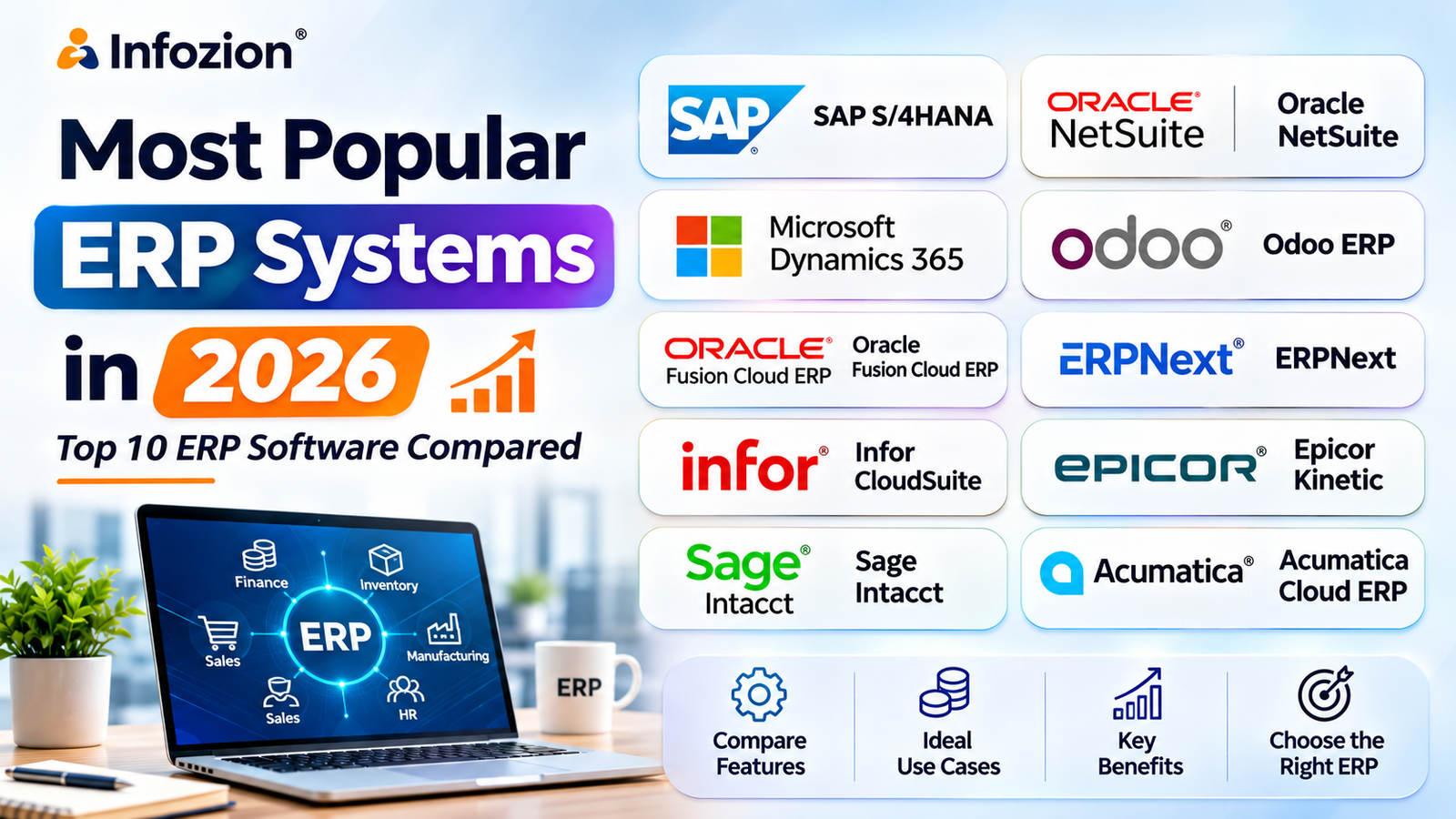
Most Popular ERP Systems in 2026: Top 10 ERP Software Compared
Businesses in 2026 are increasingly looking for smarter ways to manage accounting, inventory, sales, manufacturing, human resources, and daily operations. Managing these activities through disconnected software can create duplicate work, inaccurate reports, and unnecessary operational delays.
This is why Enterprise Resource Planning (ERP) software has become an important investment for organizations of different sizes.
However, with so many options available, choosing the right ERP system is not always easy.
The popular ERP systems in 2026 include SAP S/4HANA, Oracle NetSuite, Microsoft Dynamics 365, Odoo, Oracle Fusion Cloud ERP, ERPNext, Infor CloudSuite, Epicor Kinetic, Sage Intacct, and Acumatica.
Each platform offers different capabilities depending on business size, industry, deployment requirements, and available budget.
In this guide, we will compare the top ERP systems in 2026, explain their features, benefits, limitations, and ideal use cases, and help you understand which ERP solution might be appropriate for your business.
Quick Answer: What Are the Most Popular ERP Systems in 2026?
The most popular ERP systems in 2026 commonly evaluated by businesses include:
- SAP S/4HANA – Enterprise ERP for complex organizations.
- Oracle NetSuite – Cloud ERP for growing and mid-sized businesses.
- Microsoft Dynamics 365 – Integrated ERP for finance and business operations.
- Odoo ERP – Modular business management software.
- Oracle Fusion Cloud ERP – Cloud ERP for large enterprises.
- ERPNext – Open-source ERP for small and medium businesses.
- Infor CloudSuite – Industry-focused ERP for manufacturing and distribution.
- Epicor Kinetic – Manufacturing-oriented ERP software.
- Sage Intacct – Cloud financial management software.
- Acumatica Cloud ERP – ERP for growing distribution, manufacturing, and service businesses.
These are widely recognized ERP products rather than a strict global market-share ranking. Actual popularity varies by region, industry, company size, and measurement method.
What Is ERP Software and Why Do Businesses Need It?
ERP software (Enterprise Resource Planning software) connects important business processes through a shared system.
Instead of using separate applications for sales, purchasing, accounting, inventory, and other departments, an ERP platform helps businesses manage relevant information through connected workflows.
For example, imagine a manufacturing company receiving a new customer order.
Without ERP, sales might record the order in one application, inventory might update stock manually, and finance could prepare invoices separately.
With a properly integrated ERP system, an order can trigger stock checks, production planning, purchasing activities, and related financial transactions.
The goal is to improve communication between departments and reduce unnecessary manual work.
Common Features of ERP Systems
Most ERP software solutions offer some combination of:
- Financial accounting and reporting
- Inventory and warehouse management
- Sales and customer management
- Procurement and purchasing
- Manufacturing and production planning
- Human resource management
- Supply chain management
- Business intelligence and analytics
- Workflow automation
- Third-party software integration
The availability and depth of these functions differ between ERP products.
If your business is considering moving beyond standalone accounting applications, explore Infozion’s ERP software selection guide.
Top 10 Most Popular ERP Systems in 2026
The following ERP software comparison explains the strengths, ideal business applications, and considerations for ten established ERP platforms.
1. SAP S/4HANA – Enterprise ERP for Large Organizations
SAP S/4HANA is a comprehensive ERP platform designed to support complex financial, procurement, manufacturing, supply chain, and enterprise operations.
It is widely evaluated by large organizations that need standardized processes across multiple business units.
Key Features:
- Financial management and accounting
- Procurement and supply chain processes
- Manufacturing and production planning
- Asset management
- Enterprise reporting and analytics
- Multi-company and international operations
Benefits:
SAP S/4HANA supports organizations that need consistent processes, detailed reporting, and integrated management across departments.
Its enterprise capabilities can be particularly valuable for companies handling complex production environments, financial consolidation, and extensive supply networks.
Potential Limitations:
Implementation can require significant investment, specialist expertise, data preparation, and organizational change.
Best For: Large manufacturers, multinational companies, and complex enterprises.
Example: An automotive manufacturer uses SAP to coordinate production schedules, supplier purchases, warehouse movements, and financial reporting across multiple factories.
2. Oracle NetSuite – Cloud ERP for Growing Businesses
Oracle NetSuite is a cloud-based ERP platform designed to connect financial management with business operations.
It is frequently considered by growing organizations that want integrated applications without maintaining traditional on-premise ERP infrastructure.
Key Features:
- Financial management
- Order management
- Inventory control
- Procurement
- CRM capabilities
- Multi-subsidiary accounting
- Business dashboards and reporting
Benefits:
NetSuite provides an integrated cloud environment that can support expanding companies managing multiple departments, locations, and business entities.
It can also reduce the need to maintain separate systems for common financial and operational workflows.
Potential Limitations:
Licensing, advanced modules, implementation, and customization may increase the total ownership cost.
Best For: Mid-sized businesses, distributors, service organizations, and growing multi-entity companies.
Example: An e-commerce distributor uses NetSuite to manage customer orders, warehouse inventory, purchasing, and financial reporting.
3. Microsoft Dynamics 365 – ERP for Connected Business Operations
Microsoft Dynamics 365 includes several business applications, including Dynamics 365 Business Central, Finance, and Supply Chain Management.
These products serve different organizational requirements and should be evaluated individually.
Dynamics 365 is particularly attractive to businesses already using Microsoft business applications.
Key Features:
- Financial management
- Purchasing and sales operations
- Inventory management
- Supply chain functionality
- Reporting and analytics
- Integration with Microsoft applications
- Workflow automation capabilities
Benefits:
Microsoft Dynamics 365 can help businesses connect operational information with familiar productivity and reporting tools.
Different Dynamics products also allow organizations to evaluate solutions according to their operational complexity.
Potential Limitations:
Licensing structures, implementation scope, and customization costs depend on the specific Dynamics applications selected.
Best For: Growing businesses, mid-sized companies, and larger organizations using Microsoft technology.
Example: A wholesale company uses Dynamics 365 Business Central to manage purchasing, inventory, customer orders, and accounting.
4. Odoo ERP – Flexible and Modular ERP Software
Odoo ERP is one of the well-known popular ERP systems among businesses looking for modular and customizable software.
Its broad collection of business applications allows organizations to introduce functionality according to operational requirements.
Odoo offers Community and Enterprise editions, with differences in licensing, support, and available capabilities.
Key Features:
- Accounting and invoicing
- CRM and sales management
- Inventory and warehouse management
- Manufacturing
- Purchase management
- Project management
- Website and e-commerce applications
Benefits:
Odoo’s modular structure allows companies to begin with selected applications and expand the system as their requirements change.
Its customization ecosystem is also attractive to organizations with specialized workflows.
Potential Limitations:
Implementation quality depends heavily on configuration, development practices, data preparation, and integration planning.
Businesses should also compare Community and Enterprise functionality before selecting an edition.
Best For: SMEs, retailers, manufacturers, distributors, and growing businesses.
Example: A retail company connects its sales, inventory, purchasing, and accounting activities using selected Odoo modules.
Want to understand the individual applications? Read Infozion’s Odoo ERP Modules Explained – Features, Uses & Benefits.
5. Oracle Fusion Cloud ERP – Advanced Enterprise Financial Management
Oracle Fusion Cloud ERP is a cloud-based enterprise solution focused on financial management, procurement, project management, risk management, and related business processes.
It is commonly considered by organizations with sophisticated financial and administrative requirements.
Key Features:
- General ledger and financial reporting
- Accounts payable and receivable
- Procurement management
- Project financial management
- Financial planning capabilities
- Risk and compliance controls
- Reporting and analytical capabilities
Benefits:
Oracle Fusion Cloud ERP can support financial standardization across complex business structures.
It is suitable for organizations requiring detailed controls, multi-entity accounting, and integration with broader enterprise systems.
Potential Limitations:
Implementation may involve considerable planning, data migration, process redesign, and ongoing system administration.
Best For: Large enterprises, multinational organizations, and companies with complex financial requirements.
Example: An international service organization uses Oracle Fusion Cloud ERP to manage financial consolidation, supplier payments, and procurement across multiple countries.
6. ERPNext – Open-Source ERP for SMEs
ERPNext is an open-source enterprise resource planning software platform developed within the Frappe ecosystem.
It is frequently evaluated by smaller organizations and businesses seeking flexibility, transparent software architecture, and adaptable workflows.
Key Features:
- Accounting
- CRM
- Inventory management
- Sales and purchasing
- Manufacturing
- Human resources
- Project management
- Custom reports and workflows
Benefits:
ERPNext provides integrated business modules and opportunities for customization.
Its open-source licensing model can be attractive to businesses with technical resources or access to experienced implementation partners.
Potential Limitations:
Open-source software does not mean zero ownership cost. Hosting, implementation, development, maintenance, and employee training still require investment.
Best For: SMEs, trading companies, manufacturers, service providers, and organizations exploring open-source ERP.
Example: A small manufacturing business uses ERPNext to manage raw materials, purchase orders, production records, and accounting.
7. Infor CloudSuite – Industry-Specific ERP Solutions
Infor CloudSuite refers to a family of cloud-based, industry-focused enterprise applications.
Infor offers solutions tailored to particular industries, including manufacturing, distribution, and other operationally complex sectors.
Key Features:
- Industry-specific workflows
- Financial management
- Supply chain capabilities
- Manufacturing operations
- Inventory and distribution management
- Reporting and analytics
- Enterprise integration
Benefits:
Industry-focused functionality can help organizations manage specialized business processes without building every workflow from scratch.
Potential Limitations:
Businesses must choose the correct Infor product family because functionality varies between industry editions.
Best For: Manufacturers, distributors, and organizations requiring specialized industry processes.
Example: An industrial equipment company uses an industry-focused ERP system to coordinate manufacturing, inventory, procurement, and customer orders.
8. Epicor Kinetic – ERP Software for Manufacturing
Epicor Kinetic is a manufacturing-focused ERP platform designed for companies managing production operations and complex manufacturing workflows.
It is especially relevant when production planning and operational visibility are major requirements.
Key Features:
- Production planning and scheduling
- Material requirements planning
- Shop-floor operations
- Inventory management
- Quality management
- Purchasing and supplier management
- Manufacturing reporting
Benefits:
Epicor Kinetic helps manufacturing businesses coordinate materials, orders, production activities, and operational reporting.
It can be valuable for companies that need specialized manufacturing features beyond general accounting or inventory systems.
Potential Limitations:
Organizations with simpler requirements may find manufacturing-focused ERP capabilities more extensive than necessary.
Best For: Discrete manufacturers and companies with complex production processes.
Example: An industrial machinery manufacturer uses Epicor Kinetic to manage production orders, material availability, shop-floor activity, and manufacturing costs.
9. Sage Intacct – Cloud Financial Management Software
Sage Intacct is a cloud financial management platform often evaluated alongside ERP solutions.
Its main emphasis is sophisticated accounting and financial processes rather than serving as a complete manufacturing ERP suite on its own.
Key Features:
- General ledger
- Accounts payable and receivable
- Multi-entity financial management
- Financial dashboards
- Budgeting and reporting capabilities
- Revenue management
- Integration with operational applications
Benefits:
Sage Intacct can help finance teams improve financial visibility, reporting, and consolidation across entities.
Potential Limitations:
Businesses requiring comprehensive manufacturing, warehouse, or supply chain workflows may need additional integrated applications.
Best For: Service businesses, finance-driven organizations, nonprofits, and growing multi-entity companies.
Example: A professional services organization uses Sage Intacct to manage financial reporting, project-related financial information, and multi-entity accounting.
10. Acumatica Cloud ERP – Flexible ERP for Growing Companies
Acumatica Cloud ERP is designed for growing businesses requiring integrated financial and operational management.
It provides industry editions for distribution, manufacturing, construction, and other business sectors.
Key Features:
- Financial management
- Inventory and order management
- Distribution workflows
- Manufacturing functionality
- Project accounting
- CRM capabilities
- Reporting and dashboards
Benefits:
Acumatica offers integrated business functionality with options suited to different industries.
Its licensing and deployment arrangements should be assessed based on each organization’s requirements and commercial proposal.
Potential Limitations:
Customization, implementation complexity, and product edition selection can influence overall costs.
Best For: Mid-sized distributors, manufacturers, construction companies, and growing organizations.
Example: A distribution company uses Acumatica to connect supplier orders, warehouse stock, customer sales, and financial reporting.
Comparison Table: Best ERP Software in 2026
The following table summarizes the popular ERP systems according to their main strengths and typical use cases.
| ERP Software | Best Suited For | Key Strength |
|---|---|---|
| SAP S/4HANA | Large enterprises | Complex enterprise operations |
| Oracle NetSuite | Growing and mid-sized companies | Integrated cloud business management |
| Microsoft Dynamics 365 | SMEs to enterprises | Microsoft ecosystem integration |
| Odoo ERP | SMEs and growing businesses | Modular flexibility |
| Oracle Fusion Cloud ERP | Large enterprises | Financial management and controls |
| ERPNext | Small and medium businesses | Open-source flexibility |
| Infor CloudSuite | Industry-focused enterprises | Specialized industry workflows |
| Epicor Kinetic | Manufacturers | Production management |
| Sage Intacct | Finance-focused businesses | Financial reporting and consolidation |
| Acumatica | Growing mid-market companies | Integrated industry capabilities |
Important: This is a practical product comparison, not an independently measured ranking of global customers or market share.
Which ERP System Is Best for Small Businesses in 2026?
For small businesses, the right ERP should provide essential operational features without creating unnecessary implementation complexity.
Odoo ERP, ERPNext, and Microsoft Dynamics 365 Business Central are three options worth evaluating.
Odoo offers modular business applications, ERPNext provides open-source flexibility, and Business Central combines financial and operational management within Microsoft’s business ecosystem.
However, the best choice depends on the number of users, industry, expected transaction volume, integration needs, and available budget.
For example, a small trading business might primarily need accounting, purchasing, inventory, and sales management. A growing manufacturer may need additional production planning and material management features.
Businesses should prioritize essential workflows before purchasing advanced functionality.
For more practical advice, explore Infozion’s ERP Software Selection Checklist for Indian Businesses.
Which ERP Software Is Best for Manufacturing Companies?
Manufacturing companies often require more than basic financial and inventory management.
They may need bills of materials, production scheduling, quality control, procurement planning, and manufacturing cost analysis.
SAP S/4HANA, Epicor Kinetic, Infor CloudSuite, Odoo, and Acumatica are relevant ERP options for manufacturing organizations.
A large international manufacturer might prioritize complex supply chain integration and multi-plant management, while a smaller manufacturer may prefer a more focused implementation.
Before selecting ERP software for manufacturing, businesses should demonstrate real production workflows rather than relying only on general feature descriptions.
Cloud ERP vs On-Premise ERP: Which Is Better in 2026?
Another important consideration when comparing popular ERP systems is how the software will be deployed.
Cloud ERP Software
Cloud ERP software is hosted on cloud infrastructure and generally accessed through the internet.
It can provide easier remote access, reduced internal infrastructure requirements, and provider-managed application updates.
On-Premise ERP Software
On-premise ERP operates on infrastructure controlled by the organization.
It can offer greater control over hosting and technical configuration but typically requires more internal maintenance.
Which Should You Choose?
Cloud ERP can be suitable for businesses looking for accessible applications and reduced infrastructure management.
On-premise ERP may be considered when organizations have specialized hosting or infrastructure requirements.
Hybrid approaches are also possible.
Read Infozion’s detailed comparison: Cloud ERP vs On-Premise ERP: Differences, Costs and Benefits.
How Much Does ERP Software Cost in 2026?
The cost of an ERP system depends on several factors rather than a single universal price.
These include the software vendor, licensing model, number of users, modules, deployment requirements, customization, implementation, and maintenance.
A small company implementing basic accounting and inventory functionality may have substantially different costs from a manufacturer deploying complex production and supply chain modules.
Main ERP Cost Components
| Cost Component | What It Includes |
|---|---|
| Software Licensing | Subscription or software license charges |
| Implementation | Configuration, setup, process mapping and testing |
| Customization | Business-specific features and modifications |
| Integration | Connections with existing applications |
| Data Migration | Moving and validating existing business records |
| Training | Helping employees learn new workflows |
| Maintenance | Hosting, upgrades, support and ongoing improvements |
When comparing ERP quotations, businesses should calculate the total cost over several years rather than focusing only on monthly subscription charges.
How to Choose the Right ERP Software for Your Business
Selecting from the top ERP systems requires a structured approach.
Step 1: Identify Your Business Requirements
Understand the problems you want ERP to solve.
These may include inaccurate inventory information, delayed financial reporting, inefficient purchasing, or disconnected departments.
Step 2: Identify Essential Modules
Determine whether you need accounting, inventory, manufacturing, CRM, procurement, HR, or other applications.
Avoid adding unnecessary modules simply because they are available.
Step 3: Compare Relevant ERP Platforms
Shortlist platforms according to business size, industry requirements, integration options, and budget.
Ask vendors to demonstrate your actual workflows.
Step 4: Evaluate Customization and Integration
Check whether the system can connect with your existing software and handle important business-specific processes.
Step 5: Calculate Long-Term Costs
Include implementation, migration, training, upgrades, support, and future expansion costs.
Step 6: Plan ERP Implementation
A successful implementation requires clean data, clear responsibilities, realistic timelines, user training, and testing.
For a detailed implementation roadmap, read Infozion’s ERP Implementation Phases: Step-by-Step Guide.
You can also review the 10 Most Common ERP Implementation Mistakes to understand how companies can avoid preventable problems.
ERP Software Trends in 2026
The ERP market continues to evolve as businesses demand more automation, accessibility, and connected information.
1. AI-Assisted ERP Capabilities
Modern ERP platforms increasingly incorporate AI-assisted reporting, document processing, forecasting, and recommendations.
These capabilities should be evaluated for accuracy, governance, and human oversight.
2. Cloud-Based Business Applications
Cloud ERP remains an important option for businesses seeking scalable infrastructure and accessible business applications.
3. Industry-Specific ERP
Manufacturing, logistics, retail, and other industries increasingly evaluate software that supports specialized operational requirements.
4. Business Process Automation
Workflow automation can reduce repetitive tasks such as approval routing, document creation, and data transfer.
5. Connected Business Analytics
ERP dashboards can combine operational and financial information to improve management visibility.
The most useful ERP trends are those that solve measurable business problems rather than simply introducing new technology.
Why Choose Infozion for ERP Software Development?
While there are many popular ERP systems available, every business has different operational requirements.
Some companies can implement standard ERP software with limited configuration. Others need specialized applications, custom integrations, or workflows that existing platforms cannot fully support.
Infozion Technologies LLP provides software development and business technology solutions, including ERP-focused services.
Businesses exploring ERP can evaluate requirements such as:
- Custom ERP software development
- ERP implementation planning
- Business process automation
- Inventory and procurement management
- Financial workflow integration
- Industry-specific ERP solutions
- Data migration and application integration
- Custom reporting and dashboards
The right approach begins with understanding the organization’s processes, existing applications, technical requirements, and business objectives.
For companies considering custom solutions or ERP modernization, Infozion can help explore suitable development approaches.
Connect With Infozion to discuss your ERP software requirements.
Frequently Asked Questions About Popular ERP Systems
1. What are the most popular ERP systems in 2026?
The popular ERP systems commonly evaluated in 2026 include SAP S/4HANA, Oracle NetSuite, Microsoft Dynamics 365, Odoo, Oracle Fusion Cloud ERP, ERPNext, Infor CloudSuite, Epicor Kinetic, Sage Intacct, and Acumatica. Popularity varies according to industry, region, and business size.
2. Which ERP software is best for small businesses?
Odoo, ERPNext, and Microsoft Dynamics 365 Business Central are relevant options for small businesses. The best platform depends on operational requirements, budget, deployment preferences, and technical resources.
3. Which ERP system is best for large enterprises?
SAP S/4HANA, Oracle Fusion Cloud ERP, and selected Microsoft Dynamics 365 applications are commonly evaluated by large enterprises. The best choice depends on organizational complexity and business requirements.
4. Is SAP better than Oracle ERP?
Neither is universally better. SAP and Oracle offer enterprise ERP capabilities, but they differ in product architecture, functionality, deployment options, integration ecosystems, and implementation requirements. Businesses should compare actual workflows and ownership costs.
5. What is the most affordable ERP software?
Open-source options such as ERPNext and Odoo Community may reduce software licensing expenses. However, hosting, development, implementation, and ongoing maintenance can still create significant costs.
6. Is Odoo ERP suitable for Indian businesses?
Yes. Odoo can be suitable for Indian retailers, distributors, manufacturers, and service providers. Businesses should verify the necessary localization, GST-related functionality, integrations, and reporting requirements for their selected edition and configuration.
7. What is the difference between ERP and CRM software?
ERP connects broader business operations such as finance, purchasing, inventory, and manufacturing. CRM primarily focuses on customer interactions, sales pipelines, and customer relationships. Some ERP platforms include CRM modules.
8. Can ERP software improve business efficiency?
ERP can improve efficiency by connecting information, automating repetitive tasks, reducing duplicate work, and supporting better reporting. Results depend on implementation quality, process design, and employee adoption.
9. How long does ERP implementation take?
Implementation time varies by company size, required modules, data complexity, customization, integrations, and training. Smaller deployments may take weeks or months, while complex enterprise projects can take substantially longer.
10. Is cloud ERP secure for businesses?
Cloud ERP can provide strong security capabilities, including encryption, identity management, access controls, and managed infrastructure. Businesses should evaluate each vendor’s security practices, contractual responsibilities, compliance requirements, and backup arrangements.
11. Can ERP software be customized?
Yes. Many ERP platforms support configuration, extensions, integrations, or custom development. However, excessive customization can make maintenance and upgrades more difficult.
12. How do I select the best ERP system in 2026?
Start by identifying business goals, essential modules, integration requirements, industry-specific needs, and available budget. Shortlist appropriate ERP products, request demonstrations, calculate total ownership costs, and plan implementation before selecting a platform.
Conclusion
Choosing from the most popular ERP systems in 2026 requires more than comparing software names or feature lists.
SAP S/4HANA and Oracle Fusion Cloud ERP support complex enterprise requirements. Oracle NetSuite and Microsoft Dynamics 365 offer integrated solutions for different business sizes. Odoo and ERPNext provide flexible options, while Infor CloudSuite, Epicor Kinetic, Sage Intacct, and Acumatica address more specialized requirements.
The right ERP software should help your organization manage daily processes, improve information visibility, reduce unnecessary manual work, and support future growth.
Before investing, compare actual business requirements, implementation complexity, long-term expenses, and vendor capabilities.
Looking for custom ERP software or business automation solutions?
Visit Infozion Technologies to discuss an ERP approach that fits your business operations.