 Infozion Technologies LLPInfozion Technologies LLP



Retail ERP Software in India: POS, Inventory, Finance & Omnichannel
Retail ERP Software in India: POS, Inventory, Finance & Omnichannel
Running a retail business becomes difficult when billing, stock, online orders and accounts tell different stories. For businesses comparing retail ERP software India options, the real question is how reliably the system connects these activities during everyday trading.
A cashier needs accurate prices. A warehouse team needs clear picking instructions. Finance needs transactions that reconcile. Management needs to know which stores and products are performing without waiting for several spreadsheets.
This guide from Infozion explains the capabilities to evaluate, the workflows to test and the planning decisions that help retailers choose a suitable system.
Quick Answer: What Is Retail ERP Software?
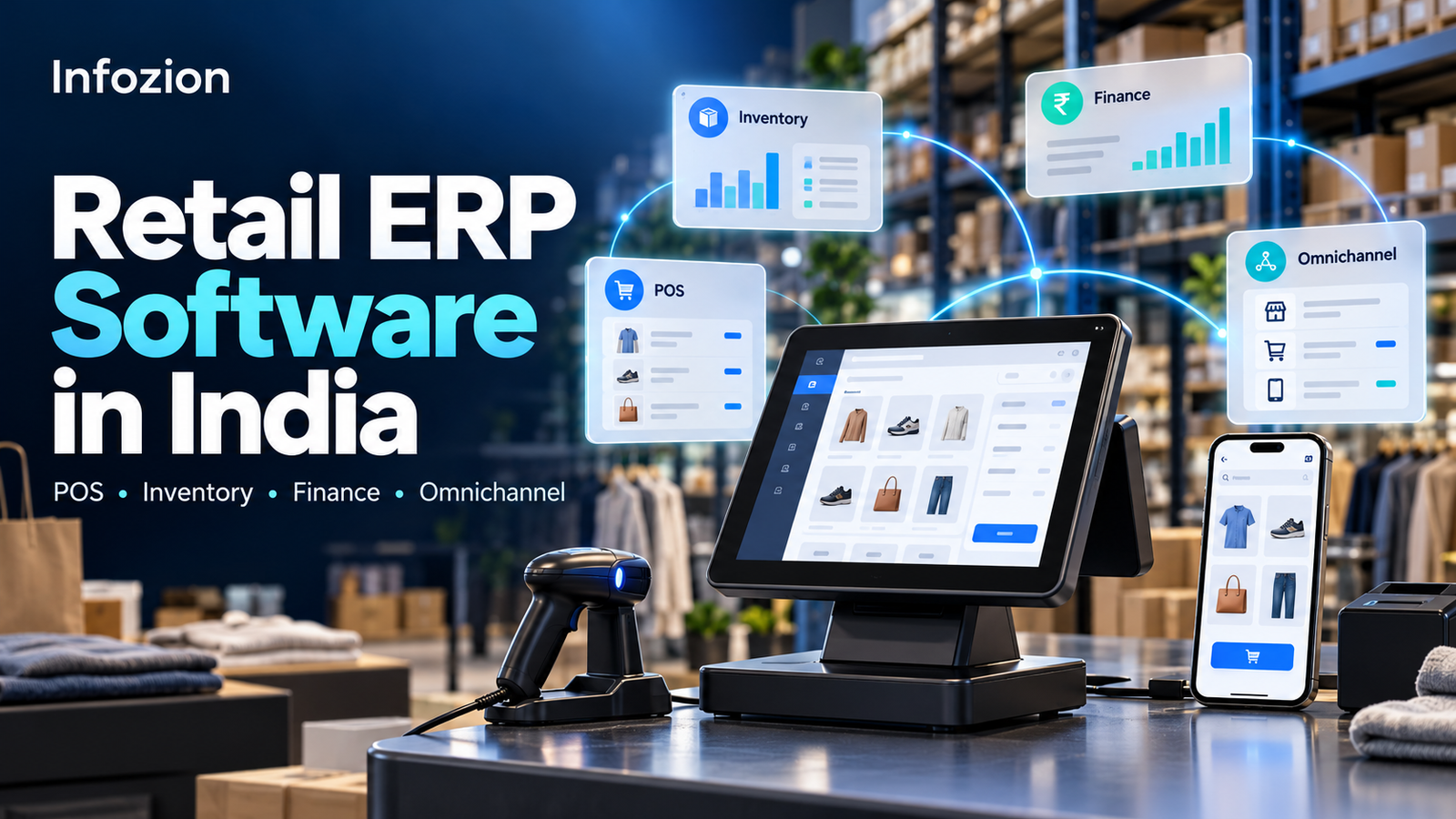
retail ERP software connects selected retail functions, such as purchasing, inventory, sales, finance and reporting, through shared records and linked workflows. It can integrate with POS systems and online stores so that transactions move between sales channels and back-office teams. Available features and synchronisation speed depend on the platform, integrations and configuration.
Why Retailers Need Connected Operations
A store may sell an item that still appears available online. Purchasing may reorder a slow-moving product because another branch’s stock is invisible. Finance may spend hours matching payment settlements against sales.
These problems become harder to manage as a business adds outlets, warehouses and sales channels.
When evaluating retail management software India solutions, start with the operational gaps you need to close:
- Stock records that differ between locations.
- Repeated entry of sales and purchase information.
- Unclear transfer and replenishment processes.
- Delays in identifying returns and payment differences.
- Reports that arrive too late for useful decisions.
An ERP project should define how these processes will work and who will own them. Software alone cannot correct unclear responsibilities or inaccurate opening data.
POS and ERP: Connecting Checkout to the Back Office
POS manages the checkout experience. ERP connects sales information with wider operational and financial processes. Some platforms include both; others connect to a separate POS application.
The right ERP software for retail business should accommodate how your checkout actually operates.
Prices, Discounts and Permissions
Check barcode scanning, product variants, price lists, promotions, exchanges and payment methods. Decide which employees can change prices, issue refunds or approve exceptional discounts.
A discount should have a clear effect on the invoice, margin report and accounting records. Ask the provider to demonstrate those effects rather than showing only a successful checkout.
Store Closing and Payment Reconciliation
Cash, card and UPI collections may need separate reconciliation. Payment gateway settlements can also include fees, refunds and timing differences.
Test how the proposed setup records collections, identifies differences and tracks unresolved amounts. A completed sale and a settled payment are related events, but they may happen at different times.
Connectivity Interruptions
If offline billing is required, verify exactly what remains available when connectivity fails. Ask how transactions synchronise afterward, how duplicates are prevented and how stock conflicts are handled. Do not assume every cloud or POS product offers the same offline behaviour.
Inventory: Know What Is Available, Reserved and Moving
Inventory management needs more detail than a total quantity against each product.
Useful retail ERP software should distinguish between stock that is physically present, available for sale, reserved for orders, moving between locations or awaiting inspection after a return.
Product Variants and Identification
Fashion retailers may track size and colour. Electronics businesses may require serial numbers. Certain product categories need batch or expiry tracking.
Build a consistent product master before migration. Duplicate codes and unclear units of measurement can undermine purchasing, billing and reporting even when the software is configured correctly.
Replenishment and Store Transfers
Evaluate minimum stock levels, purchasing approvals, supplier lead times and branch transfers. Replenishment decisions should consider actual demand, existing stock and incoming quantities.
For example, if one store has excess stock and another is running low, a transfer may be more appropriate than a fresh purchase. The system should make that decision easier to assess and record.
Stock Counts and Adjustments
Ask how employees perform cycle counts, investigate differences and approve adjustments. Require a record of who changed a quantity and why.
Better visibility depends on recording physical movements promptly. Goods received outside the agreed process will still create unreliable figures.
Finance: Connect Sales, Purchases and Stock Values
A retail business needs to understand revenue, expenses, stock value and cash movement together.
When reviewing retail ERP software India proposals, involve your finance team early. They should validate transaction flows, account mappings and reconciliation reports.
Key scenarios include:
- A purchase order followed by partial goods receipt.
- A supplier invoice with a quantity or price difference.
- A sale with a promotional discount.
- A customer return and refund.
- A payment settlement with deducted fees.
- A stock adjustment requiring approval.
The aim is to reduce repeated entry while keeping a clear trail between business events and financial records.
For a closer look at financial integration, read Infozion’s ERP accounting software vs standalone tools.
Review India-Specific Requirements
Document your invoicing, tax-field, reporting and document requirements with your finance advisers. Ask providers to demonstrate the applicable workflows and explain how updates are maintained.
Treat compliance-related functionality as something to validate for your business, rather than assuming an ERP purchase makes every transaction compliant.
Omnichannel: Connect Stores, Online Orders and Returns
Omnichannel retail involves coordinating the customer journey across sales channels. Connecting an online storefront is only one part of that process.
Your ERP software for retail business should have clearly defined rules for order capture, stock allocation, fulfilment, cancellations and returns.
Consider a customer ordering the last available unit online while an employee is selling it in-store. Which transaction reserves the item first? How quickly do channels receive an availability update? What happens if the connection is delayed?
These questions help expose integration gaps before customers encounter them.
For every channel, agree on:
- Which system owns product information and prices.
- Where orders are accepted and stock is reserved.
- How cancellations release reserved quantities.
- How dispatch and delivery updates move between systems.
- Where refunds and returned items are recorded.
- Who investigates failed synchronisations.
Cross-channel returns also need specific rules. A return accepted in-store may require approval, financial adjustments and communication with the original selling channel.
Retail ERP Capabilities to Compare
| Area | Capability to evaluate | Demonstration to request |
| POS | Billing, discounts and permissions | Sale followed by an approved return |
| Inventory | Availability, reservations and transfers | Transfer stock between two outlets |
| Purchasing | Orders, receipts and supplier invoices | Receive only part of a purchase order |
| Finance | Posting and reconciliation | Match collections to a settlement |
| Omnichannel | Orders, fulfilment and cancellations | Cancel an order after stock allocation |
| Reporting | Store, category and margin analysis | Explain figures from source transactions |
| Access control | Roles, approvals and activity history | Attempt an unauthorised stock adjustment |
Use the same scenarios for each shortlisted provider so comparisons remain meaningful.
Is ERP Suitable for a Small Retail Business?
ERP software for small retail business can be worthwhile when disconnected tools create enough operational difficulty to justify implementation.
A single outlet with straightforward billing may need a focused POS and accounting setup. A smaller retailer managing online orders, multiple stock locations and frequent transfers may benefit from a broader system.
Start with essential workflows. Depending on requirements, an initial phase might cover product records, purchasing, inventory, sales and finance. Additional channels or advanced reporting can follow once the foundation is stable.
Avoid buying unnecessary modules simply because they are available. A manageable implementation that employees use consistently is more useful than a large feature list with weak adoption.
If you are deciding whether to upgrade, read ERP vs accounting software: when should a business upgrade?.
How to Choose the Right Retail ERP
1. Describe Your Current Problems
Replace broad goals with measurable requirements. Examples include reducing reconciliation effort, identifying stock differences sooner or shortening the time needed to prepare branch reports.
2. Separate Essential Features from Later Improvements
List launch requirements, useful additions and future plans. Ask providers to identify what works as standard, what needs configuration and what requires development.
3. Test Real Transactions
Use sample products, prices, orders and returns from your own business. Include exceptions such as failed payments, duplicate orders and damaged returns.
4. Review Security and Recovery
Check user roles, administrator access, activity logs, backup arrangements and recovery procedures. Clarify who maintains integrations and monitors errors after launch.
5. Evaluate the Delivery Plan
Confirm responsibilities for data preparation, migration, testing, training and launch. Store employees and finance users need time to participate.
For a broader evaluation framework, use Infozion’s guide on how to choose ERP software for your business in India.
What Determines Retail ERP Cost?
The cost of retail management software India implementations depends on scope. Store count matters, but so do transaction volume, product complexity, existing systems and integration requirements.
Compare proposals across a consistent period and include:
- Software subscriptions or licences.
- Discovery, configuration and development.
- POS and online-channel integrations.
- Data cleaning and migration.
- Hardware where required.
- Testing and employee training.
- Hosting, maintenance and future changes.
- Internal team time and contingency.
Request itemised assumptions and exclusions. A lower initial quote may exclude activities another provider has included.
Use Infozion’s ERP implementation cost in India guide to structure your budgeting discussion, then obtain an estimate based on your retail workflows.
Implementation: Prepare Before Launch
A practical rollout starts with clear process ownership and clean records.
Validate product codes, suppliers, prices, opening quantities and financial balances. Run a trial migration and reconcile the results before approving the final transfer.
Train employees by role. Cashiers need checkout and return practice; warehouse users need receiving, picking and transfer workflows; finance needs posting and reconciliation checks.
Where appropriate, pilot the system in one location before expanding. Agree on launch criteria, contingency arrangements and who will resolve issues during stabilisation.
Infozion’s ERP implementation best practices provides further planning guidance.
Discuss Your Retail ERP Requirements with Infozion
The right starting point is a discussion about your business: stores, warehouses, sales channels, existing tools and daily operational challenges.
Explore Infozion’s ERP software services and share the workflows you want to improve. Request a scope discussion covering essential modules, integrations, migration responsibilities and the proposed rollout approach.
Whether you need ERP software for small retail business or are planning a wider multi-store project, evaluate the proposed solution against your actual transactions before committing.
Frequently Asked Questions
What does retail ERP software do?
retail ERP software connects implemented functions such as purchasing, stock, sales, finance and reporting. It may include POS capabilities or integrate with separate checkout and online platforms.
What is the difference between POS and retail ERP?
POS focuses on sales transactions at checkout. ERP covers broader operational and financial workflows. Product capabilities overlap, so compare the actual functions and integrations rather than relying on category names.
Can retail ERP connect physical stores and e-commerce?
Yes, when the required integrations are available and configured. Confirm stock allocation, update frequency, cancellations, fulfilment and return handling for every channel.
Can a small retailer start with fewer modules?
Yes. A phased approach can focus on essential workflows first. Define dependencies so that delaying one module does not create gaps in another process.
Does retail ERP update inventory instantly?
Some transactions may update immediately within one system, while connected channels may synchronise at intervals. Ask the provider to demonstrate expected timing and behaviour during delays or outages.
Can we keep our existing accounting software?
Potentially, if a suitable integration exists. Define where financial records originate, which system owns them and how discrepancies will be identified and corrected.
How long does implementation take?
Timing depends on modules, locations, data quality, integrations and employee availability. Request a project schedule based on documented scope and acceptance milestones.
How should we evaluate retail ERP software India options?
Compare retail ERP software India options using the same business scenarios, cost assumptions and rollout requirements. Prioritise workflow fit, usability, reliable integration and a clear implementation plan.
What should we prepare before an ERP discussion?
Bring details of your stores, users, product range, warehouses, sales channels, current applications and biggest process problems. Include examples of the reports and transactions you need to improve.
Build a More Connected Retail Operation
Choosing ERP software for retail business means deciding how sales, stock, finance and fulfilment should work together.
Define those workflows, test them with realistic transactions and budget for the complete implementation. With clear responsibilities and consistent data, your chosen system can provide a stronger basis for everyday decisions and future expansion.
Start a retail ERP requirements discussion with Infozion through its ERP software services page.