 Infozion Technologies LLPInfozion Technologies LLP




Common Odoo ERP Implementation Mistakes and How to Avoid Them
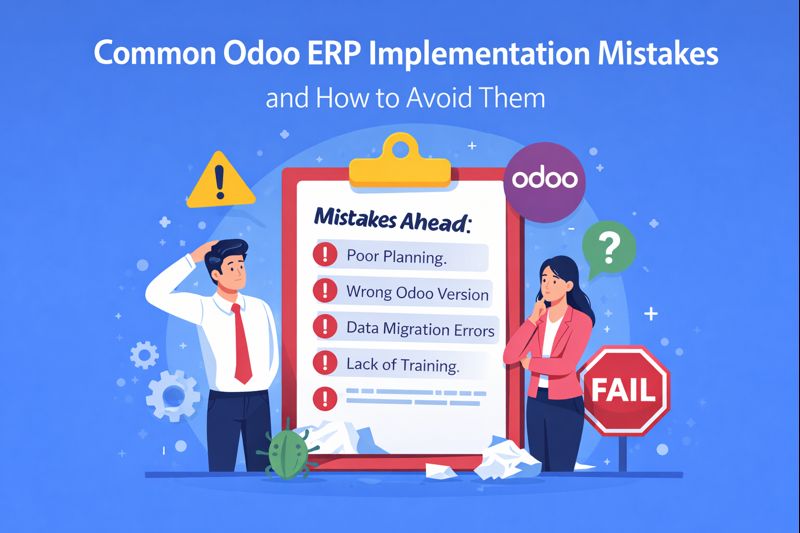
Common Odoo ERP Implementation Mistakes and How to Avoid Them
Introduction
Common Odoo ERP implementation mistakes often cause delays, cost overruns, and poor user adoption. Many businesses choose Odoo ERP for its flexibility and scalability. However, implementation problems usually arise when planning is weak or decisions are rushed. Because ERP affects every department, even small mistakes can create long-term operational issues. For this reason, understanding common mistakes and learning how to avoid them is critical before and during Odoo ERP implementation.
Odoo ERP implementation is not only a technical project. Instead, it is a business transformation process. Therefore, companies must approach it with the right strategy, clear goals, and proper execution. This guide explains the most common Odoo ERP implementation mistakes in simple terms and shows practical ways to avoid them.
If you are new to Odoo ERP, start with this foundational guide:
https://www.infozion.in/odoo-erp-introduction-a-complete-guide-for-businesses-in-2025/
Why Odoo ERP Implementations Fail
Many ERP projects fail not because of software limitations but because of poor implementation practices. In most cases, businesses underestimate planning, ignore user involvement, or rush decisions. As a result, the ERP system fails to deliver expected value.
Odoo ERP is powerful, but it requires a structured approach. When companies skip important steps, problems appear after go-live. Therefore, identifying these mistakes early helps businesses avoid costly corrections later.
Mistake 1: Skipping Proper Business Requirement Analysis
One of the most common Odoo ERP implementation mistakes is skipping detailed requirement analysis. Many businesses start implementation without clearly understanding their processes.
When requirements are unclear, wrong modules get selected. In addition, unnecessary customization increases complexity. Because of this, users struggle to adapt to the system.
How to Avoid This Mistake
Always begin with detailed process mapping. Involve all departments in discussions. Moreover, document pain points and expectations clearly. This approach ensures Odoo ERP aligns with real business needs.
Mistake 2: Choosing the Wrong Odoo Version
Another major mistake is selecting the wrong Odoo edition. Odoo Community and Odoo Enterprise serve different purposes. However, businesses often choose based only on cost.
When the wrong version is selected, limitations appear later. As a result, businesses face migration challenges or additional costs.
How to Avoid This Mistake
Evaluate long-term business goals first. Consider scalability, automation needs, and internal technical expertise. Then choose the version that supports future growth.
Mistake 3: Implementing Too Many Modules at Once
Some businesses try to implement all Odoo modules together. Although this looks efficient, it usually creates confusion.
Users feel overwhelmed. In addition, testing becomes difficult. Because of this, errors increase after go-live.
How to Avoid This Mistake
Use a phased implementation approach. Start with core modules such as accounting, sales, and inventory. Later, add advanced modules. This strategy improves adoption and stability.
To understand modules better, refer to:
https://www.infozion.in/odoo-erp-modules-explained/
Mistake 4: Poor Data Migration Planning
Data migration issues are among the most expensive Odoo ERP implementation mistakes. Dirty or incomplete data causes reporting errors and operational confusion.
When data quality is poor, users lose trust in the ERP system. Consequently, adoption drops.
How to Avoid This Mistake
Clean and validate data before migration. Remove duplicates and outdated records. In addition, test migrated data carefully before go-live.
Mistake 5: Excessive Customization
Odoo is flexible, but excessive customization creates long-term problems. Many businesses customize features that standard Odoo already supports.
Because of heavy customization, system upgrades become difficult. Moreover, maintenance costs increase.
How to Avoid This Mistake
Use standard Odoo features wherever possible. Customize only when business needs cannot be met through configuration. This approach keeps the system upgrade-friendly.
Mistake 6: Ignoring User Training and Change Management
Another common Odoo ERP implementation mistake is neglecting user training. Many companies assume users will learn the system on their own.
Without training, errors increase. As a result, employees resist using the ERP system.
How to Avoid This Mistake
Provide role-based training sessions. Focus on daily tasks rather than theory. In addition, explain how Odoo simplifies work. This improves acceptance and confidence.
Mistake 7: Weak Testing Before Go-Live
Testing is often rushed to meet deadlines. However, weak testing leads to serious issues after deployment.
When workflows are not tested properly, operations slow down. Therefore, businesses face unnecessary disruptions.
How to Avoid This Mistake
Conduct functional and user acceptance testing. Involve real users during testing. This helps identify gaps early and ensures smoother go-live.
Mistake 8: No Clear Implementation Checklist
Many businesses implement Odoo ERP without a structured checklist. As a result, tasks get missed and responsibilities become unclear.
This leads to delays, confusion, and rework.
How to Avoid This Mistake
Follow a step-by-step Odoo ERP implementation checklist. A checklist ensures that every phase is planned and executed properly.
You can follow this detailed checklist guide:
Mistake 9: Lack of Post-Implementation Support
ERP implementation does not end at go-live. However, many businesses stop monitoring the system after deployment.
Without support, minor issues grow into major problems. Consequently, system performance suffers.
How to Avoid This Mistake
Plan post-implementation support in advance. Monitor system usage and collect user feedback. Continuous improvement ensures long-term success.
EEAT Perspective: Why Expert-Led Implementation Matters
From an EEAT perspective, experience and expertise play a key role in ERP success. Businesses that rely on experienced Odoo consultants avoid common mistakes.
Experts follow best practices in planning, configuration, and training. As a result, implementations become more stable and reliable. Industry experts also highlight these mistakes in their implementation guides:
Benefits of Avoiding Common Odoo ERP Implementation Mistakes
Avoiding these mistakes saves time and cost. It also improves user adoption and system performance.
Moreover, businesses gain better control and visibility. As a result, Odoo ERP delivers maximum ROI.
Conclusion
Common Odoo ERP implementation mistakes can seriously impact business operations if ignored. However, most of these issues are preventable with proper planning and execution.
By understanding these mistakes and following best practices, businesses can implement Odoo ERP successfully. A structured approach ensures smooth adoption, better efficiency, and long-term growth.
Introduction
An Odoo ERP implementation checklist helps businesses implement Odoo ERP in a structured and risk-free way. Many companies select Odoo ERP because it is flexible and scalable. However, problems start when the implementation process is rushed or unplanned. In such cases, businesses face user resistance, data errors, and workflow issues. Because of this, a clear step-by-step checklist becomes essential for success.
Odoo ERP implementation is more than software setup. It connects people, processes, and data into one system. Therefore, following a proper checklist ensures smooth adoption and long-term benefits.
If you are new to Odoo ERP, start by understanding the basics here:
https://www.infozion.in/odoo-erp-introduction-a-complete-guide-for-businesses-in-2025/
What Is Odoo ERP Implementation?
Odoo ERP implementation is the process of planning and configuring Odoo according to business needs. It includes system setup, data migration, testing, and deployment. Most importantly, it aligns daily operations with a centralized platform.
As a result, teams work faster and make fewer mistakes. In addition, managers gain real-time visibility into business performance. This is why a structured implementation approach is always recommended.
Why an Odoo ERP Implementation Checklist Matters
Many ERP projects fail due to poor planning. Without a checklist, tasks become unclear and timelines slip. Moreover, teams lose confidence in the system.
An Odoo ERP implementation checklist solves this problem. It provides clarity at every stage. As a result, businesses reduce risks and control costs. In addition, user adoption improves significantly.
Step 1: Analyze Business Requirements
The first step in the Odoo ERP implementation checklist is requirement analysis. At this stage, businesses review how their processes work today.
Each department should share its challenges. For example, sales teams may need better tracking. Finance teams may need accurate reports. Inventory teams may struggle with stock control. Therefore, gathering input from all teams is critical.
Step 2: Set Clear Implementation Goals
After gathering requirements, businesses must define clear goals. These goals guide the entire implementation process.
For instance, a company may want to reduce manual work. Another goal could be improving order processing speed. Because goals are clear, decisions become easier throughout the project.
Step 3: Choose the Right Odoo Version
Choosing the right version is a key part of the Odoo ERP implementation checklist. Odoo offers Community and Enterprise editions.
Odoo Community works well for basic needs. On the other hand, Odoo Enterprise offers automation, advanced reporting, and official support. Therefore, businesses should consider budget, growth plans, and internal expertise before deciding.
Step 4: Select the Required Odoo Modules
Odoo uses a modular structure. This allows businesses to install only what they need.
Common modules include Sales, Accounting, Inventory, CRM, and HR. However, selecting unnecessary modules can confuse users. Because of this, module selection should match actual workflows.
You can understand Odoo modules in detail here:
https://www.infozion.in/odoo-erp-modules-explained/
Step 5: Create an Implementation Plan
Once modules are selected, an implementation plan is required. This plan defines tasks, timelines, and responsibilities.
A phased approach works best. First, core modules are implemented. Later, advanced features are added. As a result, teams adapt smoothly to the new system.
Step 6: Prepare and Migrate Data
Data migration is one of the most sensitive steps. Therefore, businesses must clean and validate data before migration.
Customer records, product data, and financial details should be accurate. Otherwise, reporting issues may appear after go-live. Clean data builds trust in the ERP system.
Step 7: Configure Odoo Properly
Odoo offers many configuration options. These settings allow businesses to match workflows without heavy customization.
Customization should be minimal. Because excessive customization increases costs, standard features should be used whenever possible. This approach keeps the system stable and upgrade-friendly.
Step 8: Define User Roles and Access Rights
Security is essential in ERP systems. Odoo allows role-based access control.
Each user should see only relevant data. As a result, data security improves and errors reduce. Moreover, accountability becomes clear across teams.
Step 9: Test the System Thoroughly
Testing ensures the system works as expected. During this phase, real business scenarios are tested.
End-users should participate in testing. This helps identify gaps early. In addition, users gain confidence before go-live.
Step 10: Train Users and Manage Change
Training is critical for ERP success. Even a perfect system fails without trained users.
Training should focus on daily tasks. Moreover, change management helps users accept the new system. Because of this, resistance reduces and adoption improves.
Step 11: Go Live with Odoo ERP
Go-live is when Odoo replaces old systems. At this stage, close monitoring is required.
Support teams should be ready. Additionally, backups must be in place. This ensures business continuity during the transition.
Step 12: Post-Implementation Support and Improvement
ERP implementation does not end at go-live. Continuous support is required.
Regular reviews help improve performance. As business needs change, Odoo can be optimized further. Therefore, long-term success depends on ongoing improvement.
EEAT Perspective: Why a Step-by-Step Approach Works
From an EEAT perspective, experience and expertise matter in ERP implementation. Businesses that follow a structured checklist achieve better results.
Experts recommend a phased approach to reduce risks. You can explore an expert-backed guide here:
Benefits of Using an Odoo ERP Implementation Checklist
A checklist reduces mistakes. It also improves user confidence.
Moreover, it ensures better ROI. As a result, businesses grow with a stable ERP foundation.
Conclusion
An Odoo ERP implementation checklist provides a clear roadmap for successful ERP adoption. It helps businesses avoid common mistakes and achieve operational efficiency.
By following this step-by-step guide, organizations can implement Odoo ERP with confidence. Ultimately, a well-planned implementation leads to long-term business success.
Introduction
Odoo Community vs Odoo Enterprise: Which One to Choose? is one of the most common questions businesses ask before implementing Odoo ERP. Many companies know that Odoo is a powerful and flexible ERP system, but they often get confused between its two versions. Choosing the wrong version can lead to unnecessary costs, limited features, or future migration issues. That is why understanding the real difference between Odoo Community and Odoo Enterprise is extremely important before making a decision. This comparison will help you clearly understand which version suits your business needs, budget, and growth plans.
Small and medium businesses, startups, and even large enterprises adopt Odoo to manage accounting, sales, inventory, HR, manufacturing, and customer relationships from one platform. However, both Community and Enterprise editions serve different purposes. One is open-source and free, while the other is paid and comes with advanced features and official support. In this blog, we will explain everything in simple English so that even non-technical business owners can confidently choose the right Odoo version.
If you are new to Odoo ERP, it is recommended to first understand the basics from this guide:
👉 https://www.infozion.in/odoo-erp-introduction-a-complete-guide-for-businesses-in-2025/
What Is Odoo ERP?
Odoo ERP is an all-in-one business management software that helps organizations manage their operations efficiently. It connects multiple business functions like accounting, CRM, inventory, sales, purchasing, HR, manufacturing, and reporting into a single system. This eliminates the need for multiple tools and reduces manual work.
Odoo is widely popular because of its flexibility, modular structure, and scalability. Businesses can start with a few modules and add more as they grow. To understand how Odoo modules work, you can explore this detailed explanation:
👉 https://www.infozion.in/odoo-erp-modules-explained/
Odoo is available in two main editions: Odoo Community and Odoo Enterprise. Both share the same core foundation but differ significantly in features, support, and usability.
Understanding Odoo Community Edition
What Is Odoo Community?
Odoo Community is the free and open-source version of Odoo ERP. It is maintained by the Odoo community and developers around the world. Businesses can download, customize, and use it without paying any license fee.
This edition is best suited for companies that have basic operational needs and strong technical support in-house. Since it is open-source, developers can modify the code according to business requirements.
Key Characteristics of Odoo Community
Odoo Community provides essential ERP features like basic accounting, sales, purchase, inventory, and CRM. It gives businesses a solid foundation to manage core operations. However, advanced features and user-friendly tools are limited compared to the Enterprise edition.
Odoo Community does not include official Odoo support, hosting, or upgrades. Businesses need to manage servers, security, and updates on their own or with the help of an implementation partner.
Understanding Odoo Enterprise Edition
What Is Odoo Enterprise?
Odoo Enterprise is the paid version of Odoo ERP. It includes all Community features plus many advanced tools, a better UI, automation features, and official support from Odoo. It is designed for businesses that want stability, performance, and professional support.
The enterprise edition is ideal for growing businesses and enterprises that want a ready-to-use ERP system without heavy technical dependency.
Key Characteristics of Odoo Enterprise
Odoo Enterprise offers advanced accounting, studio customization tools, automated workflows, enhanced reporting, mobile apps, and integration capabilities. It also includes security updates, performance improvements, and regular upgrades.
With Enterprise, businesses get official support, cloud hosting options, and long-term reliability.
Odoo Community vs Odoo Enterprise: Core Differences Explained
Cost and Licensing Difference
One of the biggest differences between Odoo Community and Odoo Enterprise is cost. Odoo Community is completely free, while Odoo Enterprise requires a subscription fee based on the number of users and selected modules.
For startups with limited budgets, the Community Edition looks attractive. However, many businesses later realize that customization, maintenance, and support costs can increase over time.
Odoo Enterprise may seem costly initially, but it often proves cost-effective in the long run due to built-in features and official support.
Features and Functional Capabilities
Odoo Community offers basic features that are sufficient for simple business operations. However, it lacks many advanced features required by growing businesses, such as advanced accounting, automated actions, barcode scanning, helpdesk, and studio customization.
Odoo Enterprise includes all these advanced tools, making it more suitable for businesses that want automation, scalability, and professional workflows.
User Experience and Interface
Odoo Enterprise provides a more polished and user-friendly interface compared to Community. The dashboards are cleaner, reports are visual, and navigation is smoother.
Odoo Community has a simpler interface, which may feel outdated for some users. This difference directly affects employee adoption and productivity.
Customization and Flexibility Comparison
Odoo Community allows deep customization because it is open-source. Developers can modify core code to meet business needs. This flexibility is useful for companies with unique processes.
Odoo Enterprise also allows customization but in a more controlled way. Tools like Odoo Studio let users customize workflows and fields without coding. This makes Enterprise more practical for non-technical teams.
Support, Maintenance, and Upgrades
Support Availability
Odoo Community does not include official support. Businesses rely on forums, documentation, or third-party partners for help. This can be risky for mission-critical systems.
Odoo Enterprise includes official Odoo support, ensuring faster issue resolution and system stability.
System Updates and Security
Odoo Enterprise users receive regular updates, bug fixes, and security patches directly from Odoo. This keeps the system safe and up-to-date.
Odoo Community users must manage updates manually, which can be time-consuming and risky if not handled properly.
Scalability and Business Growth
When comparing Odoo Community vs. Odoo Enterprise, scalability is a major factor. The community edition works well for small teams but may struggle as business complexity increases.
The enterprise edition is built to handle large data volumes, multiple users, and advanced workflows. It supports business growth without major system changes.
Which One Is Better for Small Businesses?
Small businesses with simple operations and limited budgets can start with Odoo Community. However, they must be prepared to handle technical challenges and limited features.
Small businesses planning rapid growth or automation should consider Odoo Enterprise from the beginning to avoid future migration issues.
Which One Is Better for Medium and Large Enterprises?
Medium and large enterprises usually prefer Odoo Enterprise due to its advanced features, reporting, scalability, and official support. These businesses require stability and performance, which Enterprise provides.
Real-World Use Case Comparison
In real-world scenarios, many businesses start with Odoo Community and later migrate to Enterprise as their needs grow. This migration can involve additional costs and effort.
Businesses that choose Enterprise from the start often experience smoother operations, faster adoption, and better long-term ROI.
Industry experts also highlight similar differences between the two editions. You can read another detailed comparison here:
Final Verdict: Odoo Community vs. Odoo Enterprise —Which One Should You Choose?
Choosing between Odoo Community vs. Odoo Enterprise depends on your business size, budget, technical capability, and growth goals. If you want a free solution and have strong technical resources, the Community edition can work well. If you want advanced features, automation, security, and official support, the Enterprise edition is the smarter choice.
In most cases, businesses aiming for long-term growth, stability, and efficiency benefit more from Odoo Enterprise. It reduces operational risks and supports scaling without stress.
Conclusion
The debate of Odoo Community vs. Odoo Enterprise: Which One to Choose? has no one-size-fits-all answer. Both versions are powerful in their own way. The key is understanding your business needs clearly before deciding.
If you want a stable, scalable, and future-ready ERP system, Odoo Enterprise is worth the investment. If your needs are simple and your budget is limited, Odoo Community can be a good starting point.
Making the right choice today will save time, money, and effort in the future.
Introduction
Top Benefits of Odoo ERP for Small & Medium Enterprises is a topic every growing business owner should understand today. Small and medium enterprises often struggle with managing daily operations like accounting, sales, inventory, HR, and customer data using multiple tools. This scattered system wastes time, increases errors, and slows down growth. Odoo ERP solves this problem by bringing everything under one powerful and easy-to-use platform. It helps businesses work smarter, reduce costs, and scale faster without technical complexity. In simple words, Odoo ERP acts like the brain of your business, keeping all departments connected and updated in real time.
In today’s competitive market, SMEs cannot afford slow systems or manual processes. Customers expect fast responses, accurate billing, and smooth service. This is where Odoo ERP becomes a game changer. It gives small and medium businesses the same level of control and automation that large enterprises enjoy, but at a much lower cost. If you are new to ERP systems, you can first read this beginner guide to understand the basics of Odoo ERP:
👉 https://www.infozion.in/odoo-erp-introduction-a-complete-guide-for-businesses-in-2025/
This blog explains the real benefits of Odoo ERP in simple language so even non-technical business owners can easily understand why Odoo is one of the best ERP solutions for SMEs.
What Is Odoo ERP, and Why SMEs Need It
Odoo ERP is an all-in-one business management software designed to manage different business functions from a single platform. Instead of using separate software for accounting, inventory, CRM, HR, and sales, Odoo connects everything in one system. This reduces confusion, saves time, and improves decision-making.
Small and medium enterprises usually operate with limited staff and budget. Managing multiple tools becomes difficult and expensive over time. Data mismatch, manual entries, and delayed reports create serious problems. Odoo ERP removes these challenges by providing a centralized system that updates data automatically across departments.
For example, when a sale is confirmed, inventory updates automatically, invoices are generated, and accounting entries are recorded without manual work. This level of automation helps SMEs focus more on business growth instead of daily operational stress.
Why Odoo ERP Is Ideal for Small & Medium Enterprises
Affordable ERP Solution for Growing Businesses
One of the biggest reasons SMEs choose Odoo ERP is affordability. Traditional ERP systems are expensive and designed mainly for large enterprises. Odoo, on the other hand, offers a flexible pricing model that allows businesses to pay only for the modules they need. This makes Odoo ERP highly cost-effective for small and medium enterprises.
Instead of investing heavily at once, SMEs can start small and expand later as their business grows. This reduces financial risk and makes ERP adoption practical even for startups.
Modular Structure That Fits Every Business
Odoo ERP works on a modular system. This means you don’t need to install everything at once. You can choose only the modules required for your business operations. Whether you need accounting, inventory, CRM, HR, or manufacturing, Odoo gives you complete control.
To understand how Odoo modules work in detail, you can explore this guide:
👉 https://www.infozion.in/odoo-erp-modules-explained/
This modular flexibility ensures that SMEs are not forced to use unnecessary features, keeping the system clean, fast, and easy to manage.
Top Benefits of Odoo ERP for Small & Medium Enterprises
Improved Business Efficiency and Automation
Odoo ERP significantly improves business efficiency by automating repetitive tasks. Manual data entry is one of the biggest productivity killers in SMEs. Odoo reduces this by automating workflows across departments.
For example, once a customer order is placed, the system automatically updates inventory, generates invoices, and tracks delivery status. This automation reduces errors, saves time, and ensures smoother operations.
Centralized Data Management
One of the strongest benefits of Odoo ERP for small and medium enterprises is centralized data. All business information is stored in one place and updated in real time. This eliminates confusion caused by multiple spreadsheets or disconnected software.
When data is centralized, business owners get a clear view of sales, expenses, inventory, and customer behavior. This helps in making faster and better decisions.
Better Financial Control and Accounting
Managing finances is critical for SMEs. Odoo ERP offers powerful accounting features that help businesses track income, expenses, taxes, and cash flow accurately. It supports automated invoicing, payment follow-ups, and bank reconciliation.
With Odoo ERP, financial reports are generated instantly. This allows business owners to monitor profitability and avoid cash flow issues before they become serious problems.
Odoo ERP Helps SMEs Scale Without Stress
Easy Scalability as Business Grows
Small businesses aim to grow, but growth often brings complexity. Odoo ERP is designed to scale smoothly as your business expands. You can add new users, modules, and features without changing the entire system.
This scalability ensures that SMEs don’t need to migrate to another ERP system after a few years. Odoo grows with your business, saving time and future costs.
Cloud and On-Premise Flexibility
Odoo ERP offers both cloud-based and on-premise deployment options. SMEs can choose what works best for their business. Cloud deployment reduces IT maintenance and allows access from anywhere. On-premise deployment offers full control over data and infrastructure.
This flexibility makes Odoo suitable for different business needs and compliance requirements.
Better Customer Relationship Management With Odoo
Strong CRM for Sales Growth
Odoo ERP includes a powerful CRM module that helps SMEs manage leads, opportunities, and customer interactions effectively. It tracks customer history, follow-ups, and communication in one place.
This improves sales efficiency and ensures no lead is lost due to poor tracking. Sales teams can focus more on closing deals rather than managing data manually.
Improved Customer Satisfaction
When internal processes are smooth, customers automatically receive better service. Faster order processing, accurate billing, and timely deliveries improve customer trust.
Odoo ERP helps SMEs deliver consistent and professional customer experiences, which leads to repeat business and referrals.
Inventory and Supply Chain Optimization
Real-Time Inventory Tracking
Inventory mismanagement causes losses in many small businesses. Odoo ERP provides real-time inventory tracking, ensuring accurate stock levels at all times.
This helps avoid overstocking and stock shortages. Businesses can plan purchases better and reduce unnecessary storage costs.
Smarter Supply Chain Decisions
With accurate inventory data and demand forecasting, SMEs can optimize their supply chain. Odoo ERP helps identify fast-moving products, slow-moving stock, and supplier performance.
This leads to better supplier negotiations and improved operational efficiency.
Employee Management Made Simple
HR and Payroll Automation
Managing employees manually becomes difficult as teams grow. Odoo ERP simplifies HR processes such as attendance, payroll, leaves, and performance tracking.
This reduces administrative workload and ensures transparency in employee management.
Improved Team Productivity
When employees have access to clear processes and accurate data, productivity improves. Odoo ERP reduces confusion and helps teams collaborate better across departments.
Data-Driven Decision Making With Odoo ERP
Odoo ERP provides detailed reports and dashboards that help SMEs analyze business performance. Business owners can track sales trends, profit margins, customer behavior, and operational efficiency in real time.
Data-driven insights help businesses identify opportunities and fix problems early. This strategic advantage is crucial for long-term success.
Security and Compliance Benefits for SMEs
Odoo ERP offers strong data security features, including access control, backups, and user permissions. SMEs can decide who can access specific data, ensuring sensitive information remains protected.
Compliance with accounting and taxation rules also becomes easier with automated reporting and record-keeping.
Why Odoo ERP Is a Smart Investment for SMEs
Investing in Odoo ERP is not just about software; it’s about building a strong foundation for growth. SMEs that adopt ERP early gain better control, efficiency, and scalability.
According to industry insights, businesses implementing Odoo ERP experience improved productivity, reduced operational costs, and better customer satisfaction. You can read additional insights here:
Final Thoughts: Is Odoo ERP Right for Your Business?
The top benefits of Odoo ERP for small & medium enterprises make it one of the most practical and future-ready ERP solutions today. From cost savings and automation to scalability and customer satisfaction, Odoo ERP covers every critical business need.
If your business is struggling with disconnected systems, manual work, or slow growth, Odoo ERP can bring structure, clarity, and control. It empowers SMEs to compete with larger businesses while staying agile and efficient.
Adopting Odoo ERP is not an expense; it is a strategic move toward sustainable growth and long-term success.
Introduction
Odoo ERP implementation cost in 2026 is one of the first questions business owners ask when they decide to move towards ERP software. Many companies are interested in Odoo because it is flexible, modular, and affordable compared to other ERP systems. However, most businesses struggle to understand how much the full implementation will actually cost and what factors increase or reduce that cost.
The truth is simple: Odoo ERP implementation cost is not fixed. It depends on your business size, number of users, modules, customization needs, hosting choice, and long-term support requirements. This guide explains everything clearly, step by step, in simple language so you can plan your ERP budget with confidence and avoid hidden surprises later.
What Does Odoo ERP Implementation Really Mean?
Odoo ERP implementation is not just about installing software. It is a structured process where Odoo is configured to match how your business actually works. This includes setting up modules, defining workflows, importing data, training employees, testing processes, and finally making the system live.
Many businesses underestimate implementation effort and later face delays or extra costs. That is why understanding the full implementation process is important before discussing pricing.
If you want to understand the complete step-by-step process clearly, you can read this guide first:
👉 https://www.infozion.in/odoo-erp-implementation-process/
Why Odoo ERP Implementation Cost Is Different for Every Business
There is no single price tag for Odoo ERP implementation because no two businesses work in the same way. A small trading company may only need basic sales and accounting modules, while a manufacturing business may require inventory, production, purchase, quality, and custom workflows.
Odoo is designed to grow with your business, which means cost depends on what you choose to implement now and what you plan to add later. The flexibility that makes Odoo powerful is also the reason why implementation costs vary.
Key Factors That Decide Odoo ERP Implementation Cost in 2026
Odoo Edition Selection
Odoo comes in two editions: Community and Enterprise. The community edition is open-source and free to use, but it requires more development effort and does not include official support. The enterprise edition is paid but includes advanced features, regular updates, and a better user experience.
Most growing businesses in 2025 prefer Enterprise because it reduces risk and long-term maintenance effort. Your edition choice directly impacts licensing and implementation cost.
Number of Users
User count plays a major role in implementation cost. More users mean more system access, more roles, more permissions, and more training sessions. Even if modules remain the same, user complexity increases effort and testing time.
Businesses should always plan user count realistically instead of underestimating it.
Modules You Choose to Implement
Odoo works on a modular system. Each module handles a specific business function such as sales, CRM, accounting, inventory, HR, manufacturing, or project management.
Implementing fewer modules keeps costs low. As you add more modules, configuration effort increases because modules must work smoothly together. Choosing only essential modules in phase one helps control cost.
Customization Requirements
Customization is one of the biggest cost drivers in Odoo ERP implementation. Basic configuration uses standard Odoo features and workflows, which keeps costs reasonable. Heavy customization includes custom fields, reports, automation rules, integrations, and new features.
Every customization requires development, testing, and future maintenance. That is why businesses should customize only when it is truly necessary.
Data Migration Complexity
Most businesses move to Odoo from Excel, legacy software, or another ERP. Data migration effort depends on how clean and structured your data is.
Poor data quality increases cost because it requires manual correction, validation, and mapping. Clean data reduces time, effort, and implementation expense.
Hosting and Infrastructure Choice
Odoo can be hosted on cloud or on-premise servers. Cloud hosting is more popular in 2026 because it reduces infrastructure cost and maintenance burden. On-premise hosting offers more control but requires higher initial investment and IT support.
Your hosting choice directly affects both implementation and long-term cost.
Training and Change Management
ERP implementation fails not because of software, but because users are not comfortable using it. Training cost depends on how many departments are involved and how complex your workflows are.
Good training reduces errors, improves adoption, and ensures a better return on investment.
Support and Maintenance After Go-Live
Implementation does not end at go-live. Businesses need ongoing support for bug fixes, minor changes, updates, and user assistance. Annual support contracts add recurring costs but ensure system stability and smooth operations.
Estimated Odoo ERP Implementation Cost Range in 2026
In 2026, Odoo ERP implementation cost usually falls into different ranges based on business complexity.
Small businesses with basic needs usually have lower costs. Medium businesses with multiple departments and integrations fall into the mid-range cost. Large enterprises with heavy customization, advanced workflows, and integrations require higher investment.
The key point is that cost depends more on requirements than company size.
Common Hidden Costs Businesses Overlook
Many businesses plan ERP budgets based only on initial setup and forget long-term factors. Hidden costs usually appear when businesses request new features after go-live, underestimate training, or ignore support needs.
Planning implementation in phases helps control these hidden costs.
How Businesses Can Control Odoo ERP Implementation Cost
Businesses can reduce implementation cost by clearly defining requirements, avoiding unnecessary customization, preparing data early, and implementing modules in phases. Choosing an experienced implementation partner also reduces rework and delays, which saves money in the long run.
Is Odoo ERP Worth the Implementation Cost?
Yes, when implemented correctly.
Odoo ERP improves efficiency, data accuracy, transparency, and decision-making. Over time, the benefits usually outweigh the implementation cost, especially for growing businesses that want scalable systems.
External Reference for Cost Understanding
For an external perspective on Odoo ERP implementation cost, you can explore this detailed breakdown:
This reference supports cost understanding, but everything essential is already explained in this guide.
Conclusion
Odoo ERP implementation cost in 2026 depends on users, modules, customization, hosting, training, and long-term support. There is no fixed price, but businesses that plan carefully can control costs and achieve strong ROI.
By focusing on real business needs and using Odoo’s flexibility wisely, companies can turn ERP implementation into a long-term growth investment instead of a financial burden.
Introduction
Odoo ERP implementation is a critical step for businesses that want to bring structure, automation, and clarity into their daily operations. Many companies select Odoo ERP because it is flexible, modular, and cost-effective, but the real success of Odoo depends on how well the implementation process is planned and executed. A proper implementation helps businesses reduce confusion, avoid manual errors, and ensure that all departments work with the same accurate data.
When businesses rush into ERP without understanding the implementation process, they often face problems like employee resistance, wrong data, delayed workflows, and poor reporting. That is why understanding the Odoo ERP implementation process step by step is essential before starting the project. This guide explains everything in simple language so business owners, managers, and decision-makers can clearly understand how to implement Odoo ERP successfully in 2026.
What Is Odoo ERP Implementation?
Odoo ERP implementation is the process of setting up the Odoo system according to real business requirements. It involves analyzing current workflows, selecting the right modules, configuring the system, migrating data, training users, and providing continuous support after go-live. It is not just about installing software but about transforming how a business operates daily.
A well-planned implementation ensures that Odoo ERP supports business goals instead of becoming an extra burden. When ERP aligns with actual processes, teams adopt it faster, and management gains better control over operations.
If you are new to Odoo ERP and want to understand the system before implementation, you can start with this beginner guide:
👉 https://www.infozion.in/odoo-erp-introduction/
Why Odoo ERP Implementation Needs Proper Planning
Many ERP projects fail not because the software is weak, but because implementation is done without a clear roadmap. Odoo ERP offers powerful features, but without structured planning, businesses may struggle to use them effectively.
Proper planning helps identify what the business actually needs, which modules are essential, and what level of customization is required. It also reduces unnecessary costs and ensures smoother adoption across teams.
When implementation follows a step-by-step approach, businesses experience fewer disruptions and faster returns on investment.
Step-by-Step Odoo ERP Implementation Process
Step 1 – Business Requirement Analysis
The first and most important step in Odoo ERP implementation is understanding the business. At this stage, the implementation team studies how the company currently works. They analyze workflows, departments, reporting needs, and existing challenges.
This step helps identify gaps where ERP can improve efficiency. It also ensures that Odoo is configured to match business operations instead of forcing teams to change processes unnecessarily.
Clear requirement analysis prevents confusion in later stages.
Step 2 – Selecting the Right Odoo ERP Modules
Odoo ERP is modular, which means businesses can choose only the modules they need. Selecting the right modules keeps the system simple and user-friendly.
Commonly used modules include sales, CRM, accounting, inventory, purchasing, manufacturing, and HR. Choosing modules based on current needs avoids complexity and reduces training time.
To understand how these modules work together, you can explore this detailed guide:
👉 https://www.infozion.in/odoo-erp-modules-explained/
Step 3 – System Configuration
After module selection, the next step is configuring the system. Configuration includes setting company details, tax rules, currencies, approval workflows, user roles, and access permissions.
This step ensures that Odoo ERP reflects real business rules. Proper configuration reduces errors and improves day-to-day efficiency.
Even small mistakes at this stage can affect operations later, so accuracy is important.
Step 4 – Customization (Only If Needed)
One major advantage of Odoo ERP is flexibility. Businesses can customize workflows, reports, dashboards, and features when standard options do not meet their requirements.
However, unnecessary customization should be avoided. Over-customization increases costs and makes future upgrades difficult. A good implementation balances standard features with limited, meaningful customization.
Step 5 – Data Migration
Data migration is one of the most sensitive stages of Odoo ERP implementation. Existing data from spreadsheets, accounting software, or legacy systems must be cleaned and transferred carefully.
This includes customer records, supplier details, products, opening stock, accounting balances, and historical transactions. Clean data ensures accurate reports and smooth operations after go-live.
Step 6 – Testing the ERP System
Before going live, thorough testing is done to ensure that all workflows function correctly. Testing helps identify errors, missing configurations, or process gaps.
User acceptance testing allows actual users to test the system in real scenarios. Their feedback helps fine-tune the system before deployment.
Step 7 – User Training and Change Management
ERP success depends on users, not just software. Employees must be trained to use Odoo ERP confidently in their daily work.
Training reduces resistance and improves adoption. When users understand how ERP makes their work easier, they accept the system faster.
Step 8 – Go-Live and Deployment
After testing and training, the system is ready for go-live. Businesses may choose phased deployment or full deployment depending on size and complexity.
During go-live, close monitoring ensures that operations continue smoothly without disruptions.
Step 9 – Post-Implementation Support
Odoo ERP implementation does not end at go-live. Continuous support is required to fix issues, optimize performance, and support users.
Post-implementation support ensures long-term ERP success and system stability.
Common Challenges in Odoo ERP Implementation
Businesses often face challenges like poor planning, unclear requirements, over-customization, lack of training, and unrealistic timelines. These issues can slow adoption and reduce ERP benefits.
Most challenges can be avoided with proper guidance and structured implementation.
Best Practices for Successful Odoo ERP Implementation
Successful businesses follow simple best practices. They focus on core modules first, keep processes simple, train users properly, and choose experienced ERP partners.
Clear communication between management, users, and implementation teams is essential.
External Reference on Odoo ERP Implementation
For additional industry insight, you can explore this detailed implementation resource:
How Long Does Odoo ERP Implementation Take?
Implementation timelines depend on business size, module count, customization level, and data complexity. Small businesses may complete implementation within weeks, while larger organizations may take several months.
Planning realistic timelines ensures smoother execution.
Conclusion
Odoo ERP implementation is a business transformation process, not just a software setup. When implemented with clarity and planning, Odoo ERP helps businesses improve efficiency, reduce errors, and gain better control over operations.
By following a structured implementation approach, businesses can unlock the full potential of Odoo ERP and ensure long-term success. A well-implemented ERP always delivers stronger results than a rushed one.