 Infozion Technologies LLPInfozion Technologies LLP




ERP vs CRM – What’s the Difference? A Complete 2025 Deep-Dive Guide
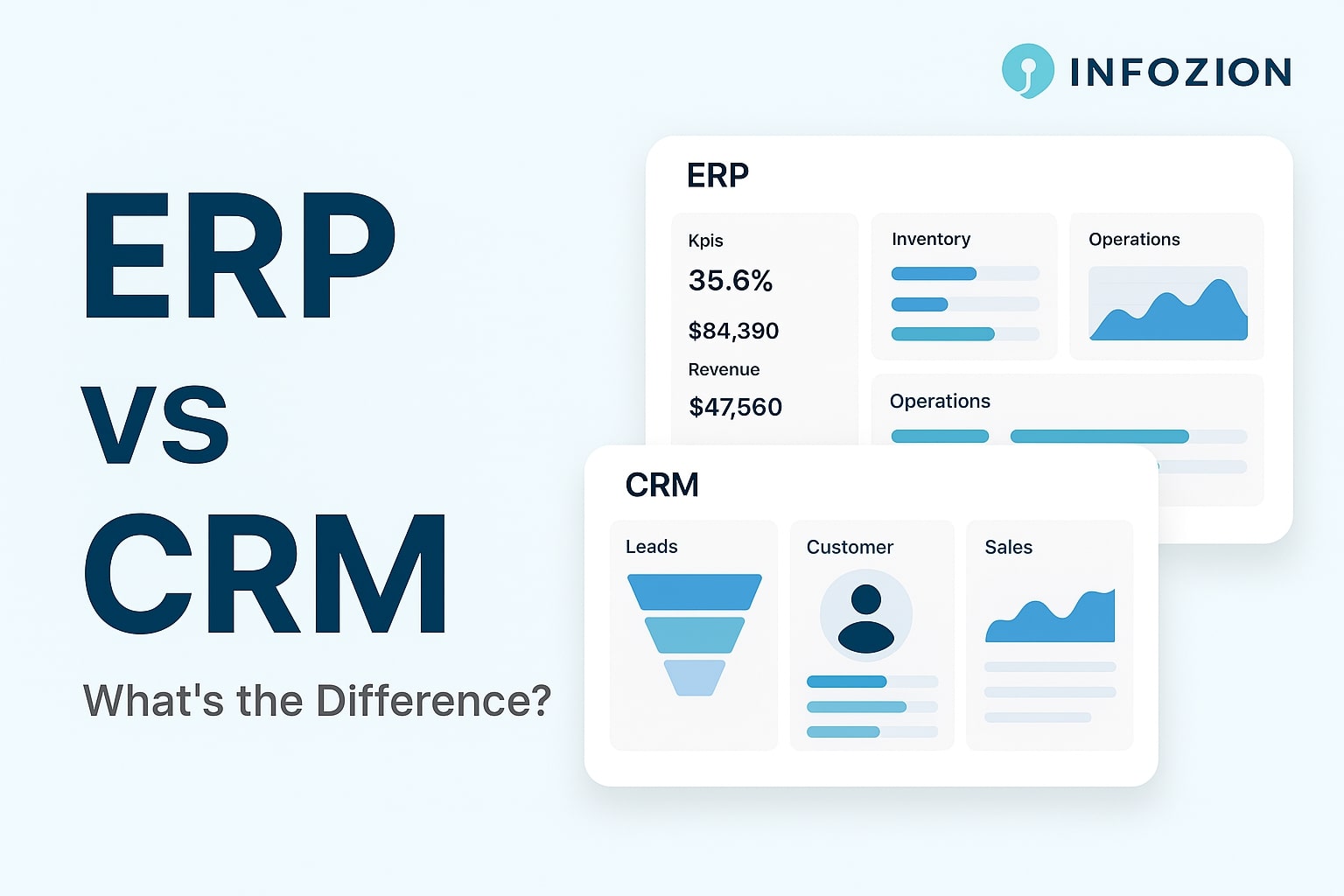
ERP vs CRM – What’s the Difference? A Complete 2025 Deep-Dive Guide
Introduction
Businesses today rely heavily on software to manage their daily operations, sales activities, customer communication, and financial processes. As companies grow, two systems become extremely important: ERP and CRM. Many business owners often compare both and try to understand ERP vs CRM clearly, because choosing the right system affects the entire workflow. In reality, ERP and CRM serve very different purposes. CRM helps a business get customers, while ERP helps the business run smoothly from the inside.
In this detailed 2025 guide, we will break down the difference between ERP and CRM in the simplest possible way. You’ll understand what each system does, how they work, how they impact your business, and which one you should choose. Whether you are a new business owner, a manager, or a student learning technology, this guide will help you make complete sense of these two powerful systems.
What Are ERP and CRM? (Beginner-Friendly Explanation)
What Is ERP?
ERP stands for Enterprise Resource Planning. It is a complete business management software that connects all major departments of a company—such as finance, human resources, inventory, purchasing, sales, and operations. Instead of using separate tools for each department, ERP brings everything into a single connected platform. This ensures that the entire company works using the same updated information.
If you want to understand ERP basics clearly, you can read the foundation guide here:
https://www.infozion.in/what-is-erp/
What Is CRM?
CRM stands for Customer Relationship Management. Its primary goal is to help a business manage leads, customers, follow-ups, calls, messages, meetings, and sales opportunities. CRM is mainly used by sales teams, marketing teams, and customer support teams to improve communication and increase revenue.
While ERP works across the whole company, CRM focuses mainly on improving customer relationships and boosting sales.
How ERP Works Compared to CRM
How ERP Works (Simple Example)
Imagine a customer places an order. ERP will automatically update inventory, notify the finance team about payment, send details to the delivery team, and update the sales dashboard—all instantly. ERP removes manual work and connects the entire business in real time. This automation helps companies avoid mistakes, delays, and confusion.
To see how ERP systems actually function, you can read the detailed overview here:
How CRM Works (Simple Example)
Now imagine your sales team is trying to convert a new lead. CRM will track the lead’s name, phone number, email, follow-up history, meeting notes, proposals, and deal stage. Every update is visible to sales managers, so no lead gets ignored or forgotten. CRM also sends reminders for follow-ups and helps sales teams close deals faster.
Key Differences Between ERP and CRM (Explained in Depth)
1. Focus Area
ERP focuses on the internal operations of a business. It keeps the company organized by managing stock, employees, money flow, and daily tasks. CRM focuses on customers—how to acquire them, follow up with them, communicate with them, and retain them. ERP = internal operations, CRM = customer relationships.
2. Main Purpose
The purpose of ERP is to increase efficiency, reduce errors, automate processes, and ensure the business runs smoothly. CRM’s purpose is to grow revenue by improving customer communication, managing leads, and increasing sales.
3. Who Uses It?
ERP is used by almost every department: HR, finance, operations, purchase, manufacturing, and inventory teams. CRM is used mainly by sales, marketing, and support teams. ERP supports internal workflow; CRM supports external customer interaction.
4. Type of Data Managed
ERP handles internal operational data such as stock levels, employee attendance, financial statements, vendor purchases, and production details. CRM handles customer data such as leads, contact information, communication history, and deal status.
Side-by-Side ERP and CRM Comparison Table
Below is a simple but powerful table to help you clearly understand the difference between ERP and CRM:
| Feature | ERP | CRM |
|---|---|---|
| Focus | Entire business | Customers & sales |
| Used By | All departments | Sales, marketing, support |
| Goal | Efficiency & automation | Revenue & relationships |
| Data Type | Internal business data | Customer interaction data |
| Improves | Operations | Conversion rates & communication |
When Should a Business Choose ERP?
You should choose ERP if your business is facing issues such as poor inventory control, financial confusion, manual errors, slow processes, missing documents, or lack of departmental coordination. ERP is perfect for growing businesses that need structure and automation. Manufacturing companies, retail businesses, supermarkets, construction firms, and service providers all rely heavily on ERP for smooth day-to-day operations.
When Should a Business Choose CRM?
If your business relies on lead generation, client communication, and sales performance, CRM is essential. Real estate companies, coaching centers, travel agencies, marketing agencies, and software companies use CRM to track leads, follow up properly, and manage thousands of customer conversations in one place.
Do You Need Both ERP and CRM?
Many companies often ask: Should we buy ERP or CRM? The truth is, both systems serve different purposes. Growing companies commonly use both systems to get the best results. CRM helps bring customers in, while ERP helps manage everything after the customer places an order. When ERP and CRM are used together, the business becomes more organized, faster, and more profitable.
Real-Life Examples for Easy Understanding
CRM Example
A real estate company receives 200 leads every month. Without CRM, many leads get ignored because salespeople forget to follow up. With CRM, every lead is tracked properly, follow-ups are timely, meetings are recorded, and deals close faster.
ERP Example
A manufacturing company makes 1,000 products every week. Without ERP, stock mismatches, wrong purchase orders, missing raw materials, and delayed production become common. With ERP, production planning becomes smooth, stock accuracy improves, costs reduce, and the company grows faster.
Additional Resource for Understanding ERP and CRM
If you want a trusted external explanation, you can read the official comparison here:
Which One Is Better for Your Business?
Choose CRM if your goal is to increase revenue, improve customer communication, and track leads properly. Choose ERP if your goal is to manage the business efficiently, reduce errors, and automate operations. The best approach for fast-growing businesses is to use both ERP and CRM together. This brings complete balance between sales growth and operational efficiency.
Conclusion
ERP and CRM are two of the most important systems for any business in 2025. CRM helps you build strong customer relationships and increase sales, while ERP helps you manage daily operations, organize departments, and reduce errors. Understanding the difference between ERP and CRM allows you to make the right decision for your business.
If you want to understand ERP from the basics before comparing it with CRM, start here:
https://www.infozion.in/what-is-erp/
Introduction
ERP modules are the most important building blocks of an ERP system. Each module manages a different part of the business—like finance, HR, inventory, purchasing, or sales—and all modules stay connected so data flows smoothly across the company. Even though the term sounds technical, ERP modules are very simple to understand once you know how they work.
Most companies deal with hundreds of tasks every single day. Teams often use separate tools, spreadsheets, or apps, making data scattered and difficult to manage. ERP modules solve this problem by organizing everything into one system that updates in real time. This helps teams avoid mistakes, save time, and work with complete clarity.
What Are ERP Modules?
Simple Meaning
An ERP module is a specific section inside an ERP system that focuses on one business function. For example, the finance module manages money, the HR module manages employees, and the inventory module manages stock. These modules communicate with each other instantly so that every department always sees accurate and updated information.
Why ERP Needs Modules
Without modules, companies would use different software for different tasks, which leads to confusion and delays. ERP modules bring everything together so the entire team works with the same data.
If you want to understand the basics of ERP before learning modules, you can learn the foundation here:
How ERP Modules Work Together
Real-Time Integration
Whenever a module records new information, all related modules update instantly. This creates a smooth workflow where teams do not need to message or call each other for updates.
Real Example
Suppose a customer makes a purchase.
Immediately:
- Stock decreases
- The finance section records payment
- The sales dashboard updates
- The delivery team gets the order
- Management sees updated reports
If you want to understand how entire ERP systems operate, you can read the detailed overview here:
Major ERP Modules (Explained Simply)
Below are the most important modules found in almost every ERP system. Each module plays a unique role.
Finance Module
What It Does
The finance module manages billing, expenses, revenue tracking, budgeting, tax calculations, and financial statements.
Why It’s Important
Businesses get complete financial visibility without waiting for manual updates.
Inventory Management Module
Main Purpose
This module tracks stock levels, product movement, warehouses, and reorder alerts.
Why Businesses Rely On It
Real-time stock updates prevent shortages or overstocking.
Sales & CRM Module
How It Helps
The module handles customer details, quotations, leads, sales orders, and communication records.
Customer Benefits
CRM features help build long-term customer relationships.
Human Resources (HR) Module
What It Manages
Employee data, attendance, leave management, payroll, and performance tracking.
Why It Matters
HR teams save time with automated salary calculations and employee record management.
Purchasing Module
Role in Operations
This module manages supplier data, purchase orders, pricing, and delivery dates.
Business Benefit
Companies buy materials at the right time and avoid delays.
Manufacturing Module
What It Controls
Production planning, raw materials, work orders, and machine scheduling.
Why It’s Useful
Factories avoid delays and maintain quality control.
Project Management Module
Key Features
Task tracking, timelines, budgets, roles, and responsibilities.
Why Teams Love It
Everyone knows what to do next, reducing confusion.
Reporting & Analytics Module
What It Provides
Real-time dashboards, charts, performance metrics, and insights.
Why It’s Important
Decision-making becomes faster and more accurate.
External Reference for Module Details
If you want to explore an external reference, you can check this helpful article here:
How ERP Modules Improve Daily Business Operations
Faster Workflows
Teams no longer switch between multiple apps.
Lower Errors
Real-time data reduces mistakes from manual entries.
Better Customer Experience
Customers receive quick and accurate responses.
Stronger Teamwork
The system connects everyone automatically.
Choosing the Right Modules for Your Business
Understand Your Requirements
- A retail shop needs sales, inventory, and finance.
- A manufacturing unit needs production, purchasing, and planning.
Pick the Right Mix
Select modules based on your workflow and daily challenges.
Cost of ERP Modules
What Decides Pricing
Number of users, module selection, customization, support, and training all impact the cost.
Long-Term Value
ERP modules reduce mistakes, save time, and increase efficiency—making them worth the investment.
The Future of ERP Modules
AI & Automation
New modules come with AI features like predictions, auto-reporting, and instant anomaly detection.
More Connected Systems
ERP will continue evolving with deeper integration and smarter insights.
Conclusion
ERP modules help companies stay organized, avoid mistakes, and manage operations with ease. When modules work together, businesses operate faster, smarter, and with complete clarity. Whether a company is small or large, choosing the right modules is essential for long-term success.
Running an e-waste management business can be rewarding, but it also brings major hurdles. In this article, we’ll explore the Top 5 Challenges E-Waste Companies Face and how ERP software helps solve each one through automation, better tracking, and smarter data management.
E-waste management involves tracking, recycling, compliance, and logistics—all at once. Without the right tools, companies struggle to stay organized and efficient. That’s why many e-waste firms now rely on ERP systems to manage operations more effectively.
Inaccurate Inventory Tracking
In e-waste management, every item counts—from refurbished computers to recyclable metals. When tracking is done manually, mistakes happen easily. You might overcount, undercount, or lose valuable components—and these errors often lead to profit loss and safety risks.
How ERP Fixes It
ERP software brings real-time inventory tracking. Every piece of equipment—from collection to recycling—is logged automatically. You can see exactly what’s in stock, what’s under processing, and what’s ready for dispatch.
ERP dashboards even help predict which materials will increase in demand, allowing smarter planning and reduced waste.
If you’d like to learn how ERP planning works in real business stages, read this complete guide on ERP implementation phases
Delayed Recycling Turnaround
Time is money in the e-waste industry. When materials sit idle in storage, it affects your cash flow and customer satisfaction. Delays happen mainly because of manual sorting, lack of coordination, and unclear scheduling.
How ERP Fixes It
ERP software automates daily workflows. It assigns tasks, monitors progress, and alerts managers when deadlines are missed. You can track which items are waiting for processing and who’s responsible for them—all in real time.
According to industry data, businesses using automation recycle up to 40% faster than those using manual processes
Lack of Logistics Visibility
Pickups, deliveries, and shipments happen every day in e-waste recycling. Without proper visibility, it’s hard to know where vehicles are, how much waste has been collected, or which deliveries are pending.
How ERP Fixes It
Modern ERP systems integrate with logistics tracking tools. You can monitor collection routes, optimize vehicle usage, and track deliveries live. This level of visibility not only improves efficiency but also builds client trust. You’ll always know what’s happening in your business—minute by minute.
Compliance and Documentation Overload
E-waste management involves a lot of paperwork—recycling licenses, compliance reports, and audit trails. Manually managing these documents can lead to stress, errors, or missed deadlines. Even one missing report can cause delays or penalties.
How ERP Fixes It
ERP software keeps all compliance data in one secure place. It automatically generates recycling certificates, stores reports, and sends renewal reminders.
Your business stays organized, compliant, and always audit-ready.
For updated sustainability and waste management trends.
Disconnected Departments and Poor Data Flow
In many e-waste companies, every department—finance, warehouse, logistics, and operations—uses a separate system. This disconnect slows down communication and creates confusion.
How ERP Fixes It
ERP integrates all departments into one system. Everyone—from field staff to finance—works with the same live data. No need for manual updates or long email chains. This connected workflow leads to better coordination, faster decisions, and fewer mistakes.
The Future of E-Waste Management
The e-waste industry is growing quickly. To stay competitive, companies must work smarter—not harder. ERP software isn’t just a management tool; it’s a complete solution that improves inventory tracking, workflow automation, compliance management, and team coordination.
By adopting ERP, e-waste companies can reduce costs, boost productivity, and build a sustainable, data-driven future.
Final Thoughts
E-waste businesses face daily challenges—from inventory issues to compliance overload. But with ERP systems, everything becomes simpler and faster. Automation replaces manual work, real-time data replaces guesswork, and transparency replaces confusion.
In simple words, ERP transforms waste management into smart management. And that’s exactly what every e-waste company needs to thrive in the future.
In the past few years, technology has advanced rapidly—but what’s happening right now is much bigger than just “tech improvement.” We’re entering the AI-centric revolution, a world where artificial intelligence isn’t just a feature but the foundation of everything we build, use, and rely on.
Welcome to the new era of digital transformation, where AI is no longer an add-on—it’s the engine driving the next generation of software, businesses, and human progress.
The beginning of a new software era
Every few decades, the world experiences a technological shift:
- The first wave was software automation.
- The second wave was cloud computing.
- Now, we’ve entered the AI-centric era—where software doesn’t just assist humans but thinks, learns, and decides with them.
Your email filters spam automatically, your phone camera enhances photos intelligently, and business tools can now generate reports, ads, or even entire websites autonomously.
That’s AI, not as an add-on, but as the core brain behind digital systems.
For startups, agencies, and entrepreneurs, this marks a massive opportunity—but only for those who adapt fast.
Why this shift matters right now
Recent global research shows that Generative AI could add over $4 trillion in value to the world economy every year.
Companies that integrate AI into their business models will outpace competitors still dependent on traditional workflows.
This isn’t just about building AI tools — it’s about creating AI-enabled systems that continuously learn, improve, and deliver faster results.
From automating customer support to building predictive analytics dashboards, AI helps businesses work smarter, not harder.
For entrepreneurs, ignoring AI today is like ignoring the internet in the early 2000s.
What does “AI-centric” really mean?
Being AI-centric doesn’t mean replacing people with robots.
It means creating systems where humans and AI work together, each leveraging their strengths.
Here’s what that looks like:
In content creation
AI can brainstorm ideas, write drafts, or edit videos, while humans add creativity and storytelling.
In marketing
AI analyzes behavior and optimizes ads, while marketers focus on voice and strategy.
In business operations
AI handles repetitive work while teams focus on innovation and client experience.
The future belongs to companies that don’t just use AI—they’re built around it.
The new rules of AI-centric software
This era has its own rulebook. Here are five key rules shaping the AI-centric world:
Rule 1: Reinvent products around intelligence
Software isn’t about features anymore—it’s about learning systems.
A CRM that only stores data is outdated.
A true AI-powered CRM predicts client behavior and personalizes communication automatically.
Rule 2: Shift from seat-based to outcome-based models
Old software pricing relied on users or licenses.
Now, companies charge based on outcomes—performance or automation delivered.
That’s where AI proves its measurable impact.
Rule 3: Real-time data is the new fuel
AI thrives on live, quality data.
Businesses that process real-time insights will lead.
“Smart data” now matters more than “big data.”
Rule 4: Talent + technology = power
The strongest teams understand both AI and business.
Roles like AI trainers, data storytellers, and prompt engineers are the new essentials.
Rule 5: Infrastructure must be AI-ready
Old systems won’t survive the AI era.
Companies need scalable, secure infrastructure that supports real-time AI operations.
How businesses can adapt—starting today
Here’s a roadmap to prepare your business for the AI revolution:
Step 1: Start with education
Learn AI tools relevant to your field—ChatGPT, Midjourney, Jasper, etc.
Step 2: Automate simple workflows
Identify repetitive tasks like emails, onboarding, and reports, and automate them.
Step 3: Redesign your offers
Clients want speed, precision, and intelligence. Rebuild services to show how AI helps you deliver smarter results.
Step 4: Focus on creativity and strategy
Let AI handle the routine—focus on human storytelling and emotional connection.
Step 5: Measure, optimize, and scale
Use AI-generated analytics to test, learn, and scale your operations efficiently.
The human side of the AI era
AI can think—but it can’t feel.
It can analyze millions of data points but lacks emotion, empathy, and purpose.
That’s where humans win.
AI may generate ideas, but only you decide which one connects hearts.
The most successful businesses will be AI-powered but human-led.
For startups and creators: A new way to compete
If you’re building a startup, brand, or course-based business like Infozion, this is your time.
AI gives small businesses the tools once reserved for billion-dollar companies.
Here’s how to use that power:
- Build AI-boosted services (analytics, automation, chatbots).
- Teach AI-based skills (prompting, workflow automation).
- Personalize customer experiences with predictive systems.
As Harvard Business Review notes, “The winners in AI are not the biggest—they’re the fastest learners.”
The road ahead
We’re standing at the edge of the next software frontier.
Those who embrace AI today will lead the digital economy tomorrow.
Those who wait will struggle to catch up.
Remember:
The future isn’t AI vs. humans—it’s humans + AI = limitless growth.
Final thoughts
AI isn’t coming—it’s already here.
It’s not just changing technology; it’s changing how we think, work, and grow.
At Infozion Technologies, our mission is to help people and businesses step into this AI-powered world—smarter, stronger, and more prepared than ever.
Have you ever opened an app and seen exactly what you were thinking about buying?
Or maybe Netflix suggested a movie you were just about to watch? That’s the magic of AI-powered personalization—where technology learns what you like and makes every experience feel customized just for you.
It’s like a smart friend who remembers your preferences and always knows what you’ll love next.
What is the “next best experience”?
Imagine you browse an online store for a blue jacket, and a few minutes later, you get a message:
“Hey! That jacket you liked is now on sale.”
That’s the next best experience—where AI predicts what you’ll want even before you ask.
Brands use this to make shopping smoother and faster—helping people find what they need without wasting time.
Why is it important for businesses?
A few years ago, every customer got the same message.
Now, companies know that every person is different—and AI helps them act on that.
AI-powered personalization allows businesses to:
- Talk to customers in a friendly, relevant way
- Show the right product to the right person
- Send messages at the perfect time
- Keep users happy so they return again
- It’s like having a personal assistant for every customer—one who truly understands them.
How does it work?
AI-powered personalization follows three smart steps:
Step 1 – Collect data
The app or website remembers what you search, click, or buy.
Step 2 – Think smart
AI studies your behavior and predicts what you’ll likely want next.
Step 3 – Show it fast
You get offers, messages, or content that match your interests instantly.
For example:
You watch travel videos on YouTube—and tomorrow, you see an ad for travel gear.
That’s AI connecting your curiosity to real action.
Learn more about how AI transforms customer experience on IBM’s official blog
.
Where is AI personalization used?
AI is everywhere today!
- E-commerce: Shows products based on your interests
- Streaming: Suggests shows or songs you’ll love
- Education apps: Adjust lessons based on your speed
- Healthcare: Sends reminders for medicine or check-ups
- Banking: Gives personal tips for saving and spending
AI is now part of every modern experience—making life easier, smarter, and more personal.
What are the benefits?
Here’s why AI-powered personalization is so powerful:
✨ Better experience: You only see things that matter to you.
💰 More sales: People buy faster when offers match their interests.
💬 Happier customers: It feels good when a brand remembers you.
⚡ Less waste: Companies stop sending random ads and show what’s relevant.
A Qualtrics study found that personalization increases customer satisfaction by almost 40%—that’s huge for any business!
Small challenges, big rewards
AI is powerful, but it also comes with a few challenges:
- Keeping customer data private and secure
- Training teams to use AI tools
- Connecting all systems together
Once these are managed, the results are incredible—fewer errors, faster service, and stronger relationships with customers.
How Infozion helps businesses
At Infozion Technologies
We make AI easy for every business.
Our AI systems understand customer behavior, send the right messages, and build long-term trust.
You can explore our AI & automation services
to see how we help companies grow smarter with data-driven personalization.
The future: Smart experiences for everyone
In the near future, every app, website, and store will use AI to create personalized experiences.
From shopping to education to healthcare—AI will guide every step of the journey.
So next time you see an offer that feels just right, remember—that’s AI making your world more personal.
Key takeaway
AI-powered personalization isn’t just about technology—it’s about understanding people.
When done right, it creates real connections between brands and users, making life smarter, easier, and more human.
This blog explains ERP implementation phases in the simplest and most practical way. Whether you’re a beginner exploring ERP for the first time or a business owner planning to upgrade your system, this step-by-step guide will help you understand how ERP works, why each phase matters, and how to implement it successfully. By the end, you’ll know exactly how to plan, design, test, and launch an ERP system that helps your business grow faster and smarter
What is ERP implementation?
ERP implementation means setting up an ERP system in your company’s day-to-day operations. It’s not just installing software; it’s transforming how your business functions. Think of it as switching from manual registers to an intelligent, automated system. ERP organizes your data, automates workflows, and connects teams across departments. The process needs planning, patience, and people who understand change—not just technology.
Why ERP Implementation Phases Are Important
Research shows that nearly 64% of ERP projects exceed their planned budgets and 27% face delays. The biggest reason? Poor planning and lack of communication. That’s why companies follow well-defined ERP phases. Dividing the project into smaller steps ensures smooth execution and fewer surprises. It’s just like constructing a building—you can’t decorate before the foundation is strong. Each phase helps check progress, test functionality, and ensure the system aligns with business goals.
8 ERP Implementation Phases (Step-by-Step)
Let’s explore the 8 key ERP phases in a friendly and practical way. 👇
Pre-Implementation and Planning
This phase sets the foundation for success. The company identifies business goals, forms an ERP core team, and defines what problems ERP should solve. Proper planning includes setting budgets, timelines, and responsibilities. It’s also important to communicate the ‘why’ of ERP to employees so they feel part of the journey. When everyone knows the plan, the chances of failure reduce dramatically.
Choosing the Right ERP Vendor
Selecting the right ERP system is like choosing the right partner—it must fit your needs and scale as you grow. Businesses compare different vendors, explore demos, and assess pricing models. Look for software that is easy to customize and user-friendly. You can explore popular options like Oracle ERP to understand features and flexibility before deciding.
System Design and Customization
Once the ERP is selected, it’s time to design and customize it. Here, you decide how each department will use it and what level of access employees will have. Customization should be minimal and practical—over-customizing slows the system and makes updates difficult. The goal is to design a system that reflects your business workflow without unnecessary complexity.
Data Migration
Data migration is the backbone of ERP implementation. Think of it as moving to a new house—you take only what’s useful and leave behind the clutter. Old, duplicate, or incomplete data can create confusion in the new system. That’s why cleaning and validating data is essential. A clean data migration ensures faster operations and accurate reports once ERP goes live.
Testing the System
Before ERP goes live, testing acts as your trial run. Employees and developers test different modules together—finance, HR, and sales—to make sure they integrate properly. Bugs or errors are fixed immediately. Proper testing helps prevent downtime and builds user confidence. It’s like rehearsing before a big show—better to fix issues before the spotlight is on.
Training and Change Management
ERP success depends on how well people use it. That’s why employee training is vital. Organize workshops and provide user manuals. Also, choose change champions—employees who help others learn and adapt. When people understand how ERP makes their work easier, resistance disappears. This builds long-term acceptance and boosts efficiency.
Go-Live Phase
The big day has finally arrived! The company officially switches to the new ERP system. Some businesses prefer a full rollout, while others go department by department. During this phase, the IT team keeps a close watch and resolves any issues instantly. A smooth go-live depends on how well you tested and trained your team earlier.
Post-Implementation and Continuous Improvement
ERP implementation doesn’t end after launch—it evolves with your business. This phase includes regular updates, performance reviews, and feedback sessions. Keep improving workflows and adding new features as your business grows. For continuous support and upgrades, connect with Infozion Technologies for expert assistance and ERP maintenance.
Common Challenges in ERP Implementation
Even with careful planning, challenges may appear—from technical errors to human resistance. Some employees may fear change; others might struggle with new workflows. Budget overruns or data migration delays are also common. The best solution is communication—keep everyone informed, listen to user feedback, and maintain a flexible timeline.
Conclusion: Build Success Step by Step
ERP implementation isn’t just a software project; it’s a transformation journey. When each phase is handled with care—from planning to post-launch improvement—your ERP becomes a true growth engine. It helps departments work together like never before, boosts decision-making, and brings lasting success. For more guidance or professional ERP services, visit Infozion Technologies today.
How E-commerce AI is Transforming Business in 2025
Introduction: What is Ecommerce AI?
Have you ever shopped online and seen suggestions like “You might also like this” or “People also bought this”? That’s not magic — it’s Artificial Intelligence (AI) helping online stores show you what you want before you even know it. When AI works in eCommerce, it helps businesses understand their customers better and sell smarter.
In 2025, eCommerce AI is changing how businesses work, making things faster, easier, and more fun for both shops and shoppers.
How Does Ecommerce AI Work?
Imagine AI as a smart robot brain. It looks at what people do online—what they click on, what they buy, what they ignore—and learns from it. Then it helps online shops make better choices.
So, when you go shopping online, AI is working in the background to:
- Show you products you may like
- Answer your questions with a chatbot
- Help the store pack and ship your order quickly
- Tell the store owner what’s selling best
Let’s look at how all of this works in 2025!
Smarter Shopping Experiences
AI Knows What You Like
AI can remember your choices. If you often buy sneakers or love black T-shirts, AI will show you more of that. In 2025, this is even more advanced. AI now understands your taste, size, budget, and even when you’re most likely to shop!
Virtual Assistants Are Helping
Chatbots (which are AI-powered helpers) are everywhere now. When you type a question like “Where’s my order?” or “What size should I get?”, the chatbot replies right away, just like a helpful store worker.
Search with Your Voice or Picture
In 2025, you can search for things online by speaking or uploading a picture. So if you don’t know what a shirt is called but have a photo, AI can find it for you. That’s called visual search and it’s super cool!
Helping Businesses Behind the Scenes
AI Understands What’s Hot and What’s Not
AI watches what customers are buying and tells the business which products are popular. This helps shop owners know what to sell more of. It can also predict what customers might want next season.
Quick Decisions with Smart Data
Running a business means making decisions. With AI, store owners get reports that are super smart. These reports tell them things like:
- What’s selling fast
- What products are low in stock
- What days people buy the most
With all this info, shop owners can plan better.
AI Makes Everything Faster
Speedy Customer Service
In the past, customers had to wait for replies. In 2025, AI chatbots answer most questions instantly—24/7. This makes customers happy and helps businesses too.
Faster Deliveries
AI helps warehouses pack things faster and delivery trucks find the best routes. So, when you click “Buy Now,” you get your order quicker!
Personalized Ads Just for You
Ever notice how ads online seem to know what you were thinking about? That’s AI again! It sends you ads for things you’re likely to buy.
In 2025, these ads are smarter. If you liked a red backpack last week, it might show you matching red shoes today. This makes shopping more fun and helps businesses sell more.
AI is Saving Money for Businesses
Using AI means businesses need fewer workers to do basic tasks like customer service or checking inventory. It also helps avoid mistakes. This saves money and lets shop owners focus on bigger things—like growing their brand.
AI also helps reduce returns. If a customer picks the right size or color the first time (thanks to AI), they’re less likely to send it back. This saves money too!
Making Shopping Safe and Trustworthy
In 2025, AI helps keep shopping safe. It can catch fraud quickly—like if someone tries to use a stolen card or place a strange order. This protects both customers and stores.
The Future is Now
AI isn’t just some science fiction story—it’s here and working every day in online stores. And it’s not only helping big companies. Small businesses are using AI tools too!
For example, Amazon uses AI for fast deliveries, smart recommendations, and voice shopping through Alexa. Now, even smaller online stores are using similar tools to give their customers better service.
If you’re running an eCommerce business, now is the best time to explore AI.
Conclusion: Why Ecommerce AI Matters in 2025
Ecommerce AI is like a super helper. It learns what people like, answers their questions fast, helps businesses work smarter, and makes shopping fun. In 2025, it’s making a huge difference.
If you want to grow your online business or shop smarter, AI is the tool you need. Whether it’s chatbots, product suggestions, or delivery speed—AI is changing everything for the better.
Want to know how to use AI in your online store?
Visit Infozion Technologies and let us help you build a smarter ecommerce experience!