 Infozion Technologies LLPInfozion Technologies LLP




Web App vs Mobile App: Which One Does Your Business Need? (2026 Guide)
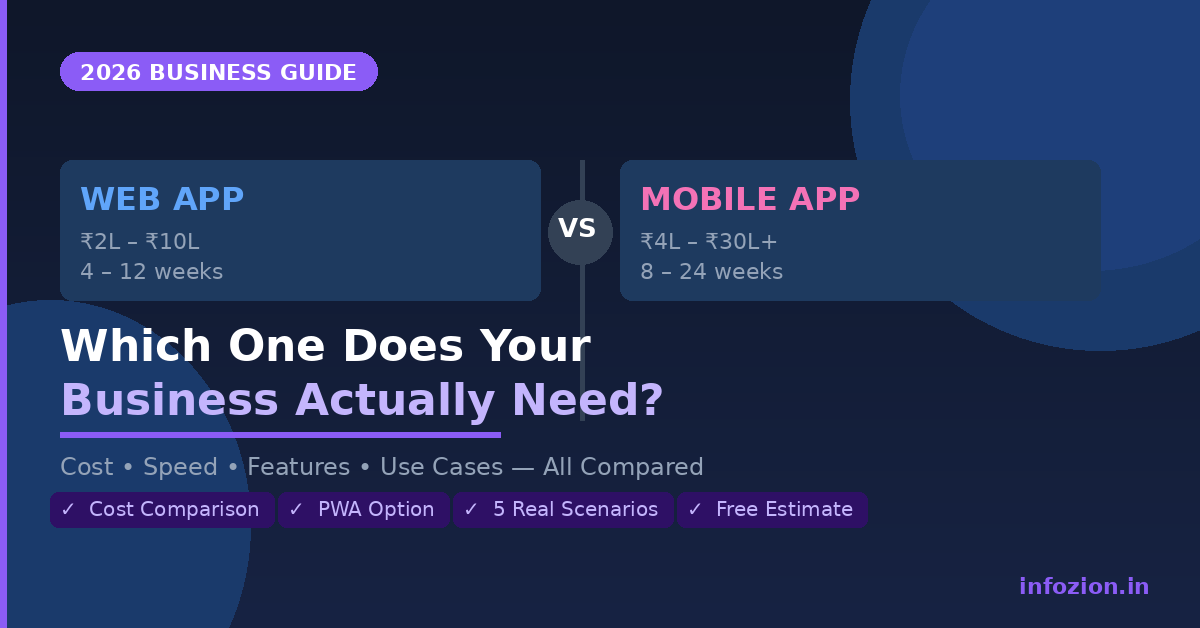
Web App vs Mobile App: Which One Does Your Business Need? (2026 Guide)
Every business faces the same question — web app vs mobile app for business: which one should you actually build?
It sounds simple. But the wrong choice can cost you lakhs of rupees, months of development time, and worst of all — a product your users do not actually use.
The honest answer is: it depends on your users, your goals, and your budget. But that answer is only useful if you know exactly what to compare.
This guide breaks down the real difference between a web app vs mobile app for business — covering cost, reach, performance, user experience, and which one makes sense for different types of businesses in 2026.
What is a Web App?
A web app is a software application that runs in a browser — Chrome, Safari, Firefox — without needing to be downloaded or installed. Users access it via a URL, just like a website, but it behaves like a fully functional application.
Examples of web apps:
- Google Docs
- Trello
- Zoho CRM
- Your company’s internal dashboard or client portal
Web apps can be responsive (mobile-friendly) and can even work offline with modern technologies like Progressive Web Apps (PWAs).
What is a Mobile App?
A mobile app is a software application downloaded and installed on a smartphone or tablet — through the Google Play Store or Apple App Store. It runs natively on the device and can access hardware features like the camera, GPS, microphone, and push notifications.
Examples of mobile apps:
- Swiggy, Zomato
- Razorpay
- Your company’s customer-facing delivery tracker or booking app
Mobile apps come in two types: native apps (built separately for Android and iOS) and cross-platform apps (built once using frameworks like React Native or Flutter, runs on both).
Web App vs Mobile App for Business — Full Comparison (2026)
| Factor | Web App | Mobile App |
|---|---|---|
| Development Cost | ₹2L – ₹10L | ₹4L – ₹30L+ |
| Development Time | 4 – 12 weeks | 8 – 24 weeks |
| Platform | All devices via browser | Android / iOS separately |
| Updates | Instant — no user action needed | Requires App Store approval |
| Offline Access | Limited (PWA can help) | Full offline functionality |
| Push Notifications | Limited on desktop | Full native push notifications |
| Hardware Access | Limited | Camera, GPS, biometrics, NFC |
| App Store Presence | No | Yes — discovery benefit |
| SEO Friendly | Yes — indexable by Google | No direct SEO benefit |
| User Retention | Lower (no home screen icon) | Higher (app icon on phone) |
| Maintenance Cost | Lower | Higher |
When to Choose a Web App for Your Business
A web app is the right choice in most of these scenarios:
1. You Need to Launch Fast and Test Your Idea
Web apps take significantly less time and money to build. If you are validating a business idea or need an MVP to show investors, a web app gets you to market 2–3x faster than a mobile app.
2. Your Users Are on Desktop or Laptop
B2B software, admin dashboards, project management tools, CRMs, and finance platforms are primarily used on desktop. There is no reason to build a mobile app when your users are sitting at a desk.
3. SEO is Part of Your Growth Strategy
Web apps are indexable by Google. If organic search traffic is important to your business, a web app gives you a significant advantage. Mobile apps have zero SEO benefit.
4. You Have a Tight Budget
For the same features, a web app typically costs 40–60% less than a mobile app. If budget is a constraint, start with a web app and build a mobile app later once you have revenue and validated users.
5. Your Product Requires Frequent Updates
Web apps update instantly on the server — no App Store approval, no user action required. If your product evolves rapidly, this is a major advantage.
Infozion specialises in web app development for businesses that need fast, scalable, and browser-based solutions — from client portals to full enterprise platforms.
When to Choose a Mobile App for Your Business
A mobile app makes more sense in these situations:
1. Your Users Are Always on Their Phones
Consumer-facing apps — food delivery, ride booking, fitness, e-commerce, payments — live on the phone. If your users need to interact with your product multiple times a day on the go, mobile is the right choice.
2. You Need Push Notifications
Push notifications drive re-engagement like nothing else. If your business model depends on bringing users back — reminders, offers, order updates, alerts — you need a native mobile app. Web push notifications exist but are far less effective.
3. Your App Needs Device Hardware
Camera (document scanning, selfie verification), GPS (real-time tracking, location-based services), biometrics (fingerprint login), NFC (payments, access control) — these require native mobile access.
4. You Want App Store Discoverability
Being listed in the Google Play Store or Apple App Store gives you a discovery channel you simply do not have with a web app. Millions of users browse app stores actively looking for solutions.
5. Offline Functionality is Critical
Field teams, delivery agents, or users in low-connectivity areas need apps that work without internet. Native mobile apps handle offline data sync far better than web apps.
Explore Infozion’s custom app development services to understand how we approach mobile-first product development.
The Third Option: Progressive Web App (PWA)
Many businesses do not realise there is a middle ground — a Progressive Web App (PWA).
A PWA is a web app built with modern web technologies that behaves like a mobile app. It can be installed on a phone’s home screen, works offline, sends push notifications, and loads fast — but it is built and maintained like a web app.
PWA advantages:
- No App Store submission required
- One codebase for all platforms
- Significantly lower cost than native mobile
- Google indexes PWAs like regular web pages
PWA limitations:
- Cannot access all hardware features (limited camera, no NFC, limited biometrics)
- iOS support is less robust than Android
- Lower performance for graphics-heavy or real-time applications
Your budget is limited, your primary users are on Android, and moreover your app does not require deep hardware integration like NFC or advanced biometrics.
Web App vs Mobile App — Cost Comparison for India (2026)
| App Type | Basic | Mid-Complexity | Enterprise |
|---|---|---|---|
| Web App | ₹2L – ₹5L | ₹5L – ₹15L | ₹15L – ₹40L |
| Mobile App (single platform) | ₹3L – ₹6L | ₹8L – ₹18L | ₹20L – ₹50L |
| Mobile App (both platforms) | ₹5L – ₹10L | ₹12L – ₹25L | ₹30L – ₹70L |
| PWA | ₹2L – ₹6L | ₹6L – ₹16L | ₹15L – ₹35L |
Note: These are approximate industry averages for India in 2026. Your actual cost depends on features, team, and tech stack. Get a free estimate from Infozion.
Real Business Scenarios — What Would You Build?
Scenario 1: B2B SaaS for HR Management
Recommendation: Web App HR managers use laptops. The product needs frequent updates. SEO can drive signups. A mobile companion app can be added later.
Scenario 2: On-Demand Home Services Platform
Recommendation: Mobile App (both platforms) Customers book on the go. Service providers need GPS tracking. Push notifications for booking confirmations are essential. App Store discoverability matters.
Scenario 3: Internal Field Sales Tool for a Manufacturing Company
Recommendation: Mobile App or PWA Sales reps are always on the move. Offline data entry is critical. Camera for document capture needed. A PWA can work if budget is tight.
Scenario 4: E-Commerce Store with 10,000+ Products
Recommendation: Web App + Mobile App Start with a responsive web app for SEO and desktop buyers. Add a mobile app once revenue justifies the investment. This is what most successful D2C brands do.
Scenario 5: Client Portal for a Professional Services Firm
Recommendation: Web App Clients access reports, invoices, and project updates from office. No push notifications needed. Fast to build, easy to maintain, SEO-friendly.
The Biggest Mistake Businesses Make
The most common — and expensive — mistake is building a mobile app first because it “feels more impressive.”
A mobile app that nobody uses is far worse than a web app with 1,000 active daily users.
Start with where your users are. Validate your product. Build a user base. Then invest in a native mobile experience when you have the data to justify it.
This is exactly the MVP-first approach that Infozion follows — launch fast, learn fast, and scale smart.
How Infozion Helps You Decide
At Infozion Technologies, we do not recommend a technology before understanding your business. Every project starts with a discovery conversation where we ask:
- Who are your users and how do they access the internet?
- What is the core action your product needs to enable?
- What is your timeline and budget?
- Do you need SEO, push notifications, or hardware access?
Based on your answers, we recommend the right solution — web app, mobile app, or PWA — and build it using the right tech stack from our expertise in React.js, Node.js, Flutter, Laravel, and more.
We have delivered 250+ projects across web applications, mobile apps, and enterprise platforms for clients including HCL, VidyaGyan, Zapclo, and TimeStrings.
Frequently Asked Questions
Which is cheaper to build — a web app or a mobile app?
Web apps are typically 40–60% cheaper than mobile apps for the same features. A basic web app starts at ₹2–5 lakhs, while a basic mobile app starts at ₹3–6 lakhs per platform. Contact Infozion for a free estimate.
Can a web app replace a mobile app?
For many business use cases — especially B2B tools, dashboards, and portals — yes. A well-built Progressive Web App can deliver a near-native mobile experience without the cost of building separate Android and iOS apps.
Should I build for Android or iOS first?
In India, Android has over 95% smartphone market share. For Indian-focused consumer apps, build Android first. For global or premium segment apps, consider both from the start using a cross-platform framework like React Native or Flutter.
How long does it take to build a web app vs a mobile app?
A basic web app takes 4–12 weeks. A basic mobile app takes 8–16 weeks per platform. Cross-platform mobile apps (React Native or Flutter) can reduce timeline to 10–18 weeks for both platforms.
What is the difference between a website and a web app?
A website is primarily informational — you read it. A web app is interactive — you use it to complete tasks like manage data, process transactions, or collaborate with a team. Most modern business tools are web apps, not websites.
Do I need both a web app and a mobile app?
Not necessarily — at least not at launch. Start with one based on where your users are. Add the second once you have traction and revenue. Many successful products started as web-only or mobile-only.
Conclusion
The web app vs mobile app decision for your business comes down to three things: your users, your features, and your budget.
For desktop users or SEO-driven growth — start with a web app. If your users are mobile-first and need push notifications or hardware access — a mobile app is the right call. Furthermore, if budget is tight but you still want a mobile-like experience — a PWA is the smartest middle ground.
There is no universally right answer. But there is a right answer for your specific business.
Infozion Technologies has helped 250+ businesses across India and globally make exactly this decision — and then build the product that followed. If you are not sure which direction to go, start with a free conversation.
According to Statista, Android holds over 95% of India’s smartphone market share — making it the priority platform for any Indian consumer app.
Talk to our team today — it’s free.