 Infozion Technologies LLPInfozion Technologies LLP





Types of ERP Software: 12 Types, Benefits, Examples & How to Choose the Right One
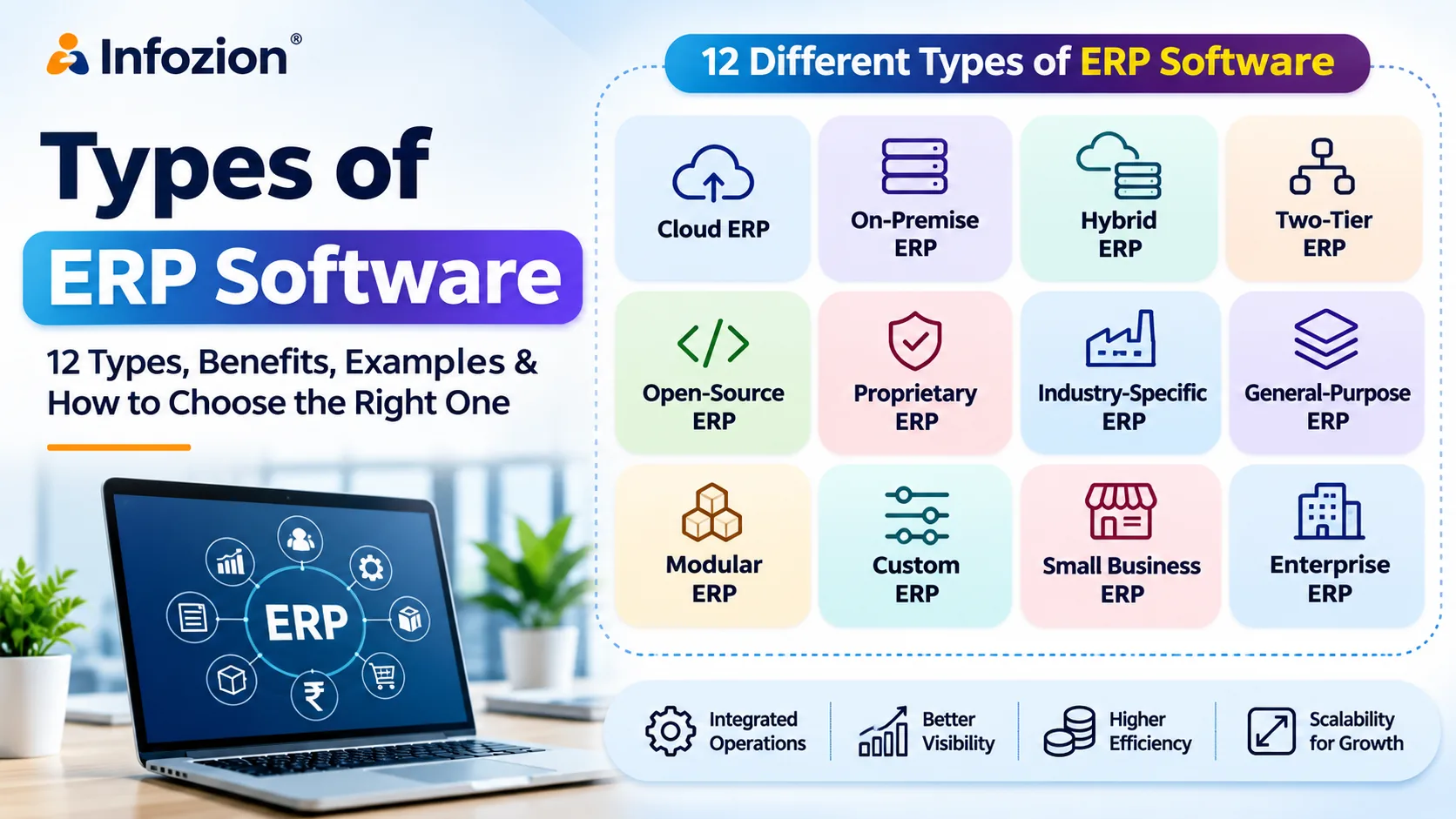
Types of ERP Software: 12 Types, Benefits, Examples & How to Choose the Right One
Managing a growing business becomes challenging when different departments depend on separate software, spreadsheets, and manual processes. Sales teams struggle to track orders, finance departments spend hours preparing reports, and inventory managers cannot always access accurate stock information.
This is where Enterprise Resource Planning (ERP) software becomes valuable.
However, not every ERP system works the same way. Understanding the Types of ERP Software helps businesses select solutions that match their operations, budget, industry requirements, and growth plans.
Some ERP systems operate entirely in the cloud, while others run on company-owned servers. Certain platforms serve multiple industries, whereas specialized systems manage manufacturing, retail, healthcare, logistics, and other business-specific processes.
In this guide, we will explore the different types of ERP software, their features, advantages, limitations, practical examples, and how businesses can choose the right solution.
Quick Answer: What Are the Types of ERP Software?
The main Types of ERP Software include cloud ERP, on-premise ERP, hybrid ERP, two-tier ERP, open-source ERP, proprietary ERP, industry-specific ERP, general-purpose ERP, modular ERP, custom ERP, small business ERP, and enterprise ERP.
These systems can be classified according to deployment method, business size, licensing model, architecture, and industry requirements.
For example, a small retailer might choose cloud-based ERP with inventory and accounting modules, while a large manufacturing organization may need enterprise ERP with advanced production planning and supply chain management.
Important: These categories overlap. A single ERP product can be cloud-based, industry-specific, modular, and proprietary simultaneously.
What Is ERP Software?
ERP (Enterprise Resource Planning) software is a business management system that integrates important organizational activities into a connected platform.
Instead of maintaining separate applications for every department, ERP allows businesses to share information and coordinate workflows.
Depending on the system, its main functions may include:
- Financial management and accounting
- Inventory and warehouse management
- Sales and customer relationship management
- Human resource management
- Procurement and supply chain management
- Manufacturing and production planning
- Business reporting and analytics
How Does ERP Software Work?
Consider a manufacturing company receiving a customer order.
With appropriately configured ERP software, the sales department records the order, inventory checks material availability, procurement identifies purchasing requirements, production schedules manufacturing, and finance prepares the invoice.
Relevant departments work with connected information instead of repeatedly entering the same data.
This can reduce manual effort, improve operational visibility, and support better decision-making.
Businesses wondering whether they need a complete ERP platform can read Infozion’s ERP vs Accounting Software: When Should a Business Upgrade?.
12 Different Types of ERP Software Explained
Choosing ERP requires understanding how different solutions are designed and deployed.
Let’s explore the major ERP software types and their ideal applications.
1. Cloud-Based ERP Software
Cloud ERP software is hosted on cloud infrastructure and accessed through the internet.
In a typical Software-as-a-Service (SaaS) model, the provider manages hosting, application updates, and much of the technical infrastructure.
Employees can access authorized business information from different locations using compatible devices.
Key features:
- Internet-based access
- Subscription-based pricing options
- Centralized business information
- Provider-managed application updates
- Scalable user access and modules
- Integration with other business applications
Advantages: Cloud ERP generally reduces the need for in-house servers, supports distributed teams, and can offer a lower initial infrastructure investment.
Limitations: Businesses depend on reliable connectivity, vendor service availability, and the provider’s security and configuration options.
Best for: Startups, SMEs, growing companies, and organizations operating across multiple locations.
Example: A retail chain uses cloud ERP to monitor sales, inventory, purchasing, and financial reports across several stores.
2. On-Premise ERP Software
On-premise ERP software is installed on infrastructure controlled by the organization, typically within its own facilities or managed data center.
The company takes responsibility for maintaining servers, system administration, backups, and much of the security infrastructure.
Key features:
- Organization-controlled hosting
- Greater infrastructure configuration control
- Internal administration and maintenance
- Potential for extensive customization
- Integration with internal business applications
Advantages: Businesses can exercise substantial control over hosting, technical configuration, and data management.
Limitations: Infrastructure, IT staffing, maintenance, and system upgrades can increase costs and operational responsibilities.
Best for: Organizations with established IT departments, specialized infrastructure requirements, or strict operational controls.
Example: A manufacturer operates ERP within its own data center to integrate factory systems and internal operational applications.
3. Hybrid ERP Software
Hybrid ERP software combines cloud-based applications with on-premise systems.
Businesses may retain selected critical operations on existing infrastructure while introducing cloud applications for other departments.
This approach is useful when replacing an entire ERP environment immediately would create unnecessary disruption.
Key features:
- Combined cloud and local infrastructure
- Integration between existing and new systems
- Flexible migration planning
- Department-specific deployment arrangements
- Support for gradual modernization
Advantages: Hybrid ERP allows organizations to introduce new capabilities without immediately abandoning established systems.
Limitations: Maintaining integrations, access controls, and consistent data between environments can be complicated.
Best for: Established enterprises, manufacturers, and organizations transitioning from older ERP systems.
Example: A company keeps production management on local servers while implementing cloud-based sales and reporting applications.
4. Two-Tier ERP Software
Two-tier ERP is an approach in which a parent organization and its subsidiaries use different ERP systems.
A corporate headquarters may operate a comprehensive enterprise platform, while smaller subsidiaries use simpler solutions appropriate to their local requirements.
Information is exchanged between the systems for consolidated reporting and management.
Key features:
- Separate ERP systems at different organizational levels
- Corporate reporting integration
- Local operational flexibility
- Subsidiary-specific processes
- Multi-entity business management
Advantages: Organizations can standardize important financial reporting while providing operational flexibility to regional business units.
Limitations: Data synchronization, system integration, and governance require careful planning.
Best for: Multinational organizations and companies managing multiple subsidiaries.
Example: A global company uses enterprise ERP at headquarters and a lighter cloud ERP system in its Indian subsidiary.
5. Open-Source ERP Software
Open-source ERP software provides access to software source code under an open-source license.
Organizations can review, modify, and extend the application according to applicable licensing terms.
Popular examples include community editions or distributions of Odoo and ERPNext.
Key features:
- Access to source code
- Custom development opportunities
- Community-supported ecosystems
- Flexible hosting options
- Integration through APIs and extensions
Advantages: Open-source ERP can provide technical flexibility and opportunities to tailor business workflows.
Limitations: Custom development, hosting, maintenance, upgrades, and professional services may still require significant investment.
Best for: Businesses with specialized workflows and access to technical development expertise.
Example: A distribution company adapts an open-source ERP platform to handle its particular purchase approvals and inventory reporting.
6. Proprietary ERP Software
Proprietary ERP software is developed and licensed by a software vendor that controls the underlying product.
Examples include commercial ERP offerings from SAP, Oracle, Microsoft, and other providers.
Customers receive access under specified licensing or subscription arrangements.
Key features:
- Vendor-controlled product development
- Commercial licensing agreements
- Defined product support arrangements
- Established application ecosystems
- Vendor-managed update schedules
Advantages: Proprietary platforms may provide structured support, documentation, product roadmaps, and established partner networks.
Limitations: Licensing costs, vendor dependency, and customization restrictions can affect long-term flexibility.
Best for: Businesses prioritizing vendor-supported platforms and established enterprise capabilities.
Example: A large organization implements a commercial ERP suite to standardize finance, procurement, and reporting across business units.
7. Industry-Specific ERP Software
Industry-specific ERP software, also called vertical ERP, is designed around the operational requirements of a particular business sector.
Unlike general-purpose ERP, these solutions may include specialized workflows and terminology.
Common examples include:
Manufacturing ERP: Production planning, material requirements, bills of materials, quality control, and factory operations.
Retail ERP: Point-of-sale integration, stock management, purchases, pricing, and multi-store reporting.
Healthcare ERP: Billing, procurement, inventory, financial management, and administrative workflows. Clinical features depend on the system.
Logistics ERP: Shipment management, freight documentation, invoicing, operational tracking, and branch management.
Waste Management ERP: Collection records, material movements, processing information, reporting, and relevant compliance workflows.
Advantages: Industry-specific systems can reduce the amount of adaptation needed for specialized processes.
Limitations: Some niche platforms may offer fewer capabilities outside their intended sector.
Best for: Organizations with complex industry-specific operational needs.
For practical retail applications, explore Infozion’s Retail ERP Software in India guide.
8. General-Purpose ERP Software
General-purpose ERP software, sometimes called horizontal ERP, supports business functions shared across multiple industries.
Typical modules cover accounting, purchasing, sales, inventory, human resources, and reporting.
Businesses configure the platform according to their organizational processes.
Key features:
- Standard financial management
- Procurement and purchasing
- Sales and order processing
- Inventory management
- Employee administration
- Management reporting
Advantages: General-purpose ERP offers broad functionality and can be suitable for businesses with conventional workflows.
Limitations: Organizations with specialized industry requirements may need additional modules, integrations, or custom development.
Best for: Trading companies, service providers, distributors, and businesses with standard operational requirements.
Example: A wholesale distributor implements general-purpose ERP for purchases, inventory, invoicing, and finance.
9. Modular ERP Software
Modular ERP software allows organizations to implement selected business modules rather than deploying every available function simultaneously.
For instance, a company might begin with accounting and inventory before introducing CRM, manufacturing, or human resources.
Key features:
- Selectable business modules
- Phased implementation
- Department-specific functionality
- Integration between implemented modules
- Scope expansion as requirements change
Advantages: Modular ERP helps businesses prioritize essential processes and avoid unnecessary initial complexity.
Limitations: Adding modules later may require additional licensing, integration work, process changes, and employee training.
Best for: Growing businesses that want to expand their ERP environment gradually.
Example: A small business initially implements inventory and finance modules, then adds purchasing and CRM as its operations become more complex.
10. Custom ERP Software
Custom ERP software is designed or extensively developed to meet an organization’s specific operational requirements.
Unlike standard packages, custom ERP focuses on workflows that cannot be adequately managed through available configuration options.
Key features:
- Business-specific processes
- Customized dashboards and reports
- Specialized automation
- Integration with internal applications
- Flexible system design
Advantages: Custom ERP can closely align with unusual processes and specialized operating models.
Limitations: Development, testing, documentation, maintenance, and future upgrades require careful investment and planning.
Best for: Organizations with distinct operational requirements that standard ERP products cannot reasonably accommodate.
Example: A logistics business develops specialized shipment costing, documentation, approval, and customer reporting workflows.
At Infozion, businesses can explore custom software and ERP development approaches suited to their requirements.
11. Small Business ERP Software
Small business ERP software focuses on essential business management requirements without the complexity of a large enterprise implementation.
These systems often emphasize practical functionality, manageable costs, and ease of use.
Typical features:
- Accounting and billing
- Purchase management
- Inventory tracking
- Basic CRM
- Sales management
- Business reporting
Advantages: Smaller ERP deployments can help businesses centralize important records and reduce dependence on spreadsheets.
Limitations: Entry-level platforms may have restrictions related to customization, multi-company operations, complex manufacturing, or advanced reporting.
Best for: Startups, small retailers, service businesses, and SMEs.
Example: A growing trading company connects its purchases, sales, stock, and accounting through one system.
12. Enterprise ERP Software
Enterprise ERP software is built to support complex business processes across larger organizations.
These platforms may manage multiple legal entities, geographical regions, departments, currencies, and business units.
Key features:
- Multi-company management
- Complex financial consolidation
- Enterprise procurement
- Advanced supply chain management
- Detailed permissions and approvals
- Business intelligence and analytics
- Integration with multiple applications
Advantages: Enterprise ERP can provide centralized visibility, standardized processes, and stronger coordination across complex organizational structures.
Limitations: Implementation can involve extensive planning, higher costs, specialized expertise, and significant change management.
Best for: Large enterprises, multinational companies, and organizations with complex operational structures.
Example: An international manufacturer connects procurement, production, warehouse management, and financial reporting across several facilities.
Comparison of Different Types of ERP Software
The following table provides a quick comparison to help businesses identify appropriate ERP options.
| ERP Type | Main Advantage | Potential Limitation | Best For |
|---|---|---|---|
| Cloud ERP | Remote access and easier infrastructure management | Internet and vendor dependency | SMEs and growing businesses |
| On-Premise ERP | Greater infrastructure control | Higher internal IT responsibility | Organizations with specific hosting needs |
| Hybrid ERP | Flexible modernization | Integration complexity | Established businesses |
| Two-Tier ERP | Subsidiary flexibility | Cross-system reporting challenges | Multinational companies |
| Open-Source ERP | Source-code flexibility | Technical maintenance requirements | Businesses with development resources |
| Proprietary ERP | Structured vendor ecosystem | Licensing and vendor dependency | Companies seeking commercial platforms |
| Industry-Specific ERP | Specialized workflows | May have narrower functionality | Manufacturing, retail, logistics |
| General-Purpose ERP | Broad business functionality | May need industry customization | Standard business operations |
| Modular ERP | Phased implementation | Future module integration costs | Growing businesses |
| Custom ERP | Tailored functionality | Higher development responsibility | Specialized organizations |
| Small Business ERP | Focused essential features | May have scalability limitations | Startups and SMEs |
| Enterprise ERP | Complex multi-entity capabilities | Implementation complexity | Large enterprises |
There is no universally best ERP type. Businesses should compare solutions according to their operational requirements rather than selecting software based solely on popularity.
What Are the Main Benefits of ERP Software?
Regardless of deployment model, a well-implemented ERP system can provide several business benefits.
Improved Operational Efficiency
Connected workflows can reduce duplicate data entry and unnecessary manual coordination between departments.
Better Business Visibility
Authorized employees and management can access relevant operational and financial information through shared records and reporting tools.
More Accurate Inventory Management
Inventory modules can connect purchases, sales, stock movements, and warehouse activities, helping businesses maintain more reliable stock information.
Improved Financial Management
ERP can connect operational activities with invoices, expenses, payments, financial records, and reporting.
Better Collaboration
Sales, procurement, operations, and finance teams can coordinate activities through standardized workflows and accessible information.
Scalability
An appropriately designed ERP environment can support additional users, locations, products, and business processes as a company grows.
However, these improvements depend on the software selected, data quality, implementation scope, and employee adoption.
How to Choose the Right Type of ERP Software for Your Business
Understanding the Types of ERP Software is the first step. Choosing the right platform requires examining your actual business needs.
Step 1: Identify Business Problems
Start by identifying what needs improvement.
Are inventory records frequently incorrect? Are purchase approvals delayed? Does the finance department spend too much time preparing reports?
Define specific business problems before comparing features.
Step 2: Determine Required ERP Modules
List your essential functions, such as accounting, CRM, inventory, manufacturing, procurement, or HR.
Separate immediate requirements from capabilities you may need later.
Step 3: Compare Deployment Models
Choose between cloud, on-premise, and hybrid solutions based on infrastructure needs, access requirements, data management policies, and available IT resources.
Step 4: Evaluate Industry Requirements
Determine whether a general ERP platform supports your processes or whether an industry-specific ERP solution would reduce unnecessary customization.
Step 5: Calculate Total Ownership Cost
Consider subscription or licensing charges, implementation, integrations, data migration, training, hosting, maintenance, and upgrades.
For more detailed budgeting guidance, read Infozion’s ERP Implementation Cost in India guide.
Step 6: Request a Business-Specific Demonstration
Ask vendors to demonstrate actual workflows using representative business scenarios.
A feature checklist alone cannot confirm whether an ERP system meets your needs.
Step 7: Plan Implementation and Training
A successful ERP project needs clear requirements, clean data, process testing, employee training, and post-launch improvements.
Learn more through Infozion’s ERP Implementation Phases guide.
Which Type of ERP Software Is Best for Indian Businesses?
For Indian businesses, the ideal ERP depends on company size, operational complexity, industry, budget, and growth expectations.
Small businesses may benefit from modular cloud ERP when they need connected accounting, inventory, and sales workflows.
Manufacturers may require production planning, material management, costing, and quality control.
Retailers with multiple stores should evaluate POS integration, inventory synchronization, returns, and consolidated reporting.
Logistics businesses should prioritize shipment operations, documentation, billing, and customer visibility.
Indian organizations should also verify relevant GST functionality, applicable reporting requirements, data protection arrangements, and integration with their existing business applications.
The correct approach is to select the combination of deployment, modules, and industry capabilities that meets your business requirements.
ERP Software Trends in 2026
Modern enterprise resource planning software continues to evolve as businesses prioritize integration, automation, and better data access.
Several developments are influencing ERP selection.
AI-assisted ERP: Some platforms now include AI-assisted reporting, forecasting, document processing, and workflow recommendations. Businesses should assess accuracy, permissions, and human review requirements.
Cloud adoption: Cloud ERP remains an important option for companies seeking scalable infrastructure and accessible applications.
Mobile ERP: Mobile interfaces help authorized employees manage approvals, review dashboards, and access business information away from their desks.
Advanced analytics: ERP reporting increasingly combines financial and operational data to help management understand performance.
Integration capabilities: APIs and connected applications allow businesses to combine ERP with e-commerce, CRM, payment systems, and specialized operational tools.
These capabilities can improve a system’s usefulness, but they should be evaluated against measurable business requirements instead of marketing claims.
Why Choose Infozion for ERP Software Development?
Selecting an ERP platform is only part of the journey. Businesses must also understand their workflows, plan integrations, prepare data, and support employees during implementation.
Infozion Technologies LLP provides technology and custom software development services for organizations seeking better-connected business operations.
Businesses exploring ERP can discuss requirements such as:
- Custom ERP software development
- Business process automation
- Inventory and financial workflow integration
- Industry-specific functionality
- Reporting and dashboard requirements
- Application integration
- ERP implementation planning
The appropriate solution should be defined only after understanding business objectives, existing systems, operational challenges, and expected growth.
Explore Infozion’s Software Solutions to discuss a suitable ERP development or implementation approach.
Frequently Asked Questions About Types of ERP Software
1. What are the main Types of ERP Software?
The main Types of ERP Software include cloud ERP, on-premise ERP, hybrid ERP, open-source ERP, proprietary ERP, modular ERP, custom ERP, industry-specific ERP, and enterprise ERP. Two-tier, general-purpose, and small business ERP are additional classifications based on organizational structure, scope, and target users.
2. What are the three main types of ERP deployment?
The three primary ERP deployment models are cloud ERP, on-premise ERP, and hybrid ERP. Cloud systems run on hosted infrastructure, on-premise systems operate on organization-controlled infrastructure, and hybrid environments combine both approaches.
3. Which ERP software is best for small businesses?
Cloud-based or modular ERP is often practical for small businesses because it can reduce infrastructure requirements and allow phased implementation. However, the best choice depends on business processes, budget, existing applications, and required features.
4. What is the difference between cloud ERP and on-premise ERP?
Cloud ERP is hosted externally and typically accessed through the internet, while on-premise ERP runs on infrastructure controlled by the organization. Cloud solutions often reduce internal infrastructure maintenance, whereas on-premise solutions offer greater hosting control.